
OPNsense Proxy: Complete Setup and Configuration Guide
Network administrators seeking robust firewall solutions with integrated proxy capabilities often turn to OPNsense for its comprehensive feature set and open-source flexibility. As organizations prioritize both security and performance, implementing an opnsense proxy configuration has become essential for controlling web traffic, caching content, and protecting sensitive data. This powerful combination enables businesses to manage bandwidth efficiently while maintaining strict security policies across their entire network infrastructure. Whether you're deploying transparent proxies for seamless user experiences or explicit proxies with authentication requirements, understanding the full scope of OPNsense's proxy features will transform how you approach network management in 2026.
Understanding OPNsense Proxy Architecture
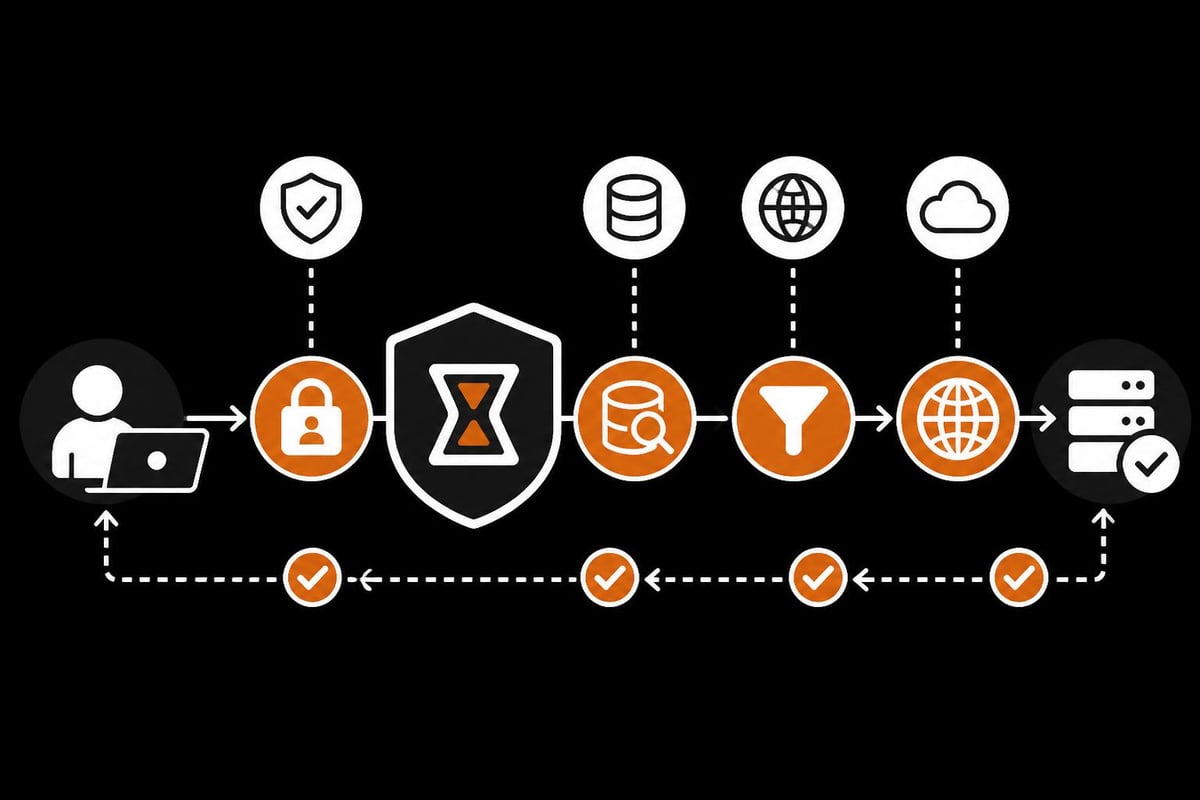
OPNsense provides a sophisticated proxy implementation built on proven open-source technologies, primarily leveraging Squid as its core caching proxy engine. The platform offers multiple deployment modes that cater to diverse network requirements, from small office environments to enterprise-scale infrastructures.
The opnsense proxy system operates at the application layer, intercepting HTTP and HTTPS traffic before it reaches external networks. This positioning enables comprehensive content filtering, bandwidth optimization, and security enforcement that traditional packet-filtering firewalls cannot achieve alone.
Core Components and Features
The proxy infrastructure in OPNsense includes several critical components working in harmony:
- Squid caching proxy for content storage and delivery acceleration
- Multi-interface support allowing proxy services across different network segments
- ICAP integration enabling real-time antivirus scanning of web traffic
- Authentication modules supporting LDAP, RADIUS, and local user databases
- SSL/TLS inspection capabilities for encrypted traffic analysis
These features combine to create a comprehensive web gateway solution. Organizations can implement granular access controls while simultaneously reducing bandwidth consumption through intelligent caching mechanisms.
Configuring Your OPNsense Proxy Setup
Setting up an opnsense proxy requires careful planning and systematic configuration. The process involves multiple stages, each critical to achieving optimal performance and security outcomes.
Initial Installation and Access
Begin by accessing the OPNsense web interface and navigating to Services > Proxy. The OPNsense proxy documentation provides detailed information about available configuration options and their implications.
Before enabling proxy services, verify that your network topology supports the intended deployment model. Consider these preliminary steps:
- Identify proxy interfaces where the service will listen for requests
- Determine authentication requirements based on user access policies
- Plan cache storage allocation according to available disk space
- Configure DNS resolution to ensure proper hostname lookups
- Review firewall rules to allow appropriate proxy traffic flows
The initial configuration wizard guides administrators through essential settings. However, advanced deployments often require manual fine-tuning to achieve specific organizational objectives.
Transparent vs. Explicit Proxy Modes
OPNsense supports both transparent and explicit proxy configurations, each suited to different operational scenarios.
Transparent Mode redirects traffic automatically without requiring client-side configuration. This approach works seamlessly with existing network infrastructure and eliminates the need for individual device setup. The transparent proxy setup guide explains the necessary firewall rules and port forwarding configurations.
| Feature | Transparent Mode | Explicit Mode |
|---|---|---|
| Client Configuration | Not required | Required on each device |
| HTTPS Interception | Complex, requires CA trust | Simpler implementation |
| Bypass Prevention | Higher enforcement | Users can disable proxy |
| Troubleshooting | More challenging | Easier to diagnose |
| Performance Impact | Slightly higher | Minimal overhead |
Explicit Mode requires clients to configure proxy settings manually or through automated configuration files. While this demands more initial setup effort, it provides clearer traffic visibility and simplifies encrypted traffic handling.
Many organizations combine both approaches strategically. Critical systems use explicit configuration for maximum control, while general user devices operate through transparent proxying for convenience.
Advanced Caching and Performance Optimization
The caching capabilities of an opnsense proxy directly impact both network performance and user experience. Proper cache configuration reduces bandwidth costs while accelerating content delivery.
Cache Storage and Memory Allocation
Effective caching requires adequate storage resources and intelligent memory management. The caching proxy configuration guide details optimal settings for various deployment sizes.
Cache sizing recommendations:
- Small networks (1-50 users): 10-20 GB disk cache, 256 MB memory
- Medium networks (50-200 users): 50-100 GB disk cache, 512 MB memory
- Large networks (200+ users): 200+ GB disk cache, 1-2 GB memory
Storage speed significantly affects cache performance. SSDs provide superior response times compared to traditional hard drives, particularly for cache directories experiencing high input/output operations.
Memory cache complements disk storage by keeping frequently accessed objects in RAM for instant retrieval. Balance memory allocation carefully, as excessive cache memory can starve other system processes.
Content Filtering and Access Control
Beyond caching, the opnsense proxy enables sophisticated content filtering through multiple mechanisms. Blacklists, whitelists, and category-based filtering work together to enforce acceptable use policies.
Access control lists (ACLs) define who can access what resources and when. Time-based restrictions limit social media access during business hours, while category filters block malicious or inappropriate content entirely.
Integration with external blacklist services provides real-time protection against emerging threats. Regular updates ensure that filtering databases remain current with the latest security intelligence.
Similar to how residential proxies for web scraping require careful configuration to avoid detection, internal proxy policies must balance security requirements with user productivity needs.
Security Features and SSL Inspection
Modern web traffic predominantly uses encrypted HTTPS connections, presenting both security challenges and opportunities for opnsense proxy administrators.
Implementing SSL/TLS Interception
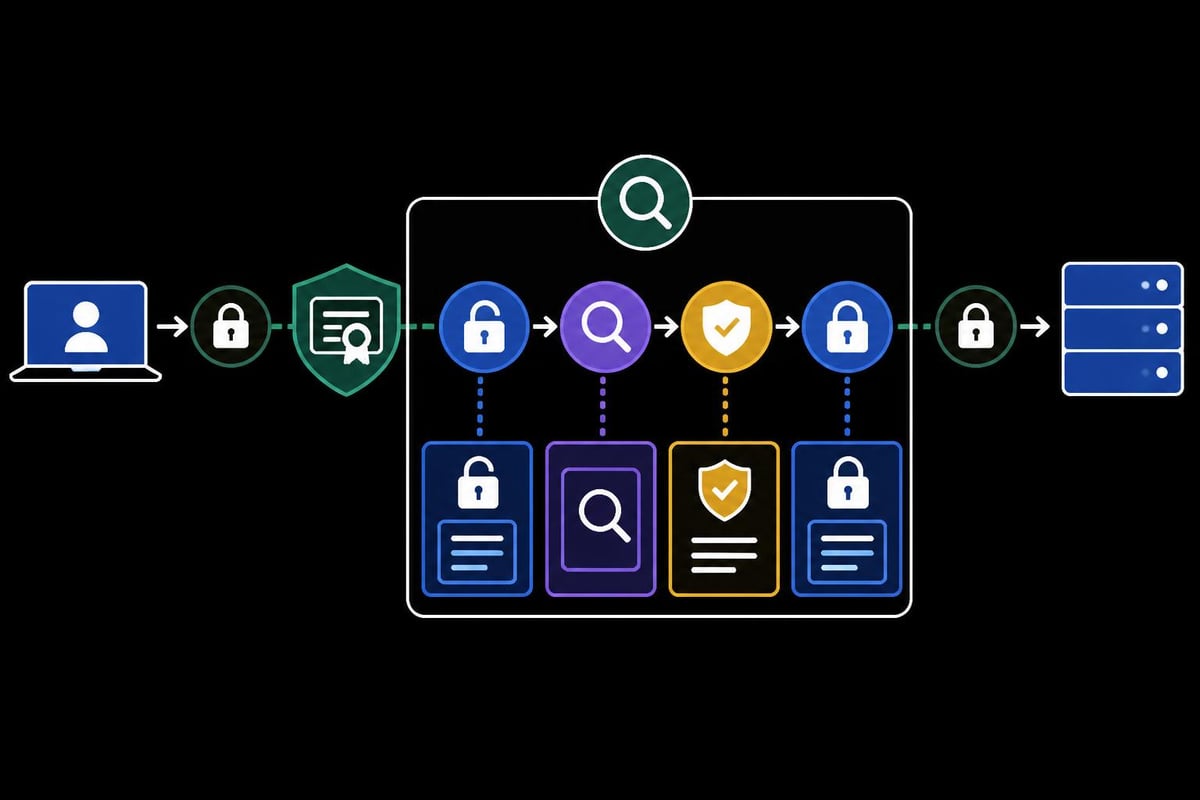
SSL inspection enables proxies to decrypt, analyze, and re-encrypt HTTPS traffic. This capability allows content filtering and malware scanning of encrypted streams, which would otherwise pass through unexamined.
Implementation steps:
- Generate or import a trusted Certificate Authority (CA) certificate
- Distribute the CA certificate to all client devices
- Enable SSL interception in the proxy configuration
- Define SSL bump rules for selective interception
- Configure bypass lists for sensitive services (banking, healthcare)
Privacy considerations demand careful SSL inspection policies. Many organizations exclude specific domains from interception to maintain user trust and comply with regulatory requirements.
The computational overhead of SSL processing requires adequate hardware resources. Plan for increased CPU utilization when enabling comprehensive HTTPS inspection across large user populations.
Authentication and User Identification
User authentication transforms the opnsense proxy from a simple traffic filter into a comprehensive access management system. Multiple authentication backends support diverse organizational structures:
- LDAP/Active Directory for enterprise environments with existing directories
- RADIUS for integration with network access control systems
- Local database for standalone deployments or small user bases
- NTLM/Kerberos for transparent Windows authentication
Session management controls how long authenticated users remain logged in. Short timeouts enhance security but may frustrate users, while longer sessions improve convenience at the cost of increased risk.
Automatic Proxy Configuration Methods
Large-scale deployments benefit from automated proxy configuration, eliminating manual setup on individual devices while maintaining flexibility.
WPAD and PAC File Implementation
Web Proxy Auto-Discovery (WPAD) and Proxy Auto-Config (PAC) files enable automatic proxy settings distribution. The PAC configuration documentation explains both approaches comprehensively.
PAC files use JavaScript logic to determine whether requests should use the proxy based on:
- Destination hostname or domain
- URL patterns and regular expressions
- Client IP address ranges
- Time of day or day of week
This intelligent routing allows direct connections for internal resources while proxying external traffic. Organizations can create complex routing rules that optimize performance and security simultaneously.
WPAD automates PAC file discovery through DNS or DHCP announcements. Clients configured for automatic proxy detection retrieve configuration without manual URL entry.
Browser and Application Compatibility
Different browsers and applications handle proxy settings with varying degrees of sophistication. System-level proxy configuration affects most applications, but some software requires individual configuration.
Testing across multiple browsers ensures consistent behavior. Consider how mobile proxies for social media management handle diverse application requirements, as internal proxies must accommodate similar variety.
Monitoring and Troubleshooting
Effective opnsense proxy management requires continuous monitoring and rapid problem resolution. Built-in tools provide visibility into proxy performance and user activity.
Log Analysis and Traffic Patterns
Squid access logs record every proxy transaction, creating detailed audit trails for security analysis and performance optimization. Regular log review identifies:
- Bandwidth consumption patterns revealing heavy users or applications
- Security violations indicating policy breaches or attack attempts
- Performance bottlenecks causing slow response times
- Cache efficiency metrics showing hit rates and storage utilization
Automated log analysis tools extract actionable insights from massive log volumes. Set up alerts for suspicious patterns like excessive failed authentication attempts or unusual download volumes.
| Metric | Good Performance | Investigation Needed |
|---|---|---|
| Cache Hit Ratio | >30% | <20% |
| Average Response Time | <500ms | >2000ms |
| Failed Auth Rate | <1% | >5% |
| Denied Requests | <10% | >25% |
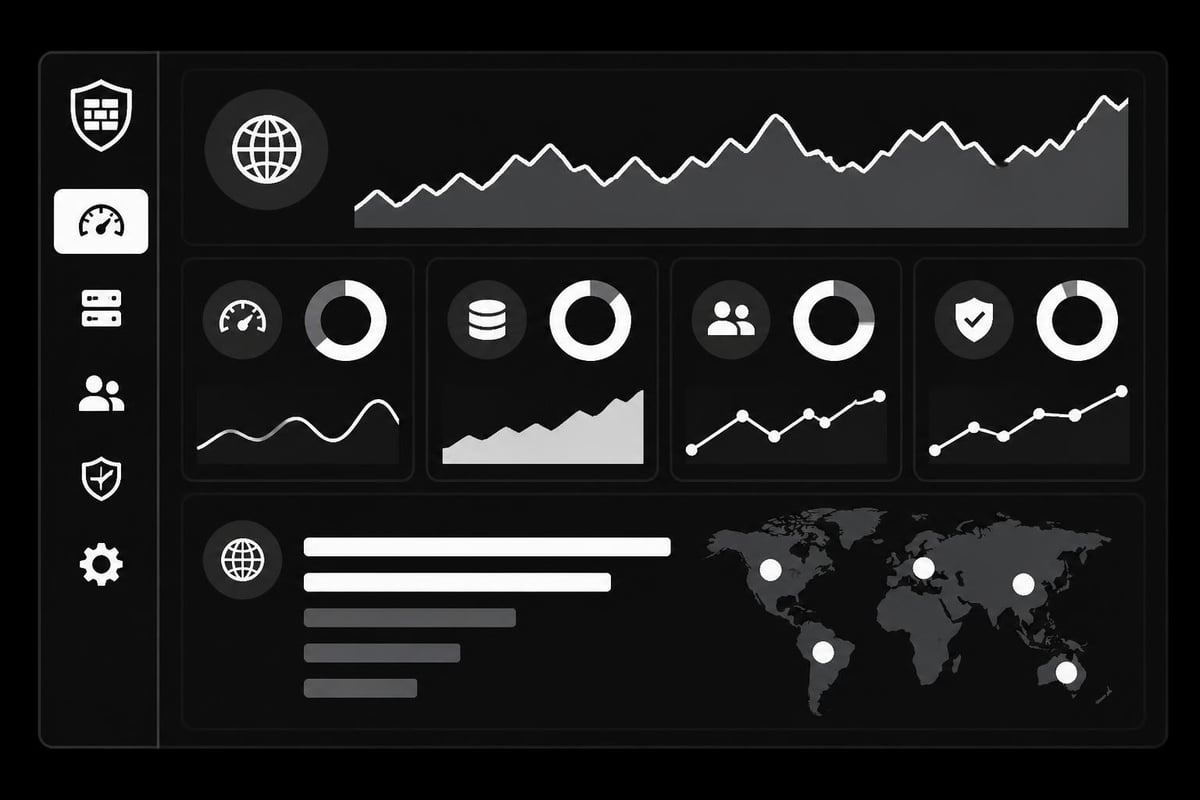
Real-time dashboards provide instant visibility into proxy health. Monitor active connections, current bandwidth usage, and cache statistics continuously.
Common Issues and Solutions
Despite careful configuration, opnsense proxy deployments occasionally encounter challenges. Understanding frequent problems accelerates resolution:
SSL Certificate Errors: Verify CA certificate distribution to all clients. Ensure certificate validity periods and trusted root installation.
Slow Performance: Check cache storage health and available memory. Review concurrent connection limits and adjust worker processes accordingly.
Authentication Failures: Confirm backend service availability (LDAP, RADIUS). Verify network connectivity between OPNsense and authentication servers.
Bypass Attempts: Implement transparent proxying with SSL inspection to prevent proxy avoidance. Block alternative DNS servers that might facilitate bypassing.
The OPNsense best practices guide offers additional recommendations for maintaining stable, secure proxy operations.
Integration with Advanced Filtering
Beyond basic proxy functionality, OPNsense supports advanced filtering capabilities through additional packages and plugins.
SquidGuard Content Filtering
SquidGuard extends the opnsense proxy with powerful URL filtering and categorization. The Squid and SquidGuard configuration tutorial demonstrates implementing comprehensive content controls.
Category-based filtering blocks entire content classifications without maintaining exhaustive URL lists:
- Adult content and gambling sites
- Social networking platforms
- Streaming media services
- Malware and phishing domains
- Advertisement and tracking servers
Custom categories accommodate organization-specific requirements. Education institutions might block gaming sites during school hours, while businesses restrict job search portals.
Antivirus Integration via ICAP
Internet Content Adaptation Protocol (ICAP) enables real-time antivirus scanning of downloaded content. External antivirus servers analyze files before delivery to users, preventing malware infections at the network edge.
Configure ICAP servers with appropriate file size limits to balance security and performance. Scanning extremely large files introduces latency, so many deployments exclude files above certain thresholds.
Multiple ICAP servers provide redundancy and load distribution. If one scanner becomes unavailable, traffic automatically routes to alternative servers without service interruption.
Scaling and High Availability
Enterprise environments demand reliable proxy services without single points of failure. OPNsense supports several approaches to achieving high availability and scalability.
Load Balancing and Failover
Multiple opnsense proxy instances distribute load across several servers while providing automatic failover. Use hardware load balancers or DNS round-robin to distribute requests evenly.
Active-passive configurations maintain standby servers that activate automatically when primary systems fail. This approach ensures service continuity with minimal configuration complexity.
Active-active deployments process requests across all servers simultaneously, maximizing resource utilization and throughput capacity. Synchronized configurations ensure consistent policy enforcement across all instances.
Just as rotating proxies for web scraping distribute requests across multiple endpoints to avoid detection, enterprise proxy architectures distribute user traffic to prevent bottlenecks and ensure reliability.
Hierarchical Proxy Configurations
Large organizations often implement hierarchical proxy structures with parent and child proxies. Branch offices run local child proxies that cache content and forward cache misses to central parent proxies.
This architecture reduces WAN bandwidth consumption while maintaining centralized policy control. Regional caches serve frequently accessed content locally, while the parent proxy handles requests requiring internet access.
Sibling relationships between proxies at the same hierarchy level enable cache sharing. If one proxy has cached content, siblings retrieve it directly rather than fetching from external sources.
Privacy Considerations and Compliance
Operating an opnsense proxy introduces significant privacy responsibilities. Organizations must balance security requirements with user privacy expectations and legal obligations.
Data Retention Policies
Proxy logs contain detailed information about user browsing activities. Establish clear data retention policies that define:
- Storage duration before automatic log deletion
- Access controls limiting who can review logs
- Anonymization procedures protecting user identities in aggregate reports
- Legal hold processes preserving logs for investigations or litigation
Many jurisdictions regulate employee monitoring and require transparency about surveillance systems. Notify users about proxy monitoring through acceptable use policies and privacy notices.
Regulatory Compliance
Different industries face varying compliance requirements affecting proxy configurations:
Healthcare (HIPAA): Protect patient data in transit with encryption and access controls. Maintain audit trails documenting who accessed what information.
Financial Services: Implement strong authentication and encryption for financial data. Ensure proxy configurations support compliance reporting requirements.
Education (COPPA/FERPA): Filter inappropriate content while protecting student privacy. Limit data collection and sharing from minors.
Understanding research about proxy ecosystems, such as the analysis of free proxy networks, helps administrators recognize security risks and implement appropriate safeguards.
Best Practices for Production Deployments
Successful opnsense proxy implementations follow established best practices that prevent common pitfalls and optimize performance.
Regular Updates: Keep OPNsense and proxy components current with security patches. Subscribe to security mailing lists for vulnerability notifications.
Backup Configurations: Maintain regular configuration backups stored securely offsite. Test restoration procedures periodically to ensure recovery capabilities.
Change Management: Document all configuration changes with dates, authors, and justifications. Implement approval workflows for production modifications.
Capacity Planning: Monitor growth trends and plan upgrades before resource constraints impact performance. Consider seasonal traffic patterns and special events.
Security Hardening: Disable unnecessary services and features. Implement network segmentation separating management interfaces from user traffic.
Much like how web scraping proxies require careful selection and configuration for optimal results, internal network proxies demand ongoing attention to maintain peak performance and security.
User Training: Educate users about proxy functionality, acceptable use policies, and how to report issues. Clear communication reduces support burden and improves compliance.
Performance Testing: Conduct regular load testing to identify capacity limits before users experience degradation. Simulate peak usage scenarios to validate infrastructure adequacy.
Implementing an opnsense proxy configuration delivers powerful network control, enhanced security, and improved performance through intelligent caching and filtering. Whether you're managing internal network traffic or supporting distributed teams, the flexibility and features of OPNsense provide enterprise-grade proxy capabilities at zero licensing cost. For external connectivity needs beyond your internal proxy infrastructure, PinguProxy offers high-speed datacenter and mobile proxies with IPv4/IPv6 support, 10Gbps bandwidth, and 24/7 support to complement your complete network security strategy. Our zero-log policy and 1ms proxy rotation ensure maximum anonymity for web scraping, gaming, and accessing global services securely.