
Proxy Host Guide 2025: Your Roadmap to Secure Connections
Did you know that cyber attacks are expected to rise by over 20% in 2025? With threats growing and privacy concerns at an all-time high, securing your online connections is more important than ever.
This guide will demystify the concept of a proxy host, giving you the knowledge to make informed and secure decisions. We will break down proxy host fundamentals, explore different types, walk you through setup, highlight essential security practices, and showcase advanced use cases and future trends.
Ready to take control of your online privacy? Dive in to discover actionable insights that will help you stay safe and ahead in 2025.
Understanding Proxy Hosts: The Foundation of Secure Connections
In a world where online privacy is constantly under threat, understanding what a proxy host is - and how it works - is essential for anyone serious about secure connections. With cyber risks growing in 2025, more people and businesses are turning to proxy technology to safeguard their digital presence.
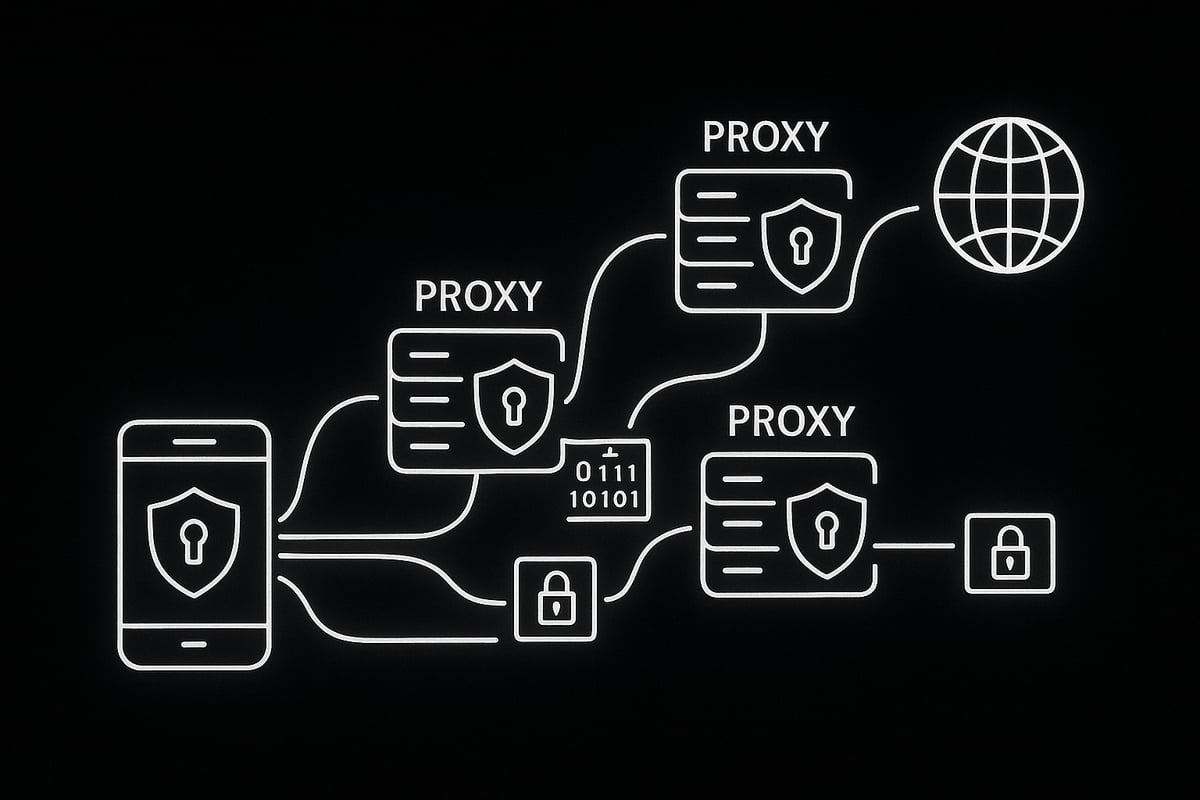
A proxy host acts as an intermediary between your device and the internet. When you send a request - say, to load a website - the proxy host receives it, modifies or masks your identifying information, and forwards it to the intended destination. This process shields your real IP address and can encrypt your traffic, making it much harder for outsiders to track or intercept your online activity.
How does a proxy host differ from a VPN or a traditional web proxy? While all three tools help protect your identity online, they operate in distinct ways. A VPN creates a secure, encrypted tunnel for all your internet traffic, while a traditional web proxy typically only handles web browser requests. In contrast, a proxy host can offer more granular control, routing specific types of traffic and providing options for both anonymity and speed.
Here’s a quick comparison:
| Feature | Proxy Host | VPN | Web Proxy |
|---|---|---|---|
| Traffic Coverage | Selective/Custom | All | Browser Only |
| Encryption | Optional | Always Encrypted | Rarely Encrypted |
| IP Masking | Yes | Yes | Yes |
| Speed | High (customizable) | Moderate | Varies |
Why are so many users embracing proxy hosts in 2025? The benefits are clear:
- Privacy: A proxy host hides your real IP, making it difficult for websites or trackers to identify you.
- Anonymity: Activities routed through a proxy host are harder to trace back to the user.
- Bypassing Geo-Restrictions: Access content or services blocked in your region.
- Enhanced Security: Encrypt traffic and reduce the risk of data interception.
Use cases span both personal and professional needs. Individuals use a proxy host for private browsing or streaming restricted content. Businesses employ proxy hosts for secure data scraping, managing multiple social media accounts, or supporting remote workforces. For a deeper dive into the basics, you can explore What is an IP Proxy Server for foundational insights.
How does a proxy host actually protect you? When you connect, your requests are sent to the proxy host, which swaps out your actual IP address for one of its own. Some proxy hosts also encrypt your data, especially when using protocols like HTTPS or SOCKS5, making it even harder for third parties to snoop on your traffic.
Statistics highlight the widespread adoption of these tools. According to DataProt (2024), over 25% of internet users now employ proxies for privacy, and the trend is rising as digital threats evolve.
Let’s consider a real-world scenario. Imagine a marketing agency managing dozens of client social media accounts. By routing their logins and posts through a proxy host, they avoid platform bans, keep client information secure, and maintain seamless operations - even across different countries.
In short, a proxy host is more than just a privacy tool. It’s a flexible, powerful foundation for secure, anonymous, and unrestricted online activity - crucial for both everyday users and businesses in 2025.
Setting Up a Proxy Host: Step-by-Step Roadmap for 2025
Setting up a proxy host in 2025 is easier and more important than ever. With rising online threats and the need for privacy, a well-configured proxy host can secure your connection, mask your identity, and unlock restricted content. This roadmap will help you navigate each stage, from planning to security, so you can deploy a proxy host with confidence and peace of mind.
Pre-Setup Checklist: Assessing Needs and Choosing the Right Proxy Host
Before you configure your proxy host, take a moment to assess your requirements. Consider why you need a proxy host. Are you seeking privacy, secure remote work, or access to geo-blocked content? Each goal may require a different proxy type.
Create a checklist:
- Define your purpose (privacy, scraping, remote access, etc.)
- Check legal compliance for your region and use case
- Estimate the number of users and devices
- Decide between datacenter, residential, or mobile proxies
For a deeper understanding of which proxy type fits your needs, see Types of Proxy Servers Explained. This will help you match your goals to the right solution.
Selecting a Trustworthy Proxy Provider
Choosing the right provider is crucial for a secure proxy host. Look for established providers with a solid reputation, transparent privacy policies, and responsive support.
Key criteria to consider:
- Speed and uptime guarantees
- No-log or zero-log policies
- Global server locations and IP variety
- Clear terms of service
- Positive user reviews
Always read the provider’s privacy policy to understand how your data is handled. Compare several options before committing to a subscription.
Configuring a Proxy Host on Different Platforms
Once you have a provider, it is time to set up your proxy host. The process varies by platform, but the core steps are similar.
On Windows:
- Open Network & Internet settings.
- Go to Proxy settings.
- Enter the server address and port provided by your proxy host.
On macOS:
- Open System Preferences > Network.
- Select your network, click Advanced, then the Proxies tab.
- Input the proxy host details.
On Linux: Use a terminal or network manager to add your proxy host, often via environment variables or configuration files.
On mobile devices: Navigate to Wi-Fi settings, select your network, and enter the proxy host information under advanced settings.
For large teams, consider automating deployment with scripts or group policies to streamline the process.
Integrating Proxies into Browsers and Automation Tools
Integrating your proxy host into browsers or automation tools maximizes flexibility. Most browsers allow proxy configuration in their network settings. For example, in Chrome, go to Settings > System > Open your computer’s proxy settings.
Automation tools like Selenium, Puppeteer, or Scrapy also support proxy host integration. You can pass proxy settings directly via command line or within your code, such as:
# Example for Python requests
proxies = {
    "http": "http://username:password@proxyhost:port",
    "https": "https://username:password@proxyhost:port"
}
response = requests.get("https://example.com", proxies=proxies)
Test your setup by visiting a site like whatismyip.com to confirm your IP address is masked.
Troubleshooting Common Setup Issues
Even the best proxy host setup can hit snags. Common problems include authentication errors, connection drops, and IP bans.
Troubleshooting checklist:
- Double-check your credentials and proxy host address
- Ensure your internet connection is stable
- Try switching to a different server or port
- Rotate your IP if you encounter bans
- Check firewall and antivirus settings for blocks
If issues persist, contact your provider’s support team for help.
Security Best Practices During Setup
Security is critical when deploying a proxy host. Start by using strong, unique passwords for proxy authentication. Enable multi-factor authentication if available.
Keep your proxy software and devices updated to patch vulnerabilities. Configure firewalls to allow only necessary traffic through your proxy host. Regularly review access logs to spot unauthorized activity.
For teams, restrict proxy host access to only those who need it. Document your setup process and establish a routine for audits and updates to keep your connection secure.
Securing Your Proxy Connections: Best Practices & Common Pitfalls
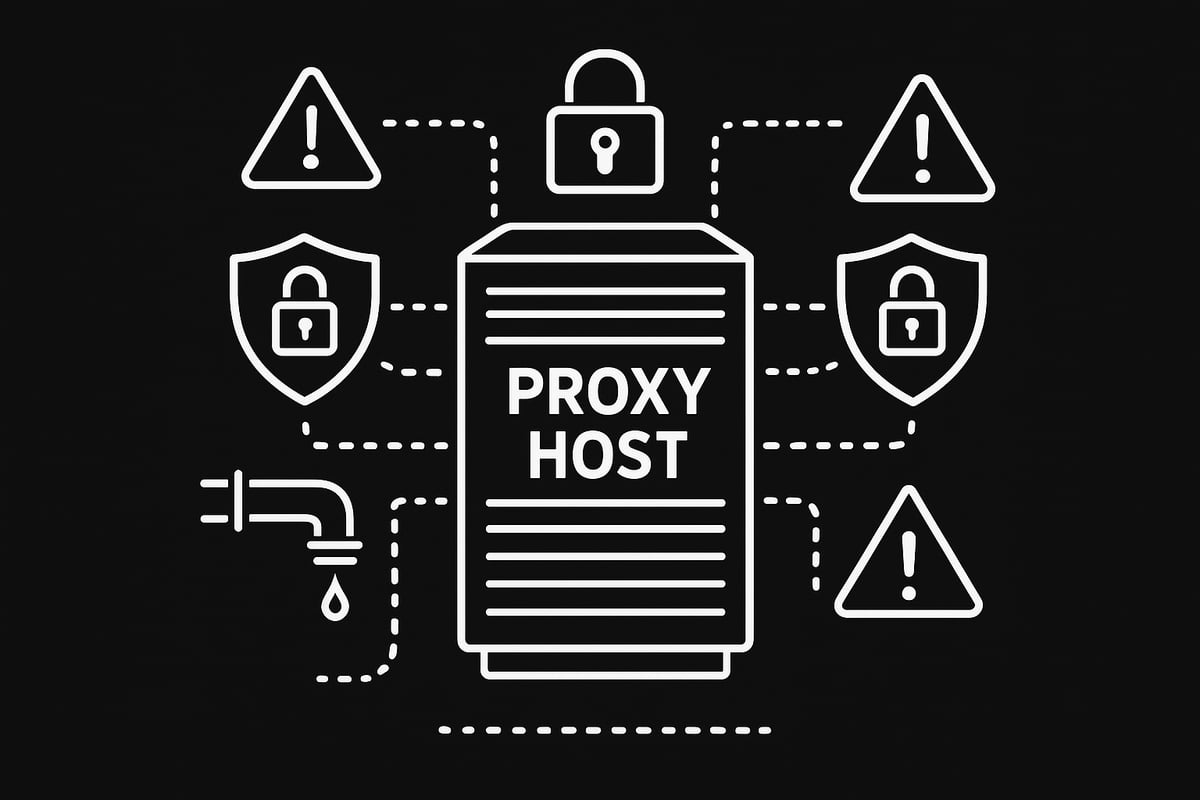
In 2025, a secure proxy host is not just a tech luxury, but a necessity. As cyber threats grow more sophisticated, even a single misstep in your proxy host configuration can leave sensitive data exposed. Let’s break down the essential best practices and pitfalls to avoid, so your proxy host always works for you, not against you.
Prioritize Encryption and Secure Protocols
Always choose a proxy host that supports HTTPS and SOCKS5 protocols. These protocols encrypt your data, guarding it against interception and tampering. Without encryption, your proxy host could become a weak link, exposing your online activity to prying eyes.
Make sure your proxy host provider uses strong ciphers and disables outdated protocols. This is your first line of defense for any sensitive task - whether you’re accessing business dashboards or streaming geo-restricted content.
Prevent DNS and WebRTC Leaks
DNS and WebRTC leaks are silent privacy killers. Even with a proxy host in place, leaks can reveal your real IP address to websites and trackers. To prevent this, configure your system and browser to use secure DNS over HTTPS, and disable WebRTC in browser settings.
Here’s a quick browser setting for Chrome users to disable WebRTC:
// Enter this in Chrome’s address bar:
chrome://flags/#disable-webrtc
// Set to 'Enabled' and restart browser.
Check your setup regularly using online leak test tools. This ensures your proxy host is actually hiding your identity.
Manage Authentication with Care
A secure proxy host must require strong passwords and, ideally, multi-factor authentication (MFA). Use randomly generated passwords and update them regularly. Restrict access to your proxy host dashboard and logs to trusted users only.
Set granular permissions if your proxy host supports it. This limits the damage if one account is compromised. Never reuse credentials from other services.
Monitor for Abuse and Misconfiguration
Proxy abuse, such as excessive requests or credential stuffing, can get your proxy host blacklisted. Implement rate limiting and monitor traffic logs for unusual spikes. Enable logging, but store logs securely and review them for unauthorized access attempts.
Consider integrating your proxy host with a SIEM (Security Information and Event Management) tool for real-time alerts. This proactive approach helps catch threats early.
Avoid Common Proxy Host Mistakes
Many users fall into traps that put their proxy host at risk. Here’s a quick table of dos and don’ts:
| Do | Don’t |
|---|---|
| Use reputable proxy host providers | Rely on free or unknown proxies |
| Regularly update software | Ignore available security patches |
| Check local laws and compliance | Overlook legal requirements |
| Enable encryption everywhere | Use plaintext protocols |
| Test for leaks and misconfigurations | Assume default settings are secure |
Misconfiguration is a leading cause of breaches. In fact, up to 40% of proxy users have faced security incidents due to easy-to-fix errors (Cybersecurity Ventures, 2024).
Real-World Example: Misconfigured Proxy Host
Imagine a business sets up a proxy host for remote access but leaves the default admin password unchanged. An attacker scans for open proxy ports, logs in with the default credentials, and silently monitors all company traffic.
Here’s a simple config error that caused data exposure:
# Proxy host config (insecure)
listen 8080
auth none
# No encryption or authentication!
A single oversight like this can expose sensitive information and even lead to regulatory fines.
For a deeper dive into security measures and implementation strategies, check out the Mastering Proxies in 2025: Ultimate Guide.
Staying vigilant, updating your proxy host regularly, and following these best practices will keep your online connections private and secure.
Advanced Use Cases: Proxies in the Modern Digital Landscape
In 2025, the proxy host has become a cornerstone for businesses and individuals navigating a complex digital environment. As online threats and content restrictions grow, advanced uses for proxy host solutions are more crucial than ever. From data-driven enterprises to creative agencies, these tools empower users to access, automate, and secure online activities like never before.

Web Scraping and Data Aggregation
Organizations rely on proxy host setups to gather public data at scale from websites and APIs. This enables businesses to monitor trends, perform market research, and fuel AI models. The challenge lies in maintaining compliance with data privacy laws and ethical standards. Rotating proxies help avoid detection and bans, making them invaluable for large-scale operations. For a comprehensive look at safe and effective web scraping, visit the Complete Guide to Web Scraping 2025.
Ad Verification and Brand Protection
Digital advertisers and brands use proxy host solutions to check how their ads appear in different regions or devices. This ensures campaigns are not subject to fraud or manipulation by bad actors. By simulating real user locations, proxy hosts let companies verify ad placements and protect their brand reputation. Residential and mobile proxies are especially effective for this, as they provide authentic IP footprints.
Bypassing Geo-Blocks for Streaming and Gaming
Access to content often depends on geographic restrictions. Proxy host services allow users to bypass geo-blocks, unlocking streaming platforms, gaming servers, or research sites otherwise unavailable in their region. Gamers, researchers, and entertainment enthusiasts benefit from the speed and reliability of datacenter proxies, while residential proxies offer higher authenticity for sensitive sites.
E-commerce Automation and Price Monitoring
Retailers and market analysts leverage proxy host technology for price tracking, inventory monitoring, and competitor analysis. Automated bots need multiple IP addresses to avoid detection and ensure accurate data collection. Using rotating proxies, businesses can scale their operations while minimizing the risk of bans. For those optimizing automation, best practices for managing rotating proxies are crucial.
Social Media Management and Agency Example
Managing multiple social media accounts is a daily challenge for agencies and influencers. A proxy host enables secure, anonymous access to various platforms, reducing the risk of account bans and ensuring campaign consistency. For instance, a digital marketing agency can use a pool of residential proxies to run ad campaigns, schedule posts, and engage with global audiences - all while maintaining security and compliance.
| Use Case | Proxy Type | Key Benefit |
|---|---|---|
| Web Scraping | Rotating/Datacenter | Scale and anonymity |
| Ad Verification | Residential/Mobile | Authenticity, accuracy |
| Geo-block Bypass | Datacenter/Residential | Access & speed |
| E-commerce Automation | Rotating | Reliable data |
| Social Media Management | Residential | Account safety |
The modern proxy host is more than just a privacy tool - it is a vital ally for innovation, security, and business growth.
The Future of Proxy Hosting: Trends to Watch in 2025 and Beyond
The proxy host landscape is rapidly evolving as we move through 2025. Digital privacy concerns are at an all-time high, and organizations demand more robust solutions to stay ahead of cyber threats. Innovations are reshaping how proxy hosts operate, making them central to both personal and enterprise security strategies. Let's explore the trends driving the future of proxy hosting.
IPv6 is becoming a game changer for the proxy host market. As IPv4 addresses become scarce, providers are rapidly adopting IPv6 to ensure scalability and future-proofing. This shift allows for larger IP pools, improved performance, and better compatibility with modern networks. Businesses using an IPv6-ready proxy host gain a competitive edge by unlocking access to new regions and reducing the risk of IP bans.
Artificial intelligence is transforming proxy host management. AI-driven solutions now handle automatic proxy rotation, load balancing, and real-time threat detection, reducing manual oversight. These systems learn usage patterns and adapt to avoid detection, making proxies more resilient against sophisticated anti-bot measures. For a deeper look at emerging proxy types and their impact, check out Proxy Servers in 2025: Types and Trends.
Mobile and residential proxies are gaining importance as authenticity becomes a priority. Many platforms now recognize and block datacenter IPs, so businesses turn to mobile and residential proxy host services to blend in with real user traffic. This approach is vital for tasks like ad verification, content testing, and accessing geo-restricted services.
Regulatory changes are shaping the future of proxy host usage. Privacy laws, such as GDPR and CCPA, require stricter data handling and compliance. Meanwhile, threats like deep packet inspection and advanced geo-blocking are on the rise. Staying informed about technical developments is crucial, and resources like Proxy Servers Explained: Technical Deep Dive offer valuable insights into navigating these challenges.
Looking ahead, expect the proxy host to become a cornerstone of cybersecurity strategies. Key trends include:
- AI-powered management for seamless automation
- Widespread adoption of IPv6
- Growth in mobile and residential proxy usage
- Enhanced compliance tools
- New countermeasures against emerging threats
A great example of innovation is AI-powered proxies that dynamically adjust their behavior to bypass anti-bot technology. These smart proxy hosts can switch IPs, mimic human browsing patterns, and respond instantly to new blocking methods, keeping users secure and anonymous in a changing digital world.Now that you’ve got a clear picture of how proxy hosts work and why securing your online connections is more important than ever in 2025, you might be ready to take the next step. Whether you want to protect your privacy, access geo-restricted content, or streamline your business tools, setting up with a reliable proxy provider makes all the difference. With PinguProxy’s high-speed, zero-log datacenter and mobile proxies, you can jump right in with confidence. If you’re ready to put these insights into action and experience truly secure connections, Get Started Now.