
Proxy Network Guide 2025: Secure Browsing Essentials
Did you know that 97% of fraudulent transactions involve proxies? As cyber threats and data tracking surge in 2025, protecting your online privacy has never been more urgent. Many worry about staying anonymous, bypassing restrictions, and browsing the web safely.
This guide provides a clear overview of what a proxy network is and why it matters. You will learn how proxies work, the main types available, their key benefits, security essentials, and step-by-step setup. Ready to maximize your privacy? Let’s dive in.
What is a Proxy Network?
Online privacy and secure browsing are more crucial than ever in 2025. With cyber threats increasing and data tracking on the rise, understanding how a proxy network works can be your first line of defense. Let us break down what a proxy network is, how it operates, where it is used, and the latest trends shaping its future.
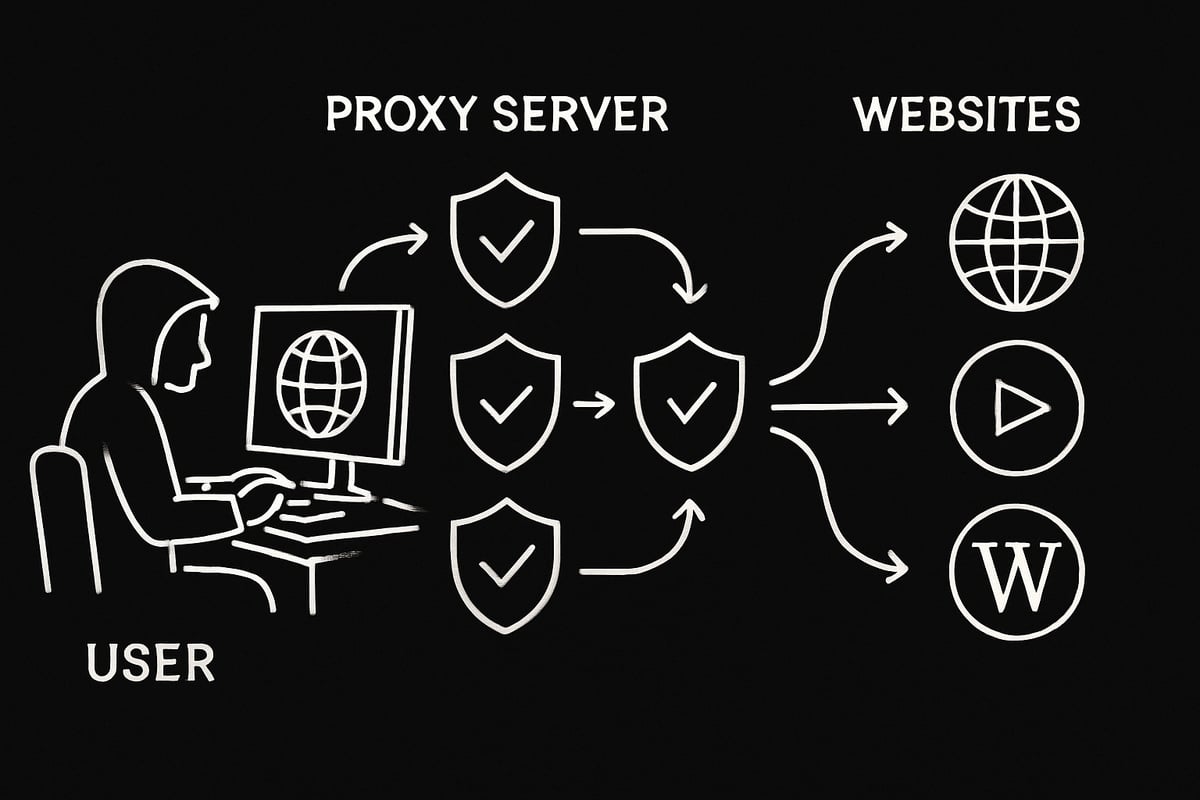
Defining Proxy Networks and Their Role in Secure Browsing
A proxy network acts as an intermediary between your device and internet resources. When you connect to the web using a proxy network, your requests are rerouted through proxy servers that assign you a new IP address. This process effectively masks your original IP, protecting your identity and making your online activity harder to track.
Proxy networks play a key role in bypassing geo-restrictions and content filters. For example, if you want to access region-locked content or avoid surveillance, a proxy network can help you appear as if you are browsing from a different location.
All internet-connected devices have unique IP addresses, but a proxy network assigns fresh ones for each session. This anonymity is essential for anyone concerned about privacy. If you are new to this topic, you can explore a Beginner's guide to proxies for more foundational information.
How Proxy Servers Work: Step-by-Step
The operation of a proxy network is straightforward yet powerful. When you send a request, such as loading a webpage, your device first contacts the proxy server. The proxy server then forwards this request to the destination website on your behalf.
The website's response returns to the proxy server instead of your device directly. The proxy inspects, filters, or modifies this response as needed before delivering it to you. This process can block malware, filter harmful content, or enforce browsing policies, adding a layer of security.
By acting as a barrier, a proxy network prevents direct exposure of your device’s IP address and shields your data from threats. This makes it safer to browse on public networks or in environments with strict monitoring.
Common Use Cases for Proxy Networks
Proxy networks are used in a variety of practical situations:
- Secure browsing on public Wi-Fi to hide your real IP
- Web scraping and data collection without revealing your origin
- Managing multiple accounts for social media or gaming
- Parental or organizational control over internet access
For instance, businesses often use a proxy network for competitive intelligence, allowing them to gather market data without exposing their identity. Individuals benefit from the flexibility and protection proxies provide, whether for privacy or accessing restricted content.
Key Statistics and Trends for 2025
The need for proxy networks is growing as privacy concerns escalate. Proxy usage is set to rise in 2025, with organizations prioritizing these solutions for employee security and regulatory compliance.
A key statistic: 97% of fraudulent transactions involve proxies, highlighting both the power and risks of proxy network technology. The demand for residential, datacenter, and mobile proxies continues to surge, especially as companies seek reliable ways to protect their data.
An emerging trend is the integration of AI-powered proxy detection and management tools. These advancements help organizations stay ahead of threats and optimize their proxy network strategies for the evolving digital landscape.
Types of Proxy Servers and Networks
Understanding the different types of proxy servers is essential for anyone looking to build a robust proxy network. Each type plays a unique role in privacy, speed, and security. Let’s break down the core categories so you can choose the best fit for your needs.
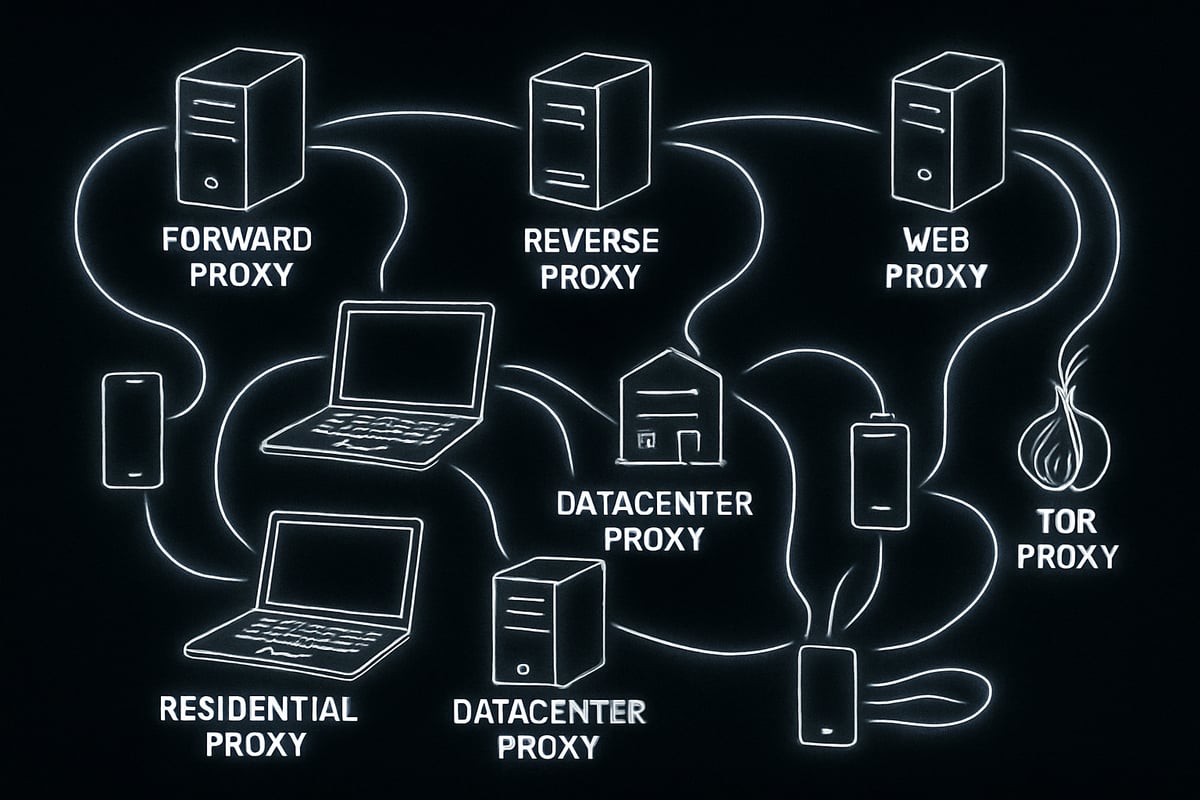
Forward, Reverse, and Web Proxies Explained
A proxy network often starts with understanding the basics: forward, reverse, and web proxies. Forward proxies act as intermediaries for clients, hiding user IP addresses from the websites they visit. This is the most common setup for personal privacy and secure browsing.
Reverse proxies, on the other hand, sit in front of backend servers. They protect these servers from direct exposure, help with load balancing, and cache content for faster delivery. Web proxies specifically handle HTTP and HTTPS traffic, offering anonymous browsing for users wanting to avoid tracking.
For example, Apache and HAProxy are popular web proxy solutions. If you want to explore more details about the variety of proxy types, check out this comprehensive Different types of proxy servers guide. Choosing the right setup is a foundational step in constructing an effective proxy network.
Anonymous, Elite, and Transparent Proxies
Next in the proxy network landscape are anonymous, elite, and transparent proxies. Anonymous proxies mask your IP address but may reveal that you are using a proxy. This provides partial anonymity, making them suitable for users who want basic privacy.
Elite proxies, also known as high anonymity proxies, conceal both your IP and the fact that you are using a proxy network. These are ideal for users who need maximum stealth, such as bypassing strict censorship or accessing sensitive content.
Transparent proxies do not hide your IP address at all. Instead, they are used for caching content and monitoring network activity, making them useful for organizational networks that want to optimize speed and control access rather than provide anonymity. Depending on your needs, each proxy network type offers a unique balance between privacy and transparency.
Specialized Proxies: Residential, Datacenter, Mobile, and Rotating
The proxy network ecosystem includes specialized proxies designed for specific tasks. Residential proxies use real IP addresses assigned by ISPs, making them appear as regular users and reducing the risk of blocks during activities like web scraping.
Datacenter proxies are hosted on powerful servers, offering high speeds but are more easily detected by some websites. Mobile proxies leverage IPs from mobile carriers, which are valuable for ad verification or managing multiple social media accounts.
Rotating proxies automatically switch IP addresses with each connection, boosting anonymity and minimizing the risk of bans. For example, some providers offer millions of residential IPs, ensuring your proxy network stays agile and undetectable in high-demand environments.
Other Proxy Types: CGI, Suffix, Distorting, Tor, I2P, DNS
Beyond the standard categories, a proxy network can include more niche types. CGI proxies let users access websites through a simple web form, though they offer limited privacy. Suffix proxies work by adding a proxy name to a URL, helping bypass basic web filters.
Distorting proxies provide incorrect IP addresses to further enhance confidentiality. Tor and I2P are open-source, multi-layered proxy networks offering maximum anonymity and resistance to censorship. DNS proxies focus on handling DNS requests, caching, and redirecting traffic, which can help speed up browsing or block malicious domains. These options expand the flexibility of any proxy network.
VPNs vs. Proxies: Key Differences
When comparing a VPN and a proxy network, it’s important to note the differences. VPNs encrypt all internet traffic and route it through remote servers, offering a broader layer of security. In contrast, a proxy network typically handles specific protocols, such as HTTP or SOCKS, making them more lightweight and adaptable for targeted tasks.
VPNs provide stronger encryption, which can slow down connections, while proxies are faster but may lack full-device protection. For comprehensive privacy, VPNs are best, but for tasks like web scraping or bypassing geo-blocks, a proxy network is often the preferred solution. Understanding these distinctions helps you choose the right tool for your security goals.
Benefits of Using Proxy Networks for Secure Browsing
When you use a proxy network, you unlock a host of advantages for safe and private online activity. Whether you are an individual or an organization, the right proxy network can transform the way you browse, protect your data, and keep your online footprint hidden from prying eyes.

Enhanced Privacy and Anonymity
A proxy network acts as a shield between your device and the internet, masking your real IP address and making it difficult for websites or ISPs to track your activity. This layer of anonymity is especially valuable for those handling sensitive data or living in regions with strict surveillance.
- Prevents direct logging of your browsing habits
- Reduces the risk of targeted ads and profiling
- Enables secure browsing even on public networks
For a deeper look at how residential proxies contribute to privacy and anonymity, explore this Residential Proxy Infrastructure Analysis.
Security Advantages: Encryption, Malware Blocking, and Access Control
With a proxy network, security gets a substantial boost. Many proxies offer encryption, which guards your data as it travels to and from your device. This is crucial when accessing sensitive information or working remotely.
- Filters out malicious websites and spyware
- Offers access control for organizations, limiting risky sites
- Can inspect traffic for threats before it reaches your device
Businesses often rely on a proxy network to enforce security policies and protect employees from online threats, making it a cornerstone of modern cybersecurity strategies.
Bypassing Geo-Restrictions and Censorship
One of the standout features of a proxy network is its ability to bypass regional blocks and censorship. With the right proxy, you can access content and services that might otherwise be unavailable in your country or region.
- Unlock streaming platforms and global content
- Conduct research without location barriers
- Circumvent institutional or governmental restrictions
A proxy network gives you the freedom to explore the web without artificial limits, opening up new opportunities for personal use and business expansion.
Network Performance and Bandwidth Optimization
Beyond privacy and access, a proxy network can actually improve your browsing experience. By caching frequently visited content and optimizing bandwidth, proxies help speed up load times and reduce data usage.
- Caches web pages and files for faster access
- Compresses data to save on bandwidth
- Supports load balancing for large organizations
For companies, leveraging a proxy network means smoother operations and lower costs, especially when serving large numbers of users or handling high-traffic sites.
Security Essentials: Risks, Threats, and Mitigation Strategies
Online privacy is only as strong as the weakest link in your proxy network. Understanding the risks, threats, and essential safeguards is crucial for secure browsing in 2025. Let’s break down what you need to know to stay protected.
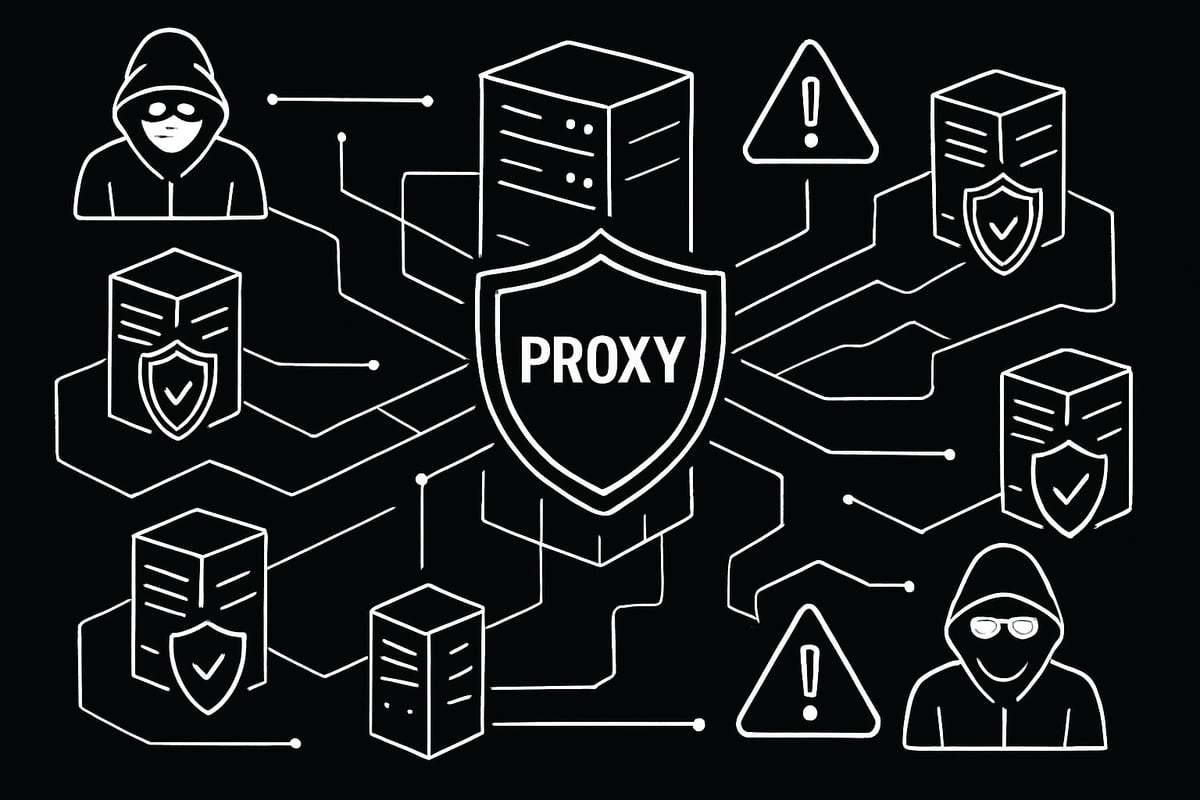
Common Proxy-Related Threats and Vulnerabilities
A proxy network can introduce new vulnerabilities if not handled carefully. The most common risks include man-in-the-middle attacks, where compromised proxies intercept sensitive data. Another concern is data leakage through misconfigured or malicious proxies, exposing your browsing history and credentials.
Free or untrusted proxy network providers often log user activity, making you a target for cybercriminals. Fraudsters routinely exploit these weaknesses, with 97% of fraudulent transactions involving proxies according to iDenfy. Always remember, every proxy network you trust with your data must be secure and reputable.
How Attackers Exploit Proxy Networks
Attackers use a proxy network to mask their real identities, making fraudulent actions harder to trace. They leverage anonymous or elite proxies to create fake accounts, execute scams, and bypass detection systems.
Rotating proxies let them change IP addresses rapidly, evading blocks and blacklists. IP spoofing is another tactic, hiding their true location. With such tactics, it’s no surprise that nearly all online fraud involves some form of proxy network. Staying aware of these methods is the first step in defense.
Proxy Detection and Prevention Methods
Organizations are stepping up their game with advanced tools to secure their proxy network. AI-powered proxy detection tools analyze connection patterns, identify geo-location anomalies, and score risks in real time.
Many businesses monitor connection signatures to spot suspicious activities. Integrating proxy detection with identity verification systems adds another layer of security. For instance, companies now use proxy network monitoring to block unauthorized users and keep sensitive data safe.
Best Practices for Safe Proxy Usage
To get the most protection from your proxy network, follow these essential best practices:
- Choose only reputable, zero-log providers
- Regularly update proxy configurations
- Use SSL/TLS encryption for sensitive data
- Avoid free proxies for business or personal tasks
Auditing your setup and staying informed about new threats is critical. For a deeper dive into responsible proxy network use, check out Ethical proxy usage practices for actionable tips and compliance insights.
Legal and Compliance Considerations
Navigating the legal landscape is vital when using a proxy network. Regional laws may restrict or regulate proxy and VPN usage, so always check local regulations. Compliance with data protection acts like GDPR is a must, especially for organizations.
Inform users and employees about monitoring and privacy policies. While tools like I2P and Tor offer strong censorship resistance, using them may attract scrutiny in some jurisdictions. Staying compliant ensures your proxy network use remains both effective and legal.
Step-by-Step Guide: Setting Up and Using a Proxy Network
Setting up a proxy network might seem complex, but breaking it into steps makes the process accessible for anyone. Whether you want more privacy, secure business operations, or global content access, this guide will walk you through each phase with confidence.
Step 1: Identify Your Proxy Needs and Use Cases
Start by defining why you need a proxy network. Are you aiming for greater privacy while browsing, or do you need to automate data collection? Maybe you want to access geo-restricted content or manage multiple accounts.
Consider these factors:
- Type of proxy: Datacenter, residential, or mobile
- Purpose: Web scraping, secure browsing, gaming, or ad verification
- Features required: Speed, geo-targeting, automation support
For example, if your main goal is secure browsing, a residential proxy network may be ideal. If you need global access for business, prioritize providers with worldwide coverage. Always factor in compliance and legal requirements for your region.
Step 2: Choose a Trusted Proxy Provider
Selecting the right proxy provider is crucial for a reliable proxy network experience. Assess providers based on their reputation, security policies, and available features.
Look for:
- Zero-log policy: Ensures your activity within the proxy network remains private
- High-speed bandwidth: Supports fast, uninterrupted browsing
- Global server locations: Allows access to content worldwide
- Responsive support: Offers help when you need it
Compare pricing, user reviews, and included benefits. For a deeper dive into initial setup and choosing providers, you can refer to How to get started with proxies for practical tips.
Step 3: Configure Proxy Settings on Your Device or Application
Once you have your proxy network details, it is time to configure your device or app. Most providers supply server addresses, ports, and authentication credentials.
Here is a basic example for setting up a proxy network in a browser:
1. Open browser settings.
2. Navigate to Network or Proxy settings.
3. Enter the proxy server address and port.
4. Input your username and password if required.
5. Save and restart the browser.
You can also set up your proxy network at the operating system level for all internet traffic. Always test your connection to ensure it is properly routed through the proxy network.
Step 4: Test and Monitor Proxy Performance
After setup, verify your proxy network is functioning as intended. Use online tools to check your current IP address and confirm it has changed.
Monitor:
- Speed and latency: Ensure the proxy network does not slow your activities
- Connection stability: Watch for drops or interruptions
- Anonymity: Confirm requests are masked by the proxy network
Many providers offer dashboards to view real-time performance and manage proxy rotation. Regular monitoring helps you maintain an optimal proxy network experience.
Step 5: Maintain Security and Stay Updated
To keep your proxy network secure over time, adopt strong maintenance habits. Update proxy software regularly and rotate credentials to prevent unauthorized access.
Best practices include:
- Regular audits: Check for suspicious logs or unusual activity
- IP rotation: Change proxy network IPs often to maintain anonymity
- Stay informed: Watch for new threats and proxy vulnerabilities
By following these maintenance steps, your proxy network will remain a robust shield for privacy and security in 2025.
Expert Tips and Advanced Strategies for Secure Browsing in 2025
Advanced users and organizations are constantly seeking new ways to stay ahead in the world of proxy network technology. With threats evolving and privacy demands increasing, it pays to know the latest strategies for maximizing your security and anonymity.
Maximizing Anonymity with Proxy Chains and Rotating Proxies
To achieve the highest level of privacy, consider layering your proxy network. Proxy chaining involves routing your connection through multiple proxies, making it extremely difficult to trace activity back to you. For example, you can combine a Tor exit node with a datacenter proxy for layered protection.
Rotating proxies are another essential tool. These automatically change your IP address at set intervals or with each request. This tactic is especially valuable for web scraping, preventing bans and keeping your proxy network activity under the radar.
- Chain proxies for increased anonymity
- Rotate IPs automatically to avoid detection
- Balance speed and privacy needs for each task
By using these methods, you can keep your proxy network usage discrete and adaptive.
Combining Proxies with VPNs and Encryption
For even stronger protection, combine your proxy network with a VPN. A VPN encrypts all your traffic, while the proxy network handles specific requests or applications. This dual layer guards against both ISP monitoring and website tracking.
Always use end-to-end encryption like HTTPS or TLS. This ensures your data is secure even if intercepted. Configure browsers to avoid DNS and WebRTC leaks, which can reveal your real IP despite your proxy network setup.
- Layer VPN and proxy network for dual security
- Enable HTTPS Everywhere or similar browser plugins
- Prevent DNS leaks by adjusting browser and OS settings
This combination is especially critical when handling sensitive data or financial transactions.
Navigating Proxy Restrictions and Avoiding Blocks
Many websites deploy advanced systems to detect and block proxy network traffic. To bypass these blocks, use residential or mobile proxies, which appear as regular user connections. AI-driven tools can mimic real browsing behavior, reducing the risk of CAPTCHAs or bans.
If a site blacklists one IP, a rotating proxy network can switch to another instantly. It's also useful to monitor error codes and adjust your approach accordingly.
- Switch between proxy types for better success rates
- Use automation tools to mimic human patterns
- Monitor site feedback and adapt proxy network settings
Staying flexible ensures your proxy network access remains reliable and unrestricted.
Monitoring, Logging, and Auditing for Organizations
Organizations managing a proxy network must implement robust monitoring and auditing. Centralized dashboards allow IT teams to track usage, flag suspicious activity, and ensure compliance with company policies.
Set up alerts for unusual access patterns, such as logins from unexpected locations. Regularly review access controls and permissions to prevent internal misuse. A proxy network with detailed logging helps maintain transparency and accountability.
- Use dashboards for real-time proxy network monitoring
- Automate alerts for geo or usage anomalies
- Audit logs frequently to detect and respond to threats
Proactive monitoring safeguards both security and compliance across the proxy network.
Staying Ahead: Future Trends in Proxy Technology
The proxy network landscape is evolving rapidly. AI-driven management tools are emerging, allowing for smarter detection and seamless scaling. The demand for mobile and IPv6 proxies is rising, reflecting the shift toward diverse devices and global access.
Integration with identity verification and fraud prevention systems is becoming standard, especially in enterprise environments. For a deeper look at proxy network trends and performance benchmarks, check out Proxy Market Research 2025.
- AI and automation for proxy network operations
- Growth in mobile, IoT, and IPv6 proxy use
- Enhanced fraud detection and compliance features
Staying informed about these trends helps you future-proof your proxy network strategy.Now that you know the essentials of proxy networks and how they can protect your privacy in 2025, you’re ready to take the next step toward safer browsing. Whether you’re looking to bypass restrictions, boost your anonymity, or securely manage data-intensive tasks, having the right proxy setup really makes a difference. With PinguProxy’s powerful features like 10Gbps bandwidth, 1ms proxy rotation, and a strict zero log policy, you can browse with confidence and peace of mind. If you’re eager to experience secure browsing for yourself, Get Started Now.