
Download PIA S5 Proxy: Complete Setup & Configuration Guide
Understanding how to download PIA S5 proxy and configure it properly can significantly enhance your online privacy and access capabilities. Private Internet Access (PIA) offers a SOCKS5 proxy service alongside its VPN offerings, providing users with an additional layer of flexibility for specific use cases like torrenting, web scraping, or accessing geo-restricted content. This guide walks through the entire process, from obtaining your credentials to optimizing your setup for maximum performance and security in 2026.
What is PIA's SOCKS5 Proxy Service
Private Internet Access provides SOCKS5 proxy functionality as a complementary feature to its VPN service. Unlike traditional HTTP proxies, SOCKS5 operates at a lower network layer, allowing it to handle any type of traffic without protocol restrictions.
The SOCKS5 protocol specification defines how this proxy type authenticates connections and routes data between clients and servers. PIA's implementation supports both TCP and UDP traffic, making it versatile for applications ranging from BitTorrent clients to web browsers.
Key Differences Between VPN and SOCKS5 Proxy
Understanding these distinctions helps you choose the right tool for each task:
- Encryption: VPNs encrypt all traffic; SOCKS5 proxies typically do not
- Speed: SOCKS5 often delivers faster connections due to lack of encryption overhead
- Application scope: VPNs route all device traffic; SOCKS5 works per-application
- Authentication: Both support username/password authentication
- Port flexibility: SOCKS5 can handle any protocol over any port
| Feature | SOCKS5 Proxy | VPN |
|---|---|---|
| Traffic encryption | No | Yes |
| Speed | Higher | Moderate |
| Application scope | Per-app | System-wide |
| Protocol support | All TCP/UDP | All protocols |
| Resource usage | Low | Moderate-High |
When you download PIA S5 proxy credentials, you're accessing a service optimized for speed-critical applications where encryption might slow performance unnecessarily.
How to Obtain Your PIA SOCKS5 Credentials
Before you can download PIA S5 proxy settings, you need an active Private Internet Access subscription. The proxy service is included with all PIA plans at no additional cost.
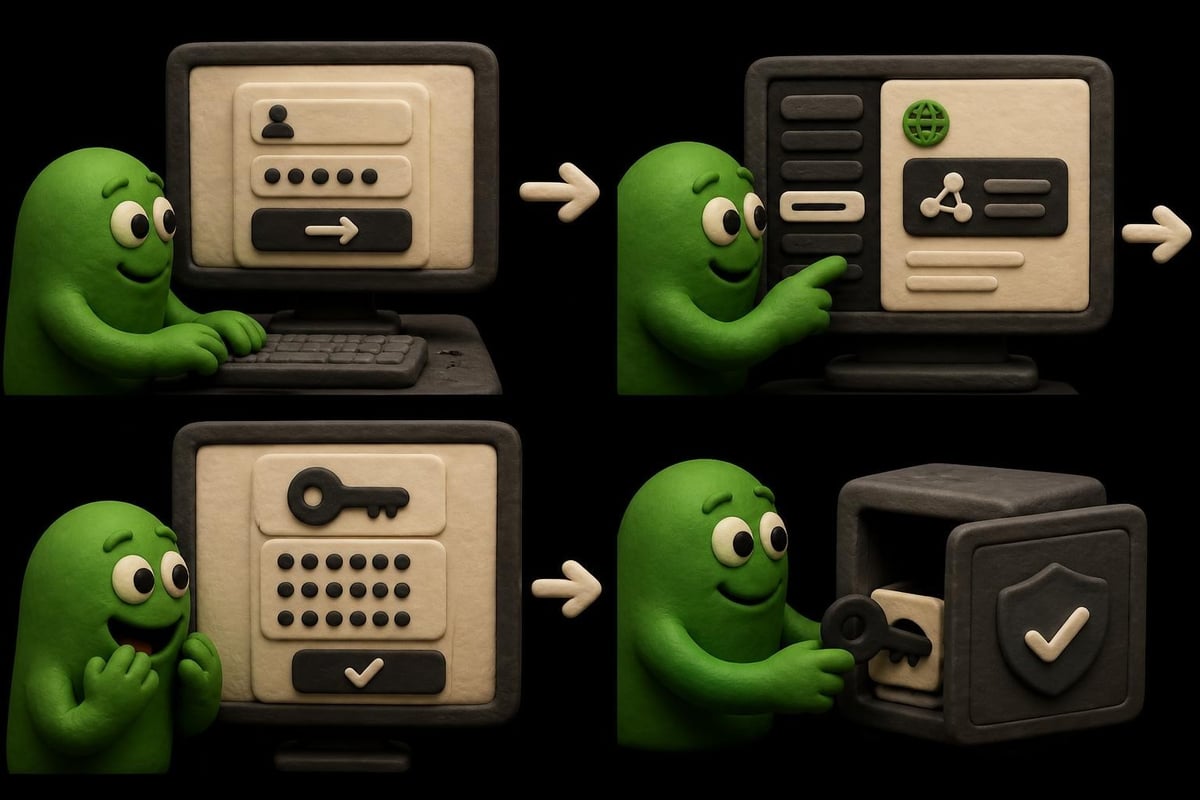
Retrieving Your Proxy Username and Password
- Log into your PIA account through the client area
- Navigate to the "Client Control Panel" or account dashboard
- Locate the "SOCKS5 Proxy" section or credentials area
- Generate or view your unique proxy username and password
- Save these credentials securely (they differ from your VPN login)
Your SOCKS5 credentials are separate from your main account login. These specialized credentials authenticate your proxy connections and should be stored in a password manager for security.
Available Proxy Server Locations
PIA operates SOCKS5 proxy servers in multiple regions. The primary endpoints include:
- proxy-nl.privateinternetaccess.com (Netherlands)
- proxy-se.privateinternetaccess.com (Sweden)
- proxy-ca.privateinternetaccess.com (Canada)
- proxy-de.privateinternetaccess.com (Germany)
Each server typically operates on port 1080, the standard SOCKS5 port. When you download PIA S5 proxy configurations, you'll select the server closest to your target service or the one offering optimal routing for your specific use case.
Configuring PIA SOCKS5 in Popular Applications
The download PIA S5 proxy process varies by application. Most software requires manual entry of server details and credentials rather than importing configuration files.
Setting Up Firefox Browser
Firefox offers native SOCKS5 support through its connection settings. Navigate to Settings > General > Network Settings, then select "Manual proxy configuration." Enter your chosen PIA proxy server hostname, port 1080, and enable "Proxy DNS when using SOCKS v5" for DNS leak protection.
The Firefox proxy configuration documentation provides detailed screenshots and troubleshooting for various connection scenarios. This browser-level configuration routes all Firefox traffic through the proxy while leaving other applications unaffected.
Chrome and Chromium-Based Browsers
Chrome doesn't offer built-in proxy settings on most platforms. Instead, it inherits system-wide proxy configurations or requires extensions. For direct control, use command-line flags when launching Chrome:
--proxy-server="socks5://proxy-nl.privateinternetaccess.com:1080"
Developers building extensions can reference the Chrome proxy API documentation to programmatically configure SOCKS5 connections using PAC scripts or fixed server rules.
BitTorrent Clients (qBittorrent, Deluge, Transmission)
Torrent clients are the most common use case for PIA's SOCKS5 service. In qBittorrent:
- Open Tools > Options > Connection
- Enable "Use proxy for peer connections"
- Select Type: SOCKS5
- Enter Host: your chosen PIA proxy server
- Port: 1080
- Check "Use proxy for hostname lookups"
- Enter your SOCKS5 username and password
- Test connection before saving
This configuration routes torrent traffic through the proxy while your regular browsing uses your standard connection or VPN.
Advanced Configuration and Optimization
After you download PIA S5 proxy credentials and configure your applications, several optimization techniques can improve performance and security.
Combining SOCKS5 with VPN for Enhanced Security
Some users run both services simultaneously for specific threat models. This creates a layered approach where the VPN encrypts traffic system-wide, while SOCKS5 provides additional IP rotation for specific applications.
Benefits of dual configuration:
- Additional IP address diversity for web scraping workflows
- Separation between general browsing (VPN) and specific tasks (SOCKS5)
- Fallback option if one service experiences connectivity issues
- Enhanced anonymity through multi-hop routing
However, this approach can impact speeds significantly. The EFF's circumvention guide discusses these privacy tradeoffs and when layering makes sense versus adding unnecessary complexity.
Performance Testing and Server Selection
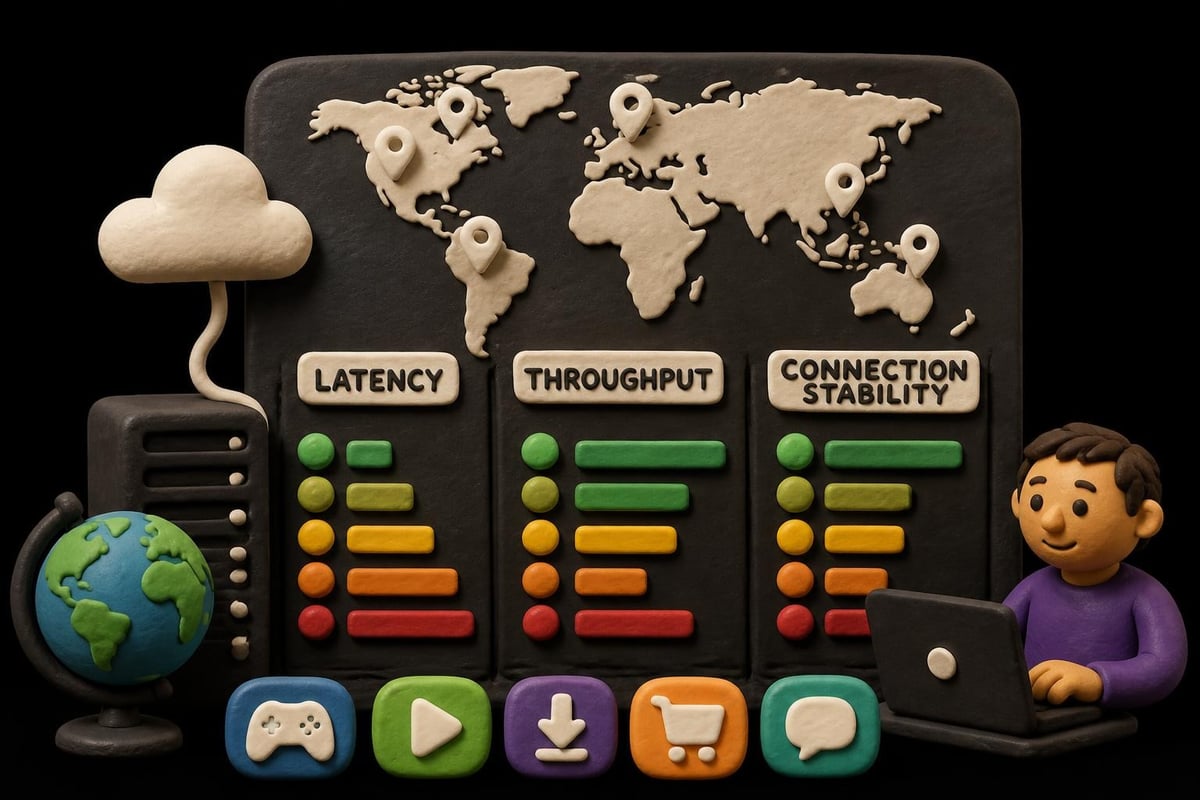
Different PIA proxy servers offer varying latency and throughput depending on your location and internet route. Test multiple endpoints:
| Server Location | Typical Use Case | Average Latency (US East) |
|---|---|---|
| Netherlands | EU content access | 95-110ms |
| Sweden | Privacy-focused routing | 100-115ms |
| Canada | North American services | 25-40ms |
| Germany | EU streaming services | 100-120ms |
When you download PIA S5 proxy settings for different applications, consider using different servers for each. Your torrent client might use the Netherlands server while your browser connects through Canada for optimal routing.
DNS Leak Prevention
SOCKS5 proxies can leak DNS queries if not configured properly. Always enable "proxy DNS" or "use proxy for hostname lookups" options when available. This ensures domain name resolution happens through the proxy server rather than your ISP's DNS.
For applications without built-in DNS proxying, consider these solutions:
- Configure system-wide DNS to use encrypted DNS-over-HTTPS
- Use a VPN alongside SOCKS5 to handle DNS at the VPN level
- Implement application-level DNS configuration when supported
- Monitor for leaks using DNS leak testing tools
Common Issues and Troubleshooting
Even experienced users encounter problems when they download PIA S5 proxy configurations. Understanding common failure points accelerates resolution.
Authentication Failures
The most frequent issue involves credential errors. Remember that SOCKS5 credentials differ from your VPN login. Verify you're using the proxy-specific username and password from your account dashboard, not your main account email and password.
Troubleshooting checklist:
- Confirm credentials are copied exactly (no extra spaces)
- Verify your PIA subscription is active and current
- Regenerate proxy credentials if older than 90 days
- Test credentials in a different application to isolate the issue
- Check for special characters that might require escaping
Connection Timeouts and Server Availability
Proxy servers occasionally undergo maintenance or experience high load. If one server fails to connect:
- Try an alternative PIA proxy server location
- Verify port 1080 isn't blocked by your firewall or ISP
- Test your base internet connection without the proxy
- Check PIA's status page for known service disruptions
Application-Specific Configuration Problems
Some applications implement SOCKS5 differently. When standard configurations fail, consult application-specific documentation or communities. For web scraping projects, services like PinguProxy offer specialized residential and datacenter proxies with detailed configuration support for popular scraping frameworks.
Security Considerations and Best Practices
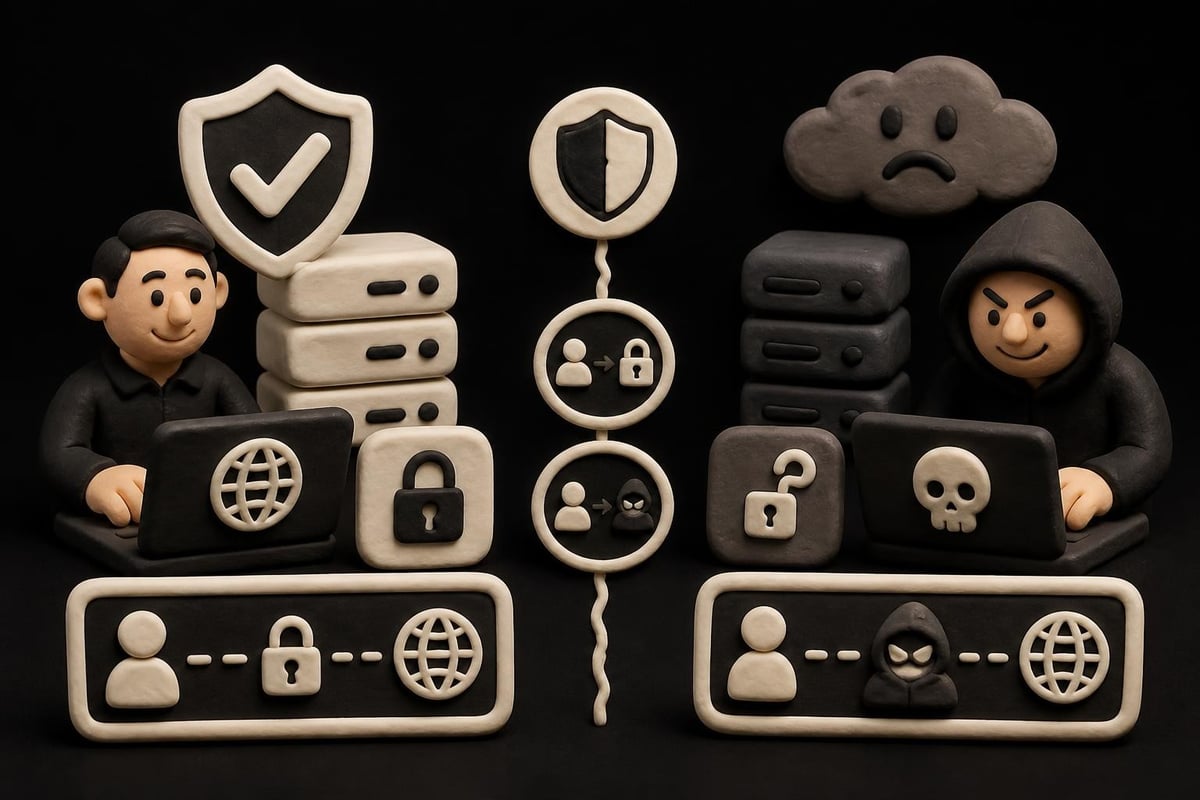
Understanding the security model is crucial after you download PIA S5 proxy credentials. SOCKS5 proxies provide IP masking but limited traffic protection.
What SOCKS5 Does and Doesn't Protect
Protection provided:
- Masks your IP address from destination servers
- Bypasses basic geographic restrictions
- Prevents direct ISP visibility into destination addresses (when DNS is proxied)
- Enables IP rotation for applications supporting multiple connections
Limitations:
- No encryption of traffic content by default
- Vulnerable to man-in-the-middle attacks on untrusted networks
- Application-level data remains visible to network observers
- Doesn't protect against browser fingerprinting or tracking cookies
The protocol specification defines only authentication and routing mechanisms, not encryption standards. For sensitive activities, combine SOCKS5 with application-layer encryption (HTTPS, SSL) or use a VPN instead.
Avoiding Untrusted Proxy Services
Research has demonstrated significant risks with free or unverified proxy services. An academic analysis of proxy security found that many free proxies actively manipulate traffic, inject advertisements, or harvest credentials.
When you download PIA S5 proxy credentials from a reputable provider like PIA, you're using authenticated, documented infrastructure. This contrasts sharply with public proxy lists where operators and intentions remain unknown.
Use Cases and Application Scenarios
Understanding when to download PIA S5 proxy versus using other tools optimizes your workflow and security posture.
Web Scraping and Data Collection
SOCKS5 proxies excel at web scraping because they work seamlessly with most HTTP clients and scraping libraries. Configure your scraping framework to rotate between different PIA proxy servers to distribute requests and avoid rate limiting.
For production scraping at scale, dedicated residential or mobile proxies often prove more effective. Professional solutions provide:
- Larger pools of rotating IP addresses
- Geographic targeting at city or ISP level
- Higher success rates against anti-bot systems
- Dedicated bandwidth for consistent performance
Platforms like PinguProxy's blog regularly publish guides on configuring proxies for specific scraping frameworks and compliance with website terms of service.
Torrenting and P2P File Sharing
This remains the primary use case for PIA's SOCKS5 service. The proxy hides your IP address from peers in the torrent swarm while delivering the high speeds necessary for large file transfers.
Optimal torrent configuration:
- Enable SOCKS5 in your client's connection settings
- Force all traffic through proxy (no direct connections)
- Bind your torrent client to the proxy network interface
- Enable proxy authentication with your PIA credentials
- Test for IP leaks before starting downloads
Gaming and Low-Latency Applications
While VPNs add encryption overhead that increases ping, SOCKS5 proxies can actually reduce latency in some scenarios by routing traffic through more direct paths. When you download PIA S5 proxy settings for gaming, choose the server geographically closest to the game server for minimal latency increase.
Some competitive games prohibit proxy usage in their terms of service. Always verify compliance before configuring gaming traffic through any proxy service.
Comparing PIA SOCKS5 to Alternative Solutions
After you download PIA S5 proxy configurations, you might wonder how it stacks up against other privacy and access solutions available in 2026.
PIA SOCKS5 vs. Full VPN Service
PIA's own VPN service offers comprehensive encryption and system-wide traffic routing. Choose VPN when:
- You need encryption for security on public WiFi
- You want simple, one-click protection for all applications
- You're accessing services that block known proxy servers
- You require DNS leak protection without manual configuration
Choose SOCKS5 proxy when:
- Speed is critical (torrenting, streaming, gaming)
- You only need to route specific applications
- You want minimal overhead on system resources
- You're comfortable with manual configuration
Dedicated Proxy Services for Professional Use
PIA's SOCKS5 service suits individual users and light commercial use. For businesses requiring:
- Hundreds or thousands of unique IP addresses
- Residential IPs from specific cities or ISPs
- Guaranteed uptime SLAs and dedicated support
- API-based proxy management and rotation
Specialized proxy providers become necessary. These services focus exclusively on proxy infrastructure rather than offering proxies as a VPN add-on feature.
| Requirement | PIA SOCKS5 | Dedicated Proxy Service |
|---|---|---|
| IP pool size | Limited (shared servers) | Thousands to millions |
| Geographic granularity | Country level | City/ISP level |
| Connection type | Datacenter | Datacenter, residential, mobile |
| Price point | Included with VPN | Variable, often higher |
| Primary use case | Personal privacy, torrenting | Business scraping, testing |
Legal and Ethical Considerations
Downloading and using PIA S5 proxy services is legal in most jurisdictions, but how you use the technology matters significantly.
Permitted and Prohibited Uses
Generally acceptable uses:
- Protecting privacy on public networks
- Accessing geo-restricted content you're authorized to view
- Testing websites from different geographic locations
- Research and academic data collection with proper authorization
Potentially problematic uses:
- Accessing copyrighted content without authorization
- Circumventing access controls on services you've agreed not to bypass
- Automated data collection violating website terms of service
- Hiding identity for fraudulent or illegal activities
Terms of Service Compliance
When you download PIA S5 proxy credentials, you agree to PIA's acceptable use policy. Review these terms carefully, as they typically prohibit:
- Illegal file sharing or copyright infringement
- Network attacks or unauthorized access attempts
- Spam or bulk unsolicited communications
- Reselling or sharing proxy access with unauthorized users
Violating these terms can result in service termination and potential legal liability depending on the activities involved.
Maintaining and Updating Your Configuration
Proxy services evolve over time. After the initial download PIA S5 proxy setup, ongoing maintenance ensures continued functionality.
Credential Rotation and Security Hygiene
Security best practices recommend rotating proxy credentials periodically:
- Generate new SOCKS5 credentials every 90 days
- Update saved credentials in all configured applications
- Verify each application's connection after updating
- Store credentials in encrypted password managers
- Revoke old credentials once replacement is verified
Monitoring for Service Changes
PIA occasionally updates server addresses, ports, or authentication methods. Stay informed through:
- PIA's official announcements and changelog
- Community forums and user discussions
- Your account dashboard notifications
- Email updates from PIA support
When server addresses change, you'll need to update configurations across all applications where you've implemented the proxy.
Performance Auditing
Regularly test your proxy configuration to ensure optimal performance:
- Benchmark speeds against direct connections
- Verify IP masking using IP checking websites
- Test for DNS leaks using specialized detection tools
- Monitor for connection drops or authentication failures
- Compare latency across different PIA proxy server locations
Applications requiring consistent performance benefit from scheduled testing, particularly if you're using proxies for business-critical web scraping or data collection workflows.
When you download PIA S5 proxy credentials and configure them properly, you gain flexible IP masking for speed-critical applications without the overhead of full VPN encryption. For businesses requiring more comprehensive proxy solutions-including residential and mobile IPs, higher bandwidth, and dedicated support-PinguProxy delivers enterprise-grade proxy infrastructure with 10Gbps connections, unlimited access, and 24/7 assistance. Whether you need datacenter proxies for high-volume scraping or mobile IPs for advanced testing, PinguProxy's zero-log policy and 1ms rotation capabilities provide the privacy, performance, and reliability that professional operations demand.