
OpenVPN HTTP Proxy: Complete Setup & Configuration Guide
When network restrictions prevent direct VPN connections, routing OpenVPN through an HTTP proxy becomes essential for maintaining secure access. This configuration method allows users to establish encrypted VPN tunnels even in restrictive corporate environments, public networks, or regions with strict internet controls. Understanding how to properly implement an openvpn http proxy setup ensures reliable connectivity while maintaining the security and privacy benefits that OpenVPN provides.
Understanding OpenVPN HTTP Proxy Architecture
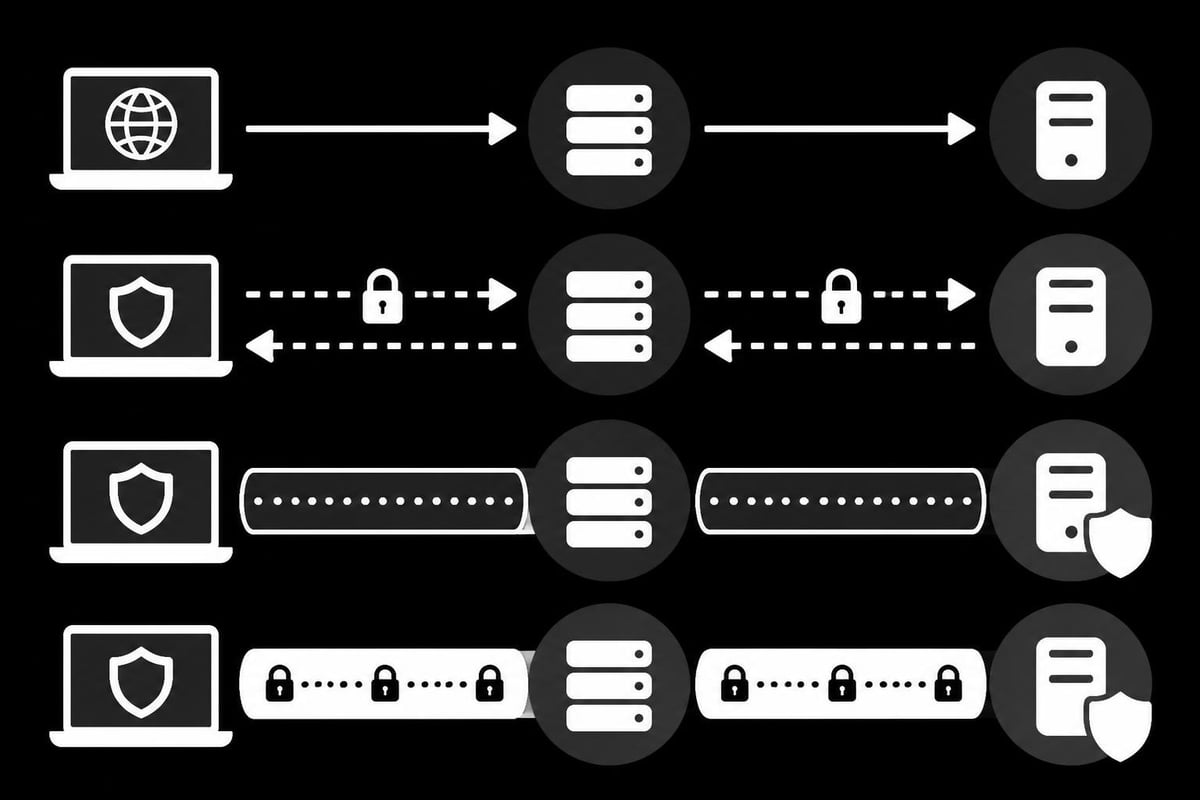
OpenVPN's ability to work with HTTP proxies creates a powerful solution for circumventing network restrictions. The architecture involves your OpenVPN client first connecting to an HTTP proxy server, which then forwards your encrypted VPN traffic to the OpenVPN server. This indirect routing method disguises VPN traffic as standard HTTP/HTTPS requests, making it more difficult for network administrators or filtering systems to block.
How the Connection Flow Works
The connection sequence begins when your OpenVPN client initiates contact with the HTTP proxy rather than directly reaching out to the VPN server. After the proxy authenticates your credentials (if required), it establishes a tunnel to the OpenVPN server on your behalf.
The typical connection stages include:
- Client sends HTTP CONNECT request to proxy
- Proxy authenticates credentials (basic or NTLM)
- Proxy establishes TCP connection to OpenVPN server
- OpenVPN handshake occurs through the proxy tunnel
- Encrypted VPN session begins
This layered approach provides additional obfuscation benefits. Network monitors see only HTTP proxy traffic rather than recognizable VPN patterns, which helps avoid detection and blocking. Research on VPN fingerprinting vulnerabilities demonstrates how routing through proxies can reduce the effectiveness of traffic analysis techniques.
Protocol Compatibility and Limitations
OpenVPN supports HTTP proxies specifically when using TCP mode, not UDP. This limitation exists because HTTP proxies operate at the application layer and can only forward TCP connections. For environments requiring an openvpn http proxy configuration, you must ensure your OpenVPN server supports TCP protocol on at least one port.
| Connection Mode | HTTP Proxy Support | Performance Impact | Use Case |
|---|---|---|---|
| TCP + Proxy | Full Support | Moderate overhead | Restrictive networks |
| TCP Direct | Not applicable | Low overhead | Standard deployments |
| UDP + Proxy | Not supported | N/A | Cannot be used |
| UDP Direct | Not applicable | Minimal overhead | High-performance needs |
The performance impact stems from the additional hop through the proxy server plus TCP's inherent overhead compared to UDP. However, this trade-off becomes necessary when direct connections face blocking.
Configuration Methods for Different Scenarios
Setting up an openvpn http proxy requires modifications to your OpenVPN client configuration file. The implementation varies based on whether your proxy requires authentication and which authentication method it uses.
Basic Proxy Configuration Without Authentication
For public or internal proxies that don't require credentials, the configuration is straightforward. Add these directives to your client configuration file:
http-proxy proxy.example.com 8080
http-proxy-retry
The http-proxy directive specifies the proxy server address and port. The http-proxy-retry option tells OpenVPN to continue attempting proxy connection if the initial attempt fails, which proves useful for unreliable proxy servers. According to official OpenVPN documentation on HTTP proxy connections, these basic settings handle most simple proxy scenarios.
Authentication-Required Proxy Setup
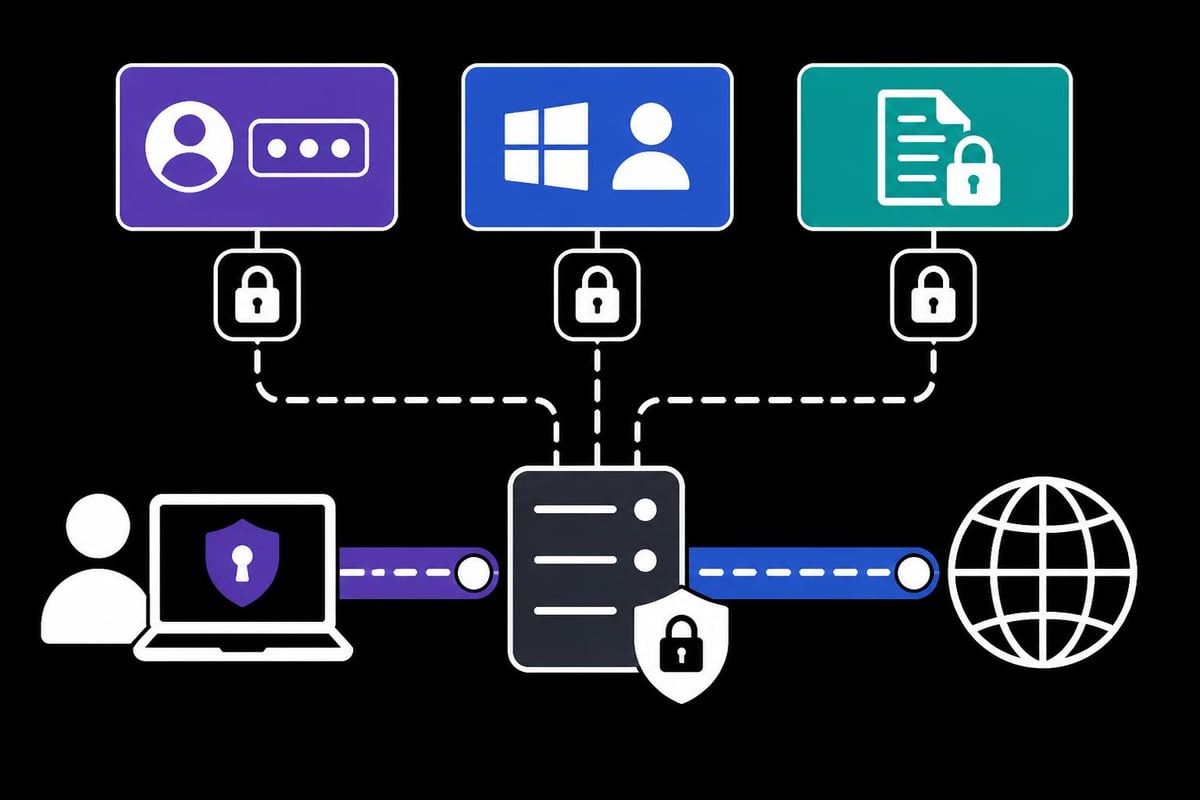
Corporate environments typically require authentication for proxy access. OpenVPN supports both basic authentication and NTLM (Windows domain authentication). For basic authentication, your configuration expands to include credential specification.
Configuration options for authenticated proxies:
- Inline credentials (less secure but convenient)
- External credential file (recommended for security)
- Automatic credential prompting (interactive mode)
The recommended approach stores credentials in a separate file with restricted permissions. Create a file named proxy-auth.txt containing your username on the first line and password on the second line:
username
password
Then reference this file in your OpenVPN configuration:
http-proxy proxy.company.com 8080
http-proxy-retry
auth-user-pass proxy-auth.txt
For NTLM authentication common in Windows environments, add the http-proxy-option directive. The OpenVPN 2.7 manual provides comprehensive details on advanced proxy authentication parameters.
Advanced Proxy Options and Fine-Tuning
OpenVPN provides several advanced proxy options for handling specific network conditions. The http-proxy-timeout directive sets how long the client waits for proxy connection establishment before failing. In high-latency environments, increasing this value prevents premature timeout errors.
http-proxy proxy.example.com 8080
http-proxy-timeout 30
http-proxy-option AGENT "Mozilla/5.0"
The AGENT option customizes the HTTP User-Agent string sent to the proxy, which can help bypass filtering rules that block non-browser traffic. Some organizations configure proxies to only allow traffic from recognized browser User-Agent strings.
Troubleshooting Common Proxy Connection Issues
Even with correct configuration, openvpn http proxy setups can encounter various connectivity problems. Understanding common failure patterns helps diagnose and resolve issues quickly.
Proxy Connection Failures
When OpenVPN cannot reach the proxy server, you'll typically see timeout errors in the log files. These failures often result from incorrect proxy address or port settings, firewall rules blocking the proxy port, or network routing problems.
Diagnostic steps for proxy connection issues:
- Verify proxy server address and port using
telnetornc - Check firewall rules allowing outbound connections to proxy port
- Test proxy functionality with standard tools like
curlwith proxy flags - Review proxy server logs for connection attempts and rejections
- Confirm proxy server is operational and accepting connections
Network administrators sometimes change proxy servers or ports without notification. Maintaining a list of alternative proxy endpoints provides fallback options when primary proxies become unavailable.
Authentication and Credential Problems
Authentication failures generate distinct error messages indicating credential rejection. These issues stem from incorrect usernames or passwords, expired credentials, or authentication method mismatches.
The OpenVPN Cookbook section on proxy authentication details step-by-step troubleshooting for authentication problems. Common fixes include verifying credential file formatting, ensuring no extra whitespace in username or password fields, and confirming the authentication method matches proxy requirements.
| Error Type | Likely Cause | Solution |
|---|---|---|
| 407 Proxy Authentication Required | Missing or incorrect credentials | Verify auth-user-pass configuration |
| Connection timeout | Proxy server unreachable | Check network connectivity and firewall |
| SSL/TLS handshake failure | Certificate validation issues | Review certificate configuration |
| HTTP 403 Forbidden | Proxy policy blocks VPN traffic | Contact administrator or use alternate proxy |
Performance and Stability Concerns
Proxy-routed VPN connections inherently experience higher latency and lower throughput compared to direct connections. The additional processing at the proxy layer plus potential geographic distance to the proxy server adds measurable delay.
When experiencing poor performance through an openvpn http proxy, consider these optimization strategies. First, select proxy servers geographically closer to either your location or the VPN server endpoint to minimize latency. Second, test different proxy servers if multiple options exist, as some may have better peering or less congestion.
Services like PinguProxy offering high-speed datacenter proxies with 10Gbps bandwidth can significantly improve performance compared to slower proxy alternatives. The quality of your proxy infrastructure directly impacts the VPN experience, particularly for bandwidth-intensive applications like web scraping or media streaming.
Security Considerations and Best Practices
Routing VPN traffic through an HTTP proxy introduces additional security considerations beyond standard OpenVPN deployments. Understanding these implications helps maintain security posture while gaining connectivity benefits.
Proxy Server Trust and Privacy Implications
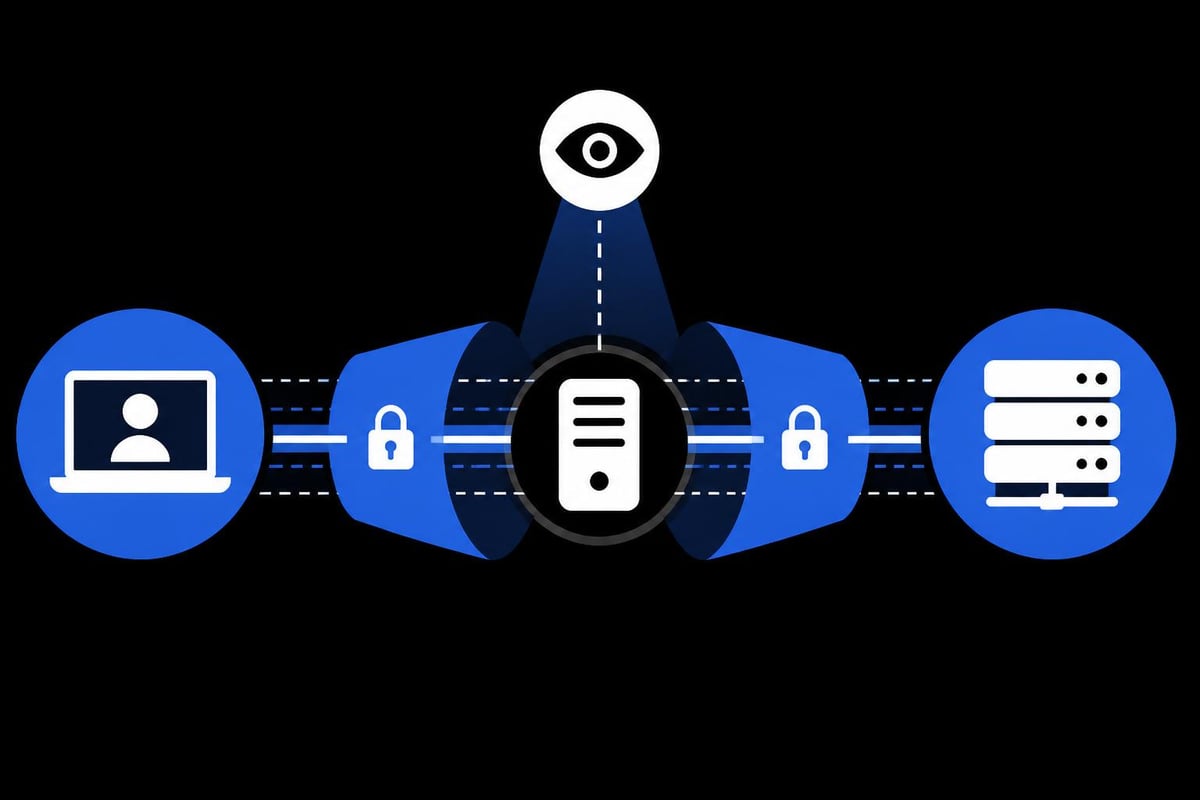
The HTTP proxy server can observe metadata about your VPN connection, including timing, connection duration, and destination server address. While the proxy cannot decrypt your OpenVPN traffic due to encryption, this metadata exposure creates privacy concerns. Research examining free proxy service security risks demonstrates how malicious proxy operators can exploit this visibility.
Critical security practices when using HTTP proxies:
- Use trusted proxy providers with established privacy policies
- Avoid free public proxies that may log or manipulate traffic
- Verify proxy server TLS certificates when using HTTPS proxies
- Monitor for man-in-the-middle attempts through certificate warnings
- Rotate proxy servers regularly to minimize long-term tracking
Corporate proxies in enterprise environments typically include extensive logging and monitoring capabilities. While your encrypted VPN traffic remains protected, administrators can still track when and how often you establish VPN connections. Understanding the risks associated with public proxy services helps inform safer configuration choices.
Certificate Validation and Trust Issues
Some corporate HTTP proxies perform SSL/TLS interception, installing their own certificates to inspect encrypted traffic. This practice creates complications for OpenVPN certificate validation. When a proxy intercepts and re-encrypts traffic, OpenVPN may fail certificate validation checks unless configured to accept the proxy's certificate authority.
The solution depends on your trust level in the proxy operator. In corporate environments where the proxy certificate represents legitimate security infrastructure, you can add the corporate CA certificate to your trusted certificate store. However, this approach should never be used with untrusted proxy providers, as it enables man-in-the-middle attacks.
Combining Proxies and VPNs Effectively
Advanced users sometimes combine multiple proxy layers with VPN connections for enhanced privacy and access capabilities. A common configuration routes OpenVPN through an HTTP proxy, while simultaneously using additional application-level proxies for specific applications after the VPN connection establishes.
This layered approach provides several advantages. Different services can route through different proxy chains, geographic locations can be mixed for optimal access, and the complexity makes traffic analysis more difficult. However, each additional layer increases latency and potential points of failure.
Real-World Use Cases and Applications
The openvpn http proxy configuration serves various practical purposes across different environments and user scenarios. Understanding these applications helps determine when this setup provides genuine value versus unnecessary complexity.
Corporate Network Restrictions
Many corporate networks enforce strict outbound connection policies, blocking VPN protocols to prevent data exfiltration or unauthorized network access. Employees working remotely or traveling often need to access corporate resources through a VPN, but the hotel or conference center network blocks direct VPN connections.
Routing OpenVPN through the corporate HTTP proxy solves this dilemma. Since the proxy is already whitelisted and the traffic appears as standard HTTP connections, the VPN tunnel successfully establishes. The tutorial on creating proxy settings in OpenVPN Connect provides practical guidance for configuring common VPN clients in these scenarios.
Geographic Restrictions and Censorship Circumvention
Countries with internet censorship often block known VPN server IP addresses and protocols. Using an openvpn http proxy configuration helps bypass these blocks by disguising VPN traffic as regular web browsing. The HTTP CONNECT method appears identical to standard HTTPS traffic from the network's perspective.
However, sophisticated deep packet inspection systems can still identify VPN patterns even through proxy tunneling. The effectiveness depends on the detection capabilities deployed in that specific network. Research on HTTPS security inconsistencies across regions highlights how different countries implement varying levels of traffic inspection.
Testing and Development Environments
Developers and QA teams frequently need to test applications under various network conditions, including scenarios where VPN access requires proxy traversal. Setting up an openvpn http proxy in test environments simulates real-world deployment conditions and helps identify configuration issues before production deployment.
Testing scenarios that benefit from proxy configurations:
- Simulating restricted corporate network environments
- Validating application behavior with increased latency
- Testing authentication mechanisms across proxy layers
- Verifying certificate validation under proxy SSL interception
- Benchmarking performance impact of proxy routing
Professional services requiring reliable proxy infrastructure, such as those involved in sneaker bot operations or Instagram account management, often combine VPN and proxy technologies for optimal results.
Alternative Approaches and Protocol Considerations
While HTTP proxy support in OpenVPN provides valuable functionality, alternative methods exist for achieving similar goals. Evaluating these options helps select the most appropriate solution for specific requirements.
SOCKS Proxy Integration
OpenVPN also supports SOCKS proxies, which operate at a lower network level than HTTP proxies. SOCKS5 proxies offer better performance and can handle both TCP and UDP traffic, though OpenVPN's UDP mode still requires TCP for the SOCKS connection itself. The Mastering OpenVPN chapter on proxy usage compares HTTP and SOCKS proxy configurations in detail.
The configuration syntax for SOCKS proxies differs slightly from HTTP proxies:
socks-proxy proxy.example.com 1080
socks-proxy-retry
SOCKS proxies typically require less overhead than HTTP proxies since they don't modify protocol headers or perform application-layer processing. This efficiency translates to marginally better performance in most scenarios.
Obfuscation Plugins and Stunnel
For environments with aggressive VPN detection and blocking, combining proxy routing with obfuscation plugins provides additional concealment. Tools like obfs4proxy or stunnel wrap OpenVPN traffic in additional encryption layers that resist deep packet inspection.
The trade-off involves increased complexity and configuration overhead. Most users find standard openvpn http proxy configurations sufficient for bypassing typical network restrictions. Advanced obfuscation becomes necessary only in highly restrictive environments with sophisticated detection systems.
Cloud-Based Proxy Solutions
Modern cloud infrastructure enables deploying private proxy servers on-demand in various geographic locations. This approach provides more control and privacy compared to third-party proxy services, though it requires more technical expertise and infrastructure management.
Setting up cloud-based proxies for OpenVPN routing involves provisioning virtual machines, configuring proxy software like Squid or 3proxy, implementing authentication, and maintaining security updates. While this setup offers maximum flexibility, it represents significant operational overhead compared to using established proxy services.
Optimizing Proxy Configurations for Specific Applications
Different use cases benefit from tailored openvpn http proxy configurations that prioritize specific performance characteristics or security properties. Optimizing these settings improves reliability and user experience.
Web Scraping and Data Collection
Applications performing large-scale web scraping through VPN connections need to balance request volume with connection stability. When routing through proxies, aggressive retry settings and appropriate timeout values prevent dropped connections from terminating scraping operations.
Recommended configuration adjustments include increased http-proxy-timeout values, enabled http-proxy-retry, and conservative keepalive settings. These modifications accommodate the higher latency and occasional instability inherent in proxy-routed connections. Resources like the guide to rotating proxies for web scraping demonstrate how combining VPN and proxy rotation enhances data collection reliability.
Gaming and Low-Latency Applications
Online gaming through VPN connections prioritizes minimal latency over other factors. When an openvpn http proxy becomes necessary, selecting geographically optimal proxy locations becomes critical. The cumulative latency from your location to the proxy, proxy to VPN server, and VPN server to game server must remain acceptably low for responsive gameplay.
Optimization strategies for gaming:
- Choose proxy servers physically close to your location
- Select VPN servers near the game server region
- Use high-performance proxy infrastructure with minimal processing delays
- Monitor ping times and packet loss regularly
- Configure appropriate MTU values to prevent fragmentation
Premium proxy services offering dedicated infrastructure and guaranteed bandwidth provide better gaming experiences than shared or oversubscribed proxies.
SEO Monitoring and Rank Tracking
SEO professionals tracking search rankings across geographic regions often combine VPN connections with proxy services. The VPN establishes a secure base connection, while proxies provide the specific geographic endpoints needed for accurate ranking data. Configuring OpenVPN to route through location-specific proxies simplifies this workflow.
The best practices for SEO proxies and rank tracking emphasize reliability and IP diversity, both achievable through proper openvpn http proxy configurations. Maintaining multiple proxy configurations for different regions allows quick switching between monitoring perspectives.
Configuring OpenVPN to work through HTTP proxies opens connectivity possibilities in restrictive network environments while maintaining security through encrypted tunnels. The setup requires careful attention to authentication methods, performance optimization, and security implications, but delivers reliable VPN access when direct connections face blocking. Whether you need secure connectivity for business applications, development testing, or privacy-focused browsing, combining VPN technology with professional proxy infrastructure creates a robust solution. PinguProxy delivers the high-speed, reliable proxy infrastructure needed for demanding applications, with IPv4 and IPv6 support, zero-log privacy protection, and 24/7 expert support to ensure your connections remain fast and secure.