
Proxy for WhatsApp Guide: Secure Messaging in 2025
Imagine needing to message someone on WhatsApp, only to find yourself suddenly locked out. Whether you are traveling, dealing with local restrictions, or facing a surprise outage, losing access can be frustrating and disruptive.
This guide is here to help you stay connected with a proxy for whatsapp. No matter where you are in 2025, you can unlock secure, private, and reliable messaging.
We will break down how proxies work, why they matter for privacy, walk you through setup for every device, and share up-to-date security tips. Ready to take back control of your chats? Let’s begin.
Why Use a Proxy for WhatsApp in 2025?
Imagine losing access to WhatsApp right when you need to message family, friends, or clients. In 2025, this is a reality for millions as restrictions, outages, and surveillance increase globally. A proxy for whatsapp is now the essential tool for keeping your conversations private and uninterrupted, no matter where you are.
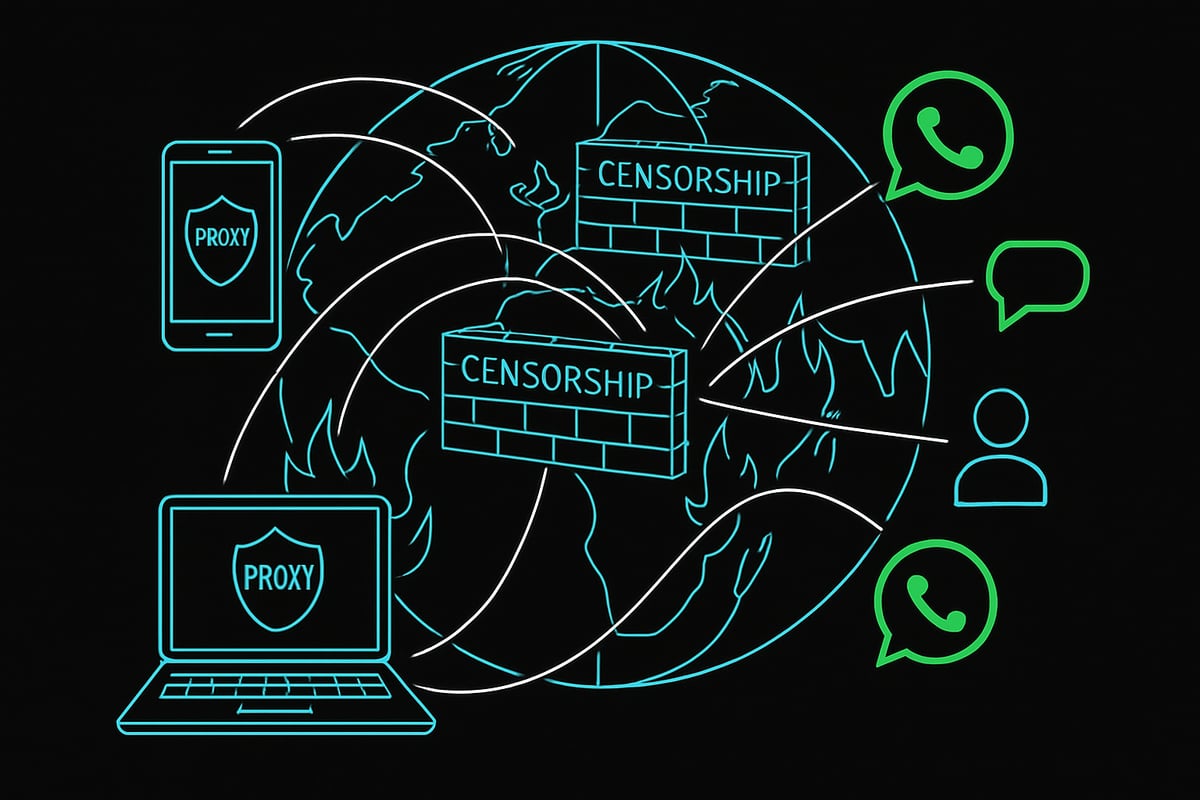
Evolving Restrictions and Internet Censorship
Across the world, more countries are imposing WhatsApp blocks and throttling. Political events, protests, and even exams can trigger sudden bans. According to the UN, internet shutdowns now have dramatic impacts on daily life, disrupting communication, business, and social ties.
A proxy for whatsapp helps you sidestep these blocks by routing your messages through a server in a country where WhatsApp is accessible. This means you can restore connectivity in minutes, even during strict outages. To better understand how proxies enable this, check out WhatsApp Proxy Usage Explained.
Privacy, Security, and Anonymity Concerns
WhatsApp’s end-to-end encryption keeps your chats private, but your metadata - like your real IP address and location - can still be exposed. Direct connections allow ISPs or governments to track your activity, block your access, or even monitor your usage patterns.
By using a proxy for whatsapp, you add a crucial privacy shield. The proxy masks your IP, making it much harder for anyone to trace your location or block your access. This extra layer keeps your communication more secure, especially in places where surveillance is a concern.
Business Continuity and Communication Reliability
For businesses, WhatsApp is a lifeline for customer support, internal coordination, and remote work. Outages or restrictions can bring operations to a halt, causing lost sales and frustrated clients.
A proxy for whatsapp ensures your team and customers stay connected without interruption. Whether you’re supporting international clients or managing remote teams, proxies help you maintain reliable messaging even when local networks are unreliable or censored.
Use Cases: Travelers, Expats, and Remote Teams
Frequent travelers often land in countries where WhatsApp is suddenly restricted. Expats need to stay in touch with loved ones back home, and remote teams must collaborate across borders with different internet policies.
A proxy for whatsapp empowers these users to bypass local restrictions seamlessly. Whether you’re on a business trip in China or working remotely from a region with unpredictable access, proxies keep your communication lines open and reliable.
Data Points and Trends
WhatsApp’s user base has surpassed 2 billion in 2025, making it one of the world’s most critical messaging platforms. Proxy providers report impressive metrics - like FloppyData’s 99.8% web request success rate, 99.99% uptime, and a 95% clean IP rate.
The demand for a proxy for whatsapp is surging, especially in emerging markets where access is more likely to be restricted. These numbers highlight why secure, high-quality proxies are now a necessity for millions.
Limitations and Considerations
Not all proxies are created equal. Free or unreliable proxies might have flagged IPs or poor uptime, putting your privacy and access at risk. It’s crucial to choose a reputable provider for stable, secure service.
WhatsApp’s built-in proxy support works only on Android and iOS, with no native desktop support. Always verify your proxy for whatsapp provider’s reputation and ensure they offer clean, high-uptime IPs for best results.
How WhatsApp Proxy Works: The Technical Breakdown
Ever wondered how a proxy for whatsapp actually keeps your messages flowing when restrictions hit? This section unpacks the technical side, making sense of how proxies shield your identity, bypass blocks, and keep your chats secure - without breaking a sweat.
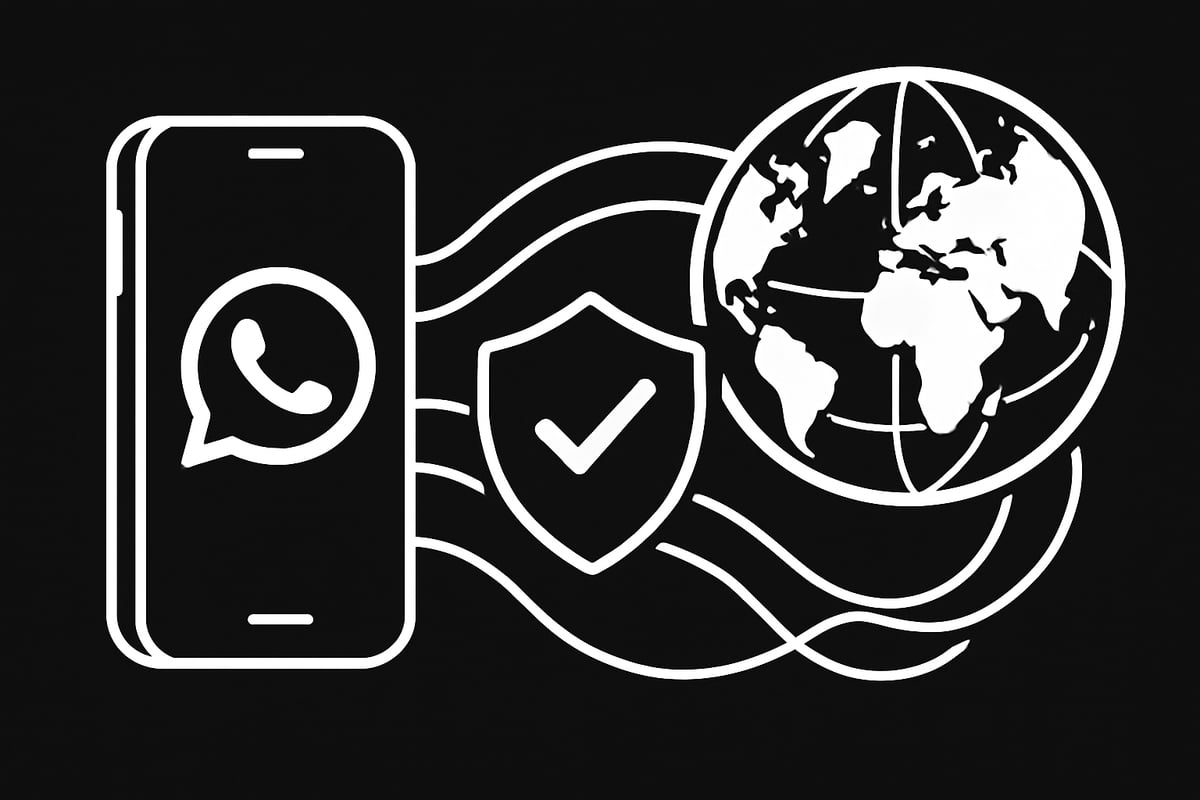
What Is a Proxy and How Does It Integrate with WhatsApp?
A proxy for whatsapp works as a bridge between your device and WhatsApp’s servers. Instead of your messages traveling directly, they are routed through an intermediary server. This setup hides your real IP address, making it look like your traffic comes from the proxy’s location.
When WhatsApp introduced proxy support for Android and iOS in 2023, it became possible to specify a proxy server directly in the app. This means you can still access WhatsApp even if your network or country blocks the app, as your requests go through the proxy instead of straight to WhatsApp.
For example, if you’re in a country with restrictions, a proxy for whatsapp ensures your messages are delivered by masking your network identity. This not only restores access but also adds a layer of privacy.
Types of Proxies for WhatsApp
Not all proxies are created equal. The main types used as a proxy for whatsapp include HTTP, HTTPS, and SOCKS5, with each offering different levels of compatibility and security. On top of that, proxies can be residential, mobile, or datacenter. Each has its pros and cons for WhatsApp usage.
Here’s a quick comparison:
| Proxy Type | Security | Speed | Best Use Case |
|---|---|---|---|
| HTTP/HTTPS | Moderate | Fast | General browsing |
| SOCKS5 | High | Fast | Messaging & privacy |
| Residential | High | Moderate | Avoiding detection |
| Mobile | High | Varies | Bypassing tough blocks |
| Datacenter | Varies | Fastest | Bulk messaging |
To learn more about these differences, check out this guide comparing proxy types.
Choosing the right proxy for whatsapp depends on your needs, whether it’s privacy, speed, or avoiding bans.
WhatsApp’s Built-In Proxy Feature
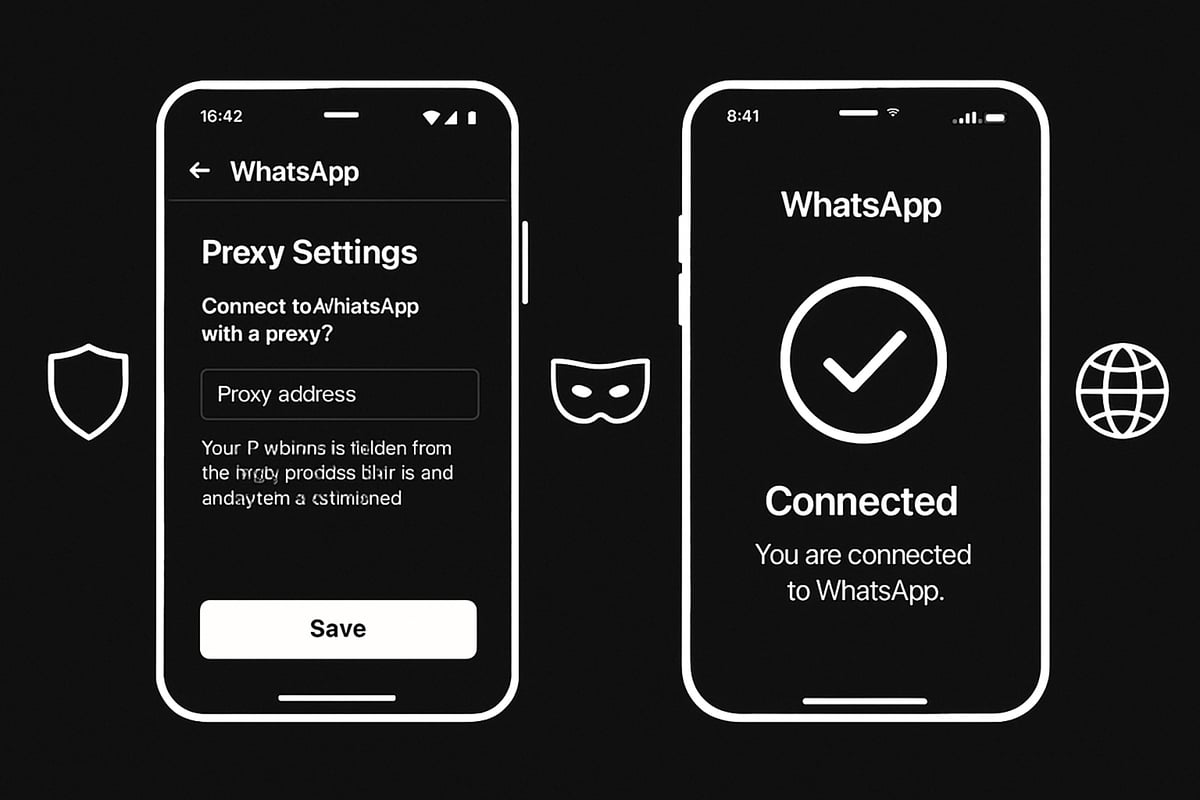
WhatsApp’s native proxy for whatsapp support is a game changer for mobile users. On Android and iOS, you can enter a proxy address directly in the app’s settings. This allows your WhatsApp traffic to be rerouted, helping you connect even under heavy censorship.
However, this feature is currently limited to mobile devices. WhatsApp Web and desktop clients do not offer built-in proxy support, so users must rely on system-level proxies for those platforms.
Example proxy setup in WhatsApp (Android):
Settings > Storage and Data > Proxy > Use Proxy > Enter Address and Port
Remember, the proxy for whatsapp you choose must be reliable and fast for smooth messaging.
Security and Encryption Considerations
Using a proxy for whatsapp does not compromise the app’s end-to-end encryption. Your messages stay private between you and your contacts. The proxy simply masks your IP address and location, adding a privacy layer.
Still, not all proxies are safe. Some may log your data or inject ads. When selecting a proxy for whatsapp, always pick trusted providers that support encrypted protocols like HTTPS or SOCKS5. This minimizes the risk of exposure or interception.
Common Proxy Scenarios
A proxy for whatsapp is useful in many real-world situations:
- Bypassing country-level bans or restrictions
- Accessing WhatsApp on school or office networks
- Staying connected during internet outages
- Protecting your identity while traveling
In all these cases, a proxy for whatsapp helps you communicate securely and without interruption.
Real-World Example
Consider a business operating in a restricted country. By using a mobile proxy for whatsapp, the team maintains 24/7 customer support for international clients. Even when local internet access is disrupted, their communication stays active and secure.
This approach isn’t just for businesses - travelers, expats, and remote teams all benefit from a robust proxy for whatsapp setup.
Key Arguments and Insights
Let’s recap the essentials of using a proxy for whatsapp:
- Legality: Proxies are legal in most countries, but always check local laws.
- Reliability: Choose providers with high uptime and clean IPs.
- Security: End-to-end encryption is maintained, but use secure proxies.
- Flexibility: System-level proxies are needed for desktop, while mobile users can use in-app settings.
- Infrastructure: Reliable proxy for whatsapp infrastructure ensures seamless, private messaging.
A well-chosen proxy for whatsapp is your ticket to secure, unrestricted chatting - no matter where you are.
Step-by-Step: Setting Up a Proxy for WhatsApp on Mobile (Android & iOS)
Setting up a proxy for whatsapp on your mobile device is the key to reliable, secure messaging when restrictions hit. Whether you are traveling, living abroad, or facing local blocks, knowing how to configure a proxy for whatsapp ensures you stay connected. This section will walk you through every step, highlight best practices, and help you avoid common pitfalls.
Preparation: Choosing the Right Proxy Provider
Before you set up a proxy for whatsapp, selecting the right provider is crucial. Look for a provider known for:
- High uptime (99.99% or above)
- Clean, unflagged IP addresses
- Geographic diversity (choose locations where WhatsApp is unrestricted)
- Strong privacy policies with no logging
Avoid free or public proxies, as these can slow your connection, compromise privacy, or get banned quickly. Consider reading a WhatsApp Proxy Setup Guide for a detailed overview and provider recommendations.
Choosing the right proxy for whatsapp is your first line of defense against outages and censorship.
Android: Proxy Configuration Guide
Configuring a proxy for whatsapp on Android is straightforward. Follow these steps:
- Open Settings and tap Network & Internet, then choose WiFi.
- Tap your connected WiFi network, then tap Advanced options.
- Set Proxy to Manual.
- Enter your proxy server address and port (provided by your proxy for whatsapp provider).
- Save changes and reconnect to your WiFi.
- Open WhatsApp, go to Settings > Storage and Data > Proxy, and enter the proxy details if prompted.
If you encounter issues, double-check the proxy for whatsapp credentials and ensure your provider’s server is online. Some Android devices may require a restart for settings to apply.
iOS: Proxy Configuration Guide
To use a proxy for whatsapp on iOS, follow these steps:
- Go to Settings > WiFi and tap the “i” next to your active network.
- Scroll to HTTP Proxy, tap Configure Proxy.
- Select Manual, then enter the proxy for whatsapp address and port.
- Add authentication if your provider requires it.
- Save settings and test WhatsApp connectivity.
If WhatsApp does not connect, verify your proxy for whatsapp details, check for typos, and try toggling WiFi off and on. Using proxies from regions without WhatsApp restrictions will help ensure a stable connection.
Best Practices for Mobile Proxy Use
Using a proxy for whatsapp safely and effectively means following best practices:
- Always verify the proxy IP is clean and not blacklisted.
- Rotate your proxy for whatsapp periodically for better anonymity.
- Monitor connection speed and switch servers if you notice slowdowns.
- Select proxies from countries where WhatsApp is freely accessible.
Maintaining these habits helps keep your proxy for whatsapp connection reliable and secure wherever you are.
Security Tips
Security is critical when using a proxy for whatsapp. Remember to:
- Never share your proxy credentials with others.
- Avoid public WiFi networks when configuring your proxy for whatsapp.
- Enable two-factor authentication on your WhatsApp account.
- Keep both your phone and WhatsApp app updated for the latest security patches.
These precautions ensure your proxy for whatsapp is used safely, reducing your risk of data leaks or account compromise.
Example Use Case
Imagine a business traveler in China suddenly unable to use WhatsApp for urgent work messages. By configuring a US-based proxy for whatsapp on their iPhone, they quickly restore access and maintain communication with colleagues and clients. This practical setup shows how a proxy for whatsapp is a lifeline for anyone facing unpredictable restrictions abroad.
Setting Up a Proxy for WhatsApp Web and Desktop (Windows & Mac)
Accessing WhatsApp Web or the desktop app isn’t always straightforward when you’re facing regional restrictions or network blocks. Unlike the mobile app, which now offers built-in proxy features, using a proxy for whatsapp on your computer requires a different approach. Let’s break down exactly how to restore access and keep your chats flowing seamlessly.
Limitations of WhatsApp’s Built-In Proxy
WhatsApp’s built-in proxy support is a game changer for mobile users, but it comes with a big caveat. This feature is currently available only on Android and iOS devices. If you’re relying on WhatsApp Web or the desktop client, you won’t find native proxy options. That’s why setting up a system-level proxy for whatsapp is essential for unblocking access on your computer.
Most users discover this limitation only after trying to connect from their laptop in a restricted country. The workaround is to route all your internet traffic, including WhatsApp Web, through a reliable system proxy for whatsapp.
Windows: System Proxy Setup for WhatsApp Web
To set up a proxy for whatsapp on Windows, you’ll need to configure your system’s proxy settings. Here’s a quick step-by-step guide:
- Open Settings and go to Network & Internet.
- Click on Proxy.
- Under Manual proxy setup, toggle the switch to On.
- Enter your proxy server address and port provided by your service.
- Save the changes.
Once your proxy for whatsapp is active, open your browser and visit WhatsApp Web. All browser traffic, including WhatsApp, will now route through the proxy.
If you run into connection issues, double-check that your proxy for whatsapp server is online and your credentials are correct. Some browsers also have their own proxy settings, so ensure those match your system configuration.
Mac: Configuring System Proxy
If you use a Mac, configuring a proxy for whatsapp is straightforward:
- Open System Preferences and select Network.
- Choose your active network connection and click Advanced.
- Go to the Proxies tab.
- Check the box for HTTP or SOCKS and enter your proxy details.
- Click OK and then Apply.
After setting up your proxy for whatsapp, restart your browser and try accessing WhatsApp Web. If you encounter issues, verify that your proxy for whatsapp details are correct and that your provider’s IP is not blocked.
Here’s a sample configuration for a SOCKS5 proxy:
Server: 123.45.67.89
Port: 1080
Username: youruser
Password: yourpass
Choosing the Right Proxy for Desktop Use
Selecting the right proxy for whatsapp is crucial for fast and reliable messaging. Desktop users should prioritize residential or datacenter proxies with high uptime and clean IP reputations. Residential proxies are less likely to be blocked and often provide better stability.
Here’s a quick comparison:
| Proxy Type | Speed | Anonymity | Block Risk | Best For |
|---|---|---|---|---|
| Residential | Medium | High | Low | WhatsApp, web |
| Datacenter | Fast | Medium | Medium | Business use |
| Mobile | Medium | High | Very Low | Unblocking apps |
For a deep dive into setup and benefits, check out this Residential SOCKS5 proxies guide.
Security and Privacy Considerations
When using a proxy for whatsapp on desktop, security should be your top priority. Always choose providers with a strict zero-log policy and support for encrypted protocols like HTTPS or SOCKS5. Update your proxy credentials regularly to prevent unauthorized access.
If possible, avoid free proxies, as they can compromise your privacy or inject malware. Use strong passwords for your proxy for whatsapp accounts, and enable two-factor authentication on WhatsApp itself to add an extra layer of security.
Example Scenario
Imagine a remote worker in a country with WhatsApp restrictions. By setting up a system-level proxy for whatsapp on their Windows laptop, they maintain uninterrupted communication with clients worldwide. With the right proxy for whatsapp configuration, their messages stay secure and their workflow remains smooth, even in regions where direct access is blocked.
Advanced Proxy Security: Best Practices for Safe Messaging in 2025
Staying safe while using a proxy for whatsapp in 2025 means more than just picking any server. As threats evolve, understanding the risks and adopting robust security habits is essential for protecting your chats, data, and identity. Let’s break down the key best practices to keep your messaging secure, private, and uninterrupted.
Understanding Proxy Security Risks
Not all proxies are created equal. Using a free or unknown proxy for whatsapp might expose you to serious risks. Malicious proxies can inject malware, log your data, or leak sensitive metadata about your WhatsApp sessions.
Common dangers include:
- Malware infections targeting your device or WhatsApp account
- Data interception or logging of your communication
- Exposure of your IP address or location to third parties
These risks make it crucial to choose a reliable proxy for whatsapp and avoid suspicious providers. Always prioritize your privacy and security when selecting a proxy service.
How to Vet and Choose a Secure Proxy Provider
Selecting the right proxy for whatsapp starts with due diligence. Look for transparent privacy policies and a strict zero-log guarantee. A reputable provider should offer high uptime, ideally above 99.9 percent, and have a proven track record.
Key vetting criteria:
- Clearly stated zero-log policy
- High clean IP reputation (95 percent or higher)
- Responsive support channels for urgent issues
Take time to read user reviews and provider documentation. For more details on security features, review advanced proxy security features offered by leading services.
Encryption & Authentication
Encryption is non-negotiable when using a proxy for whatsapp. Ensure your chosen proxy supports secure protocols like HTTPS or SOCKS5. These protocols encrypt traffic between your device and the proxy server, blocking eavesdroppers.
Always enable authentication if your provider offers it. This prevents unauthorized users from hijacking your connection. Remember, WhatsApp’s end-to-end encryption protects your messages, but metadata can still be exposed if the proxy is insecure. Layering encryption keeps your chats private and secure.
Proxy Rotation and IP Hygiene
Maintaining good IP hygiene is vital for effective and anonymous use of a proxy for whatsapp. Regularly rotating proxies helps evade detection and prevents IP bans. Some providers offer rapid rotation, for example, 1ms proxy rotation, which can significantly boost anonymity.
Best practices include:
- Rotating IPs frequently, especially in sensitive environments
- Avoiding prolonged use of a single proxy
- Monitoring for IP bans or blacklisting and switching as needed
Using a provider with a clean, diverse IP pool reduces the risk of interruptions and keeps your messaging seamless.
Device and App Security
Even the most secure proxy for whatsapp cannot protect you if your device or app is compromised. Always keep your WhatsApp app and operating system up to date to patch security vulnerabilities.
Further tips:
- Use strong, unique passwords and enable two-factor authentication on WhatsApp
- Regularly review connected devices and active sessions
- Avoid entering proxy credentials on public or shared devices
These habits reinforce your privacy and reduce the risk of unauthorized access to your messages.
Data Points & Statistics / Real-World Example
Consider this: leading proxy providers report a 95 percent clean IP rate and 99.99 percent uptime. These figures highlight the importance of choosing a trustworthy proxy for whatsapp, especially for businesses and frequent travelers.
A real-world case: A company switched from a free proxy for whatsapp to a reputable zero-log provider after a data scare. The result was safer customer communications and zero leaks, proving that investing in the right proxy brings peace of mind.
PinguProxy: High-Speed, Secure Proxy Solutions for WhatsApp Access
Staying connected on WhatsApp in 2025 is vital, especially with access risks rising worldwide. PinguProxy stands out as a leading proxy for whatsapp, providing seamless, secure, and lightning-fast connectivity no matter where you are.
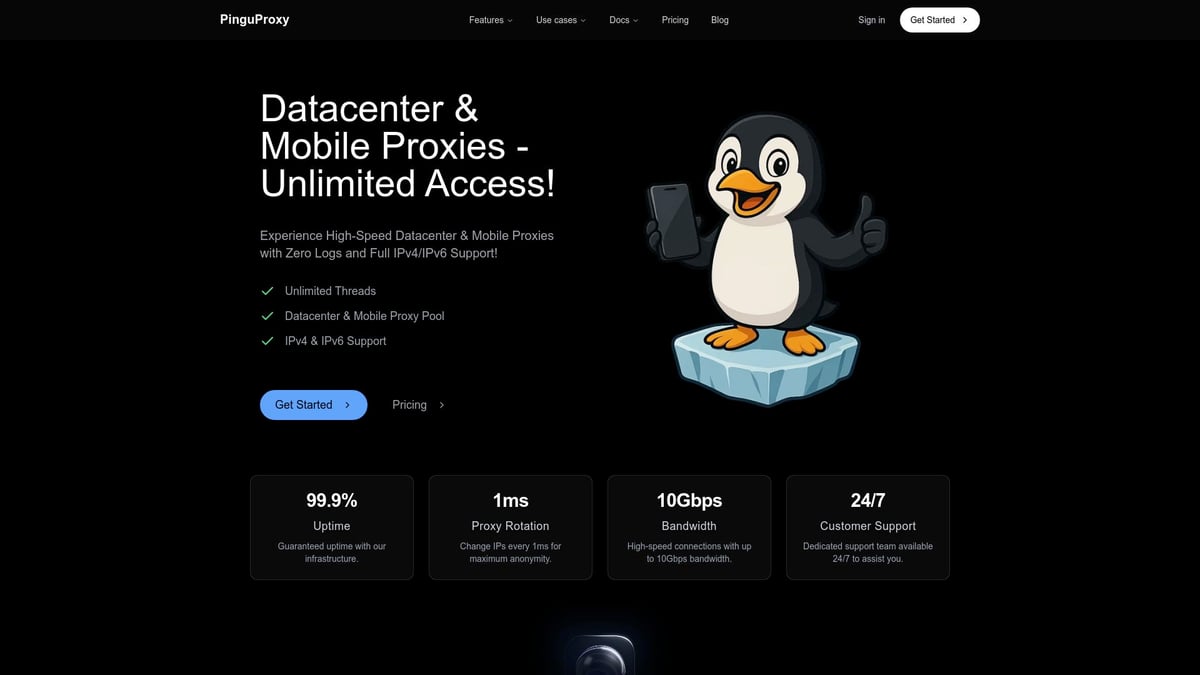
With PinguProxy, users get unlimited bandwidth, up to 10Gbps speeds, and 1ms proxy rotation for maximum privacy and reliability. Its strict zero-log policy ensures your activity remains confidential, while full support for both IPv4 and IPv6 guarantees compatibility across all your devices.
PinguProxy's robust network features an extensive global IP pool, making it easy to bypass geo-blocks and stay online even in restricted regions. Need extra privacy or facing tough restrictions? Every plan includes free mobile and TOR proxies, making it one of the most versatile proxy for whatsapp solutions available. If you want to learn how mobile proxies can help you bypass WhatsApp restrictions, check out Mobile proxies for WhatsApp access.
From businesses handling international clients to travelers and privacy-focused users, PinguProxy is built for anyone who depends on uninterrupted WhatsApp messaging. The simple dashboard lets you manage unlimited threads and proxies with ease, while 24/7 customer support ensures help is always at hand.
Why choose PinguProxy as your proxy for whatsapp? Trusted by developers, agencies, and individuals, it offers affordable plans starting at $19.99 per month, with no hidden fees. Whether you are working remotely, traveling, or need to secure your business chats, PinguProxy delivers the speed, security, and reliability you need for WhatsApp access - anywhere in the world.
Troubleshooting Common WhatsApp Proxy Issues
Running into issues with your proxy for whatsapp can be frustrating, especially when you need reliable messaging. The good news is, most problems have straightforward fixes. Let’s walk through the most common stumbling blocks and how you can get back to secure, uninterrupted chats.
Connection and Authentication Errors
If you see messages likeUnable to connect
orProxy authentication failed
while using a proxy for whatsapp, start by double-checking your proxy details. Make sure the address, port, username, and password are all correct.
Common causes include:
- Typos in the proxy address or port
- Expired or changed credentials
- The proxy server is offline or overloaded
A quick tip is to test the proxy in another app or device to rule out device-specific issues. For step-by-step instructions on setup and troubleshooting, refer to the WhatsApp Proxy Configuration Steps.
Proxy IP Blacklisting or Bans
Sometimes, WhatsApp blocks access from certain proxy IPs if they’re flagged for suspicious activity. When your proxy for whatsapp stops working suddenly, this could be the culprit.
How to tell if your IP is blacklisted:
- WhatsApp connects on other networks but not through the proxy
- Multiple users report issues with the same provider
What you can do:
- Switch to a reputable provider with a high clean IP rate (95%+)
- Rotate your proxy IP regularly
- Avoid free or public proxies, as they’re more likely to be banned
Slow Speeds or Dropped Connections
A sluggish proxy for whatsapp connection can make messaging nearly impossible. Common causes include overloaded proxies, long distances to the server, or using shared IPs.
Here’s how to troubleshoot:
- Choose a proxy server closer to your location
- Use dedicated or premium proxies for better performance
- Monitor speed and latency with online tools
If slow speeds persist, contact your provider or try another server location.
Device-Specific Issues
Each device handles proxy for whatsapp connections a bit differently. On Android or iOS, outdated apps or operating systems can cause problems. Make sure both WhatsApp and your OS are up to date.
On desktop, if WhatsApp Web won’t connect, check your system proxy settings and verify your browser is routing traffic through the proxy. Some browser extensions can override system settings, so disable them temporarily if needed.
Security Warnings and Privacy Concerns
If you see alerts about unsecured proxies, switch to HTTPS or SOCKS5 protocols for encryption. Never enter proxy credentials on public or shared devices.
For enhanced privacy, avoid using the same proxy for whatsapp long-term. Rotate proxies, and always enable two-factor authentication on WhatsApp.
Real-World Example and Support Resources
A business relying on a proxy for whatsapp faced repeated bans until they upgraded to a premium provider with a 99.99% uptime guarantee. This switch solved their access issues and improved customer response times.
If you need more help, check your provider’s documentation or reach out to their support team. For a list of recommended services and more troubleshooting tips, the WhatsApp Proxy Support Overview is a great resource.If you’ve made it this far, you know just how crucial it is to have secure, uninterrupted WhatsApp access - whether you’re traveling, running a business, or simply looking to protect your privacy in 2025. With PinguProxy’s lightning-fast proxies, zero-log policy, and worldwide coverage, you can stay connected and chat securely no matter where life takes you. Ready to put these tools into action and experience truly private messaging?
Get Started Now