
Proxy Telegram Guide: Secure Messaging Tips for 2025
Digital privacy is under siege as we move into 2025. With more governments imposing restrictions and cyber threats on the rise, people are searching for reliable ways to keep their conversations safe. That’s where proxy telegram comes in.
Telegram has become a go-to platform for those who value secure messaging and the freedom to communicate without boundaries. Using a proxy telegram solution can give you the edge - helping you bypass blocks, mask your identity, and enjoy private chats even in high-risk environments.
This guide will walk you through everything you need to know. We’ll explain what proxies are, the latest proxy telegram technologies, simple setup steps for every device, advanced privacy tips, and how to pick the best proxy for your needs. Ready to protect your messages and take control of your privacy? Let’s get started.
Understanding Telegram Proxies in 2025
Telegram’s popularity keeps rising, especially as privacy concerns grow around the world. To stay ahead of restrictions and surveillance, users are turning to the proxy telegram setup for secure and accessible messaging. Let’s break down how these proxies work, why they matter, and how they compare to VPNs.

What is a Telegram Proxy?
A proxy telegram connection acts as a middleman between your device and Telegram’s servers. Instead of connecting directly, your messages route through a proxy server, hiding your real IP address and helping you bypass network restrictions.
Telegram supports two main proxy types: SOCKS5 and MTProto. SOCKS5 is a general-purpose protocol, while MTProto is designed specifically for Telegram and offers extra privacy features. Unlike VPNs, proxies in Telegram only reroute app traffic, not your entire device’s internet connection.
Common use cases for a proxy telegram setup include bypassing government censorship, protecting your IP, and accessing Telegram in restricted environments. To learn more about the differences between SOCKS5 and MTProto, check out Types of Proxies Explained.
Telegram’s user base has surged past 900 million in 2025, with a noticeable spike in proxy adoption as more regions impose messaging limits.
Why Use a Proxy with Telegram?
Many countries block or throttle Telegram, making access difficult. Using a proxy telegram solution allows you to sidestep these blocks and enjoy uninterrupted messaging.
Proxies also boost privacy by masking your IP and making it harder for ISPs or local networks to monitor your activity. This is especially useful in places where Telegram is banned, or where internet freedom is under threat.
A proxy telegram connection can also help prevent ISP throttling, ensuring faster and more reliable chat sessions. While proxies improve access and privacy, balancing speed and security is key - choose servers close to your region for optimal performance.
How Telegram Proxies Work: Technical Overview
When you set up a proxy telegram link, your app reroutes all Telegram messages through the chosen proxy server. MTProto proxies encrypt traffic using Telegram’s custom protocol, while SOCKS5 proxies rely on basic authentication and are widely compatible.
The location of your proxy server impacts connection speed and latency. Servers closer to you typically offer better performance, but global options help bypass regional blocks.
It’s important to note that a proxy telegram setup only protects Telegram data, not other apps. Proxies can’t shield you from malware or phishing, so always pair them with smart security habits. In 2025, MTProto proxies have shown an average 20% speed improvement compared to older solutions.
Proxy vs. VPN for Telegram: Key Differences
Choosing between a proxy telegram approach and a VPN depends on your needs. Proxies are easier to set up in the Telegram app, often faster, and only route Telegram traffic. VPNs encrypt all your device’s data but may be slower and more complex to configure.
Here’s a quick comparison:
| Feature | Proxy Telegram | VPN |
|---|---|---|
| Privacy | App-only | Device-wide |
| Speed | Generally faster | Can be slower |
| Setup | Simple in-app | External app needed |
| Security | Varies by provider | Strong encryption |
Security risks unique to proxies include potential logging and malicious servers. In recent surveys, about 40% of Telegram users in restrictive regions prefer proxies over VPNs, citing ease of use and speed.
Setting Up a Proxy for Telegram: Step-by-Step Guide
Setting up a proxy telegram connection can seem daunting, but it’s easier than you think. Whether you want more privacy, need to bypass restrictions, or just want a smoother experience, this guide will help you configure the right proxy telegram setup on any device.
Choosing the Right Proxy Type (SOCKS5 vs. MTProto)
When setting up a proxy telegram connection, your first decision is the proxy type. SOCKS5 and MTProto are both supported, but they serve different needs. SOCKS5 proxies are versatile, widely used, and easy to set up. They work well for general privacy and bypassing blocks.
MTProto proxies are Telegram-specific, offering extra security and sometimes faster speeds. They use Telegram’s own encryption protocol, which can be ideal in countries with strict censorship. For a deeper dive into SOCKS5, see the SOCKS5 Proxy for Telegram guide.
Here's a quick comparison:
| Feature | SOCKS5 | MTProto |
|---|---|---|
| Speed | Fast | Often faster |
| Security | Good | Excellent |
| Compatibility | Many apps | Telegram only |
Choose MTProto for maximum privacy, or SOCKS5 for flexibility with other apps. Always match your proxy telegram type to your security needs.
Setting Up a Proxy on Android Devices
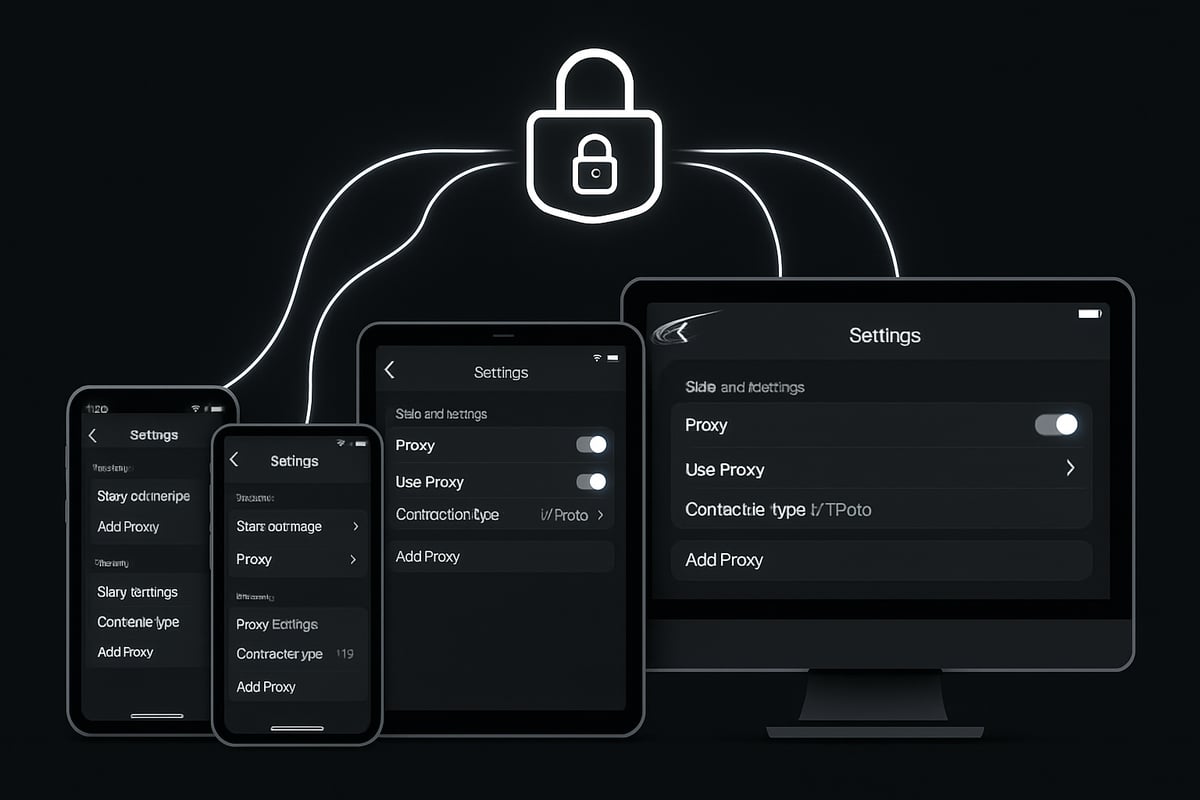
To set up a proxy telegram connection on Android, open Telegram and tap the three-line menu. Go to Settings > Data and Storage > Proxy Settings. Tap "Add Proxy," then choose SOCKS5 or MTProto.
Enter your server address, port, and any required credentials. You can toggle the proxy on or off at any time. Once added, Telegram will test the connection.
If you run into issues, double-check that your proxy telegram details are correct. Test your connection by sending a message. If it fails, try another proxy or update your app. Always avoid sharing proxy credentials with others.
Setting Up a Proxy on iOS Devices
Setting up a proxy telegram on iOS is straightforward. In the Telegram app, tap Settings > Data and Storage > Proxy > Add Proxy. Select your proxy type, then enter the server, port, and authentication details if needed.
There is a toggle to enable or disable the proxy. If you see error messages, ensure your credentials match the provider’s info. Common iOS issues include mistyped ports or outdated app versions.
For privacy, keep your iOS updated and avoid granting Telegram unnecessary device permissions. A proxy telegram setup on iOS is quick, but always verify your connection before sending sensitive messages.
Setting Up a Proxy on Windows, Mac, and Linux
On desktop, open Telegram and go to Settings > Advanced > Connection Type > Custom Proxy. Choose SOCKS5, HTTP, or MTProto, depending on your provider.
Enter the required server, port, and credentials, then click "Save." Telegram will attempt to connect through the proxy telegram server. You can check the connection status at the bottom of the settings page.
Desktop users should use strong passwords and avoid saving proxy details in unsecured files. Always keep Telegram updated for the best proxy telegram security.
Tips for Reliable Proxy Connections
To maintain a stable proxy telegram connection, test your proxy’s speed and uptime regularly. Use reputable, whitelisted providers and avoid free proxies that could compromise security.
Rotate your proxies frequently to boost anonymity. Monitor for any connection drops, and watch for IP leaks. A reliable provider will offer fast support and clear usage policies.
For best results, choose a proxy telegram with global server options. This helps prevent regional slowdowns and keeps your messaging smooth and private.
Troubleshooting Common Proxy Issues
If your proxy telegram connection fails, look for error messages like "Connection failed" or "Authentication error." Double-check your server, port, and credentials.
If you encounter regional blocks or slow speeds, try switching to a different proxy server. Clearing your Telegram cache can also resolve some issues.
Should problems persist, update your app or contact your provider’s support team. Sometimes, changing to a new proxy telegram provider is the best fix for recurring issues.
Advanced Security Tips for Secure Telegram Messaging
Staying secure on Telegram in 2025 means going beyond basic setup. With threats evolving and privacy risks rising, advanced security practices are vital. Here’s how to make your proxy telegram experience safer, more private, and resilient against new challenges.
Best Practices for Proxy Security
When using proxy telegram setups, always favor private, no-log proxies over free or public ones. Free proxies can be tempting, but they often come with security risks like data leaks or malware. Regularly update your proxy credentials and avoid sharing proxy details in public forums.
Watch out for signs of compromise, such as sudden disconnections or unexpected slowdowns. A security breach can occur if a proxy is misused or malicious. For a deeper dive into responsible proxy use, check out the Ethical Proxy Usage Guide for actionable security tips and best practices.
Enhancing Privacy with Additional Measures
To maximize privacy with proxy telegram, combine proxies with Telegram’s built-in end-to-end encryption. Use secret chats and self-destructing messages for your most sensitive conversations. Disable account linking to phone numbers and emails to reduce your digital footprint.
Review app permissions regularly and limit data sharing whenever possible. With targeted phishing attacks on the rise, adopting strict privacy habits alongside your proxy telegram setup is more important than ever.
Avoiding Common Proxy Pitfalls
Relying solely on proxy telegram configurations for security is risky. Misconfigured proxies can cause DNS leaks or expose your IP address unexpectedly. Always verify your proxy settings and stay alert for phishing proxies that mimic legitimate services.
Review Telegram’s security updates frequently to stay ahead of new threats. In 2025, several proxy-related scams have targeted users, so remain cautious and never reuse credentials across services. A vigilant approach keeps your proxy telegram use effective and safe.
Navigating Censorship and Surveillance in 2025
Proxy telegram tools are crucial for bypassing increasingly sophisticated censorship methods. As governments enhance their blocking techniques, keep your proxy lists updated and use anti-censorship tools together with proxies for added protection.
Monitor news about surveillance tactics that target Telegram and adjust your proxy telegram strategies accordingly. Countries with new restrictions in 2025 have seen a spike in proxy use, so staying adaptive and informed is essential for unrestricted, private messaging.
Maintaining Anonymity and Data Protection
Rotating proxies regularly is key to keeping your proxy telegram activities anonymous. Avoid linking your Telegram account across multiple platforms, and always choose strong, unique passwords.
Enable two-factor authentication for another security layer. If a data breach occurs, proxies can help minimize the impact by masking your real IP. With thoughtful proxy telegram practices, you can shield your identity and protect sensitive communications against modern threats.
How to Select a Trusted Proxy Provider for Telegram
Selecting a trusted proxy telegram provider is essential for privacy, speed, and access. With so many options available, knowing what to look for can save you from headaches and security risks. Let’s break down the key aspects to consider before making your choice.
Key Criteria for Choosing a Proxy Service
When choosing a proxy telegram provider, prioritize services with a strong no-log policy. This ensures your activities are not stored or sold. Look for providers offering high speeds, reliable uptime, and a wide range of global servers for optimal connectivity.
Consider if the service supports both IPv4 and IPv6, as this can impact compatibility with Telegram. Transparent pricing and clear fair use policies are also essential. Make sure to check user reviews and the quality of customer support. A reputable provider gives you peace of mind and a smooth proxy telegram experience.
- No-log privacy policy
- High speed and uptime
- Global server coverage
- IPv4/IPv6 support
- Transparent pricing
Evaluating Free vs. Paid Proxies
Many users are tempted by free proxy telegram options, but these often come with hidden dangers. Free proxies may log your data, inject ads, or even expose you to malware. Performance is commonly inconsistent, with slow speeds and frequent disconnects.
Paid proxy telegram services offer better security, faster connections, and dedicated support. While free proxies may work for basic tasks, they rarely deliver the reliability needed for secure Telegram messaging. Weigh the risks against the benefits, and consider investing in a paid solution for peace of mind.
Comparison Table: Free vs. Paid Proxies
| Feature | Free Proxy Telegram | Paid Proxy Telegram |
|---|---|---|
| Security | Low | High |
| Speed | Variable | Consistent |
| Support | Limited/None | 24/7 |
PinguProxy: Secure, High-Speed Telegram Proxy Solutions
If you want a proxy telegram solution that balances privacy, speed, and ease of use, PinguProxy stands out. Their datacenter and mobile proxies support Telegram with 10Gbps bandwidth, IPv4/IPv6 compatibility, and 1ms IP rotation for maximum anonymity.
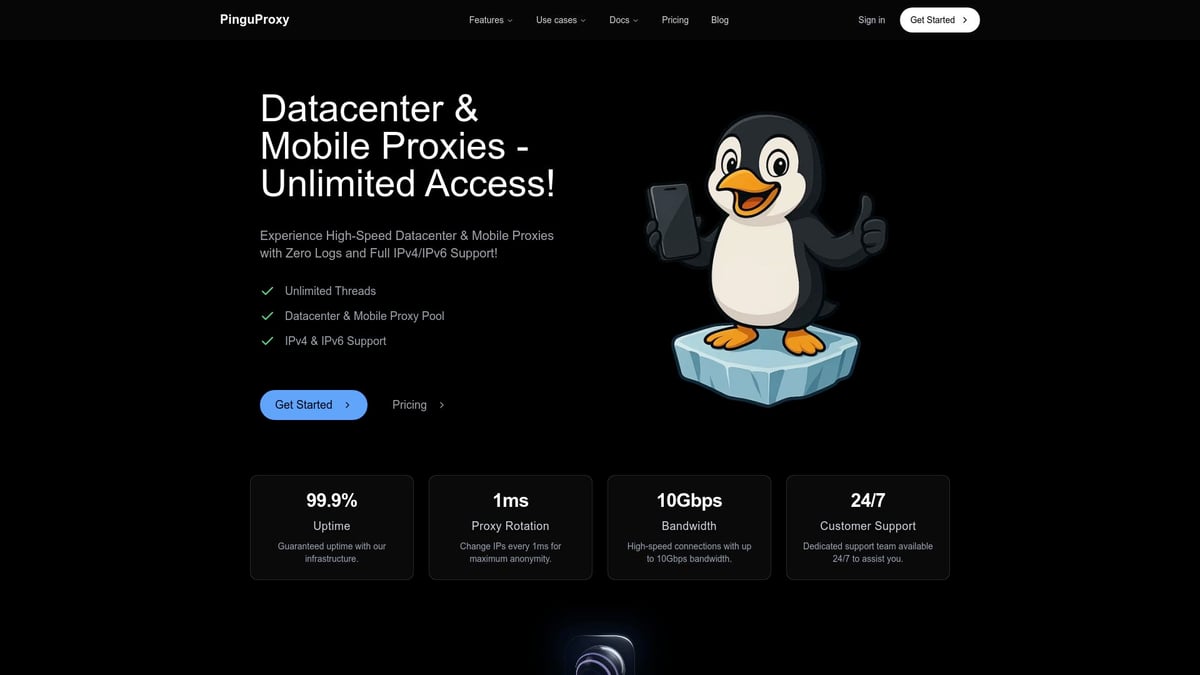
With a zero-log policy and robust global infrastructure, PinguProxy enables users to bypass regional restrictions and maintain secure messaging. The service is designed for seamless setup on all devices, supported by 24/7 expert assistance. Whether you need to bypass censorship, protect your identity, or access Telegram from anywhere, PinguProxy delivers a reliable proxy telegram experience.
Questions to Ask Before Buying a Proxy
Before settling on a proxy telegram provider, ask the right questions to safeguard your privacy and investment. What is the provider’s logging policy? Are there bandwidth or connection limitations that could affect usage? Is customer support responsive and knowledgeable?
Check if both SOCKS5 and MTProto proxies are available, as each offers different benefits for Telegram. Inquire about proxy rotation and IP diversity, which can enhance anonymity and reduce the risk of blocks. A thoughtful approach ensures you choose a provider that meets your proxy telegram needs.
- What is the logging policy?
- Are bandwidth or connection limits in place?
- Is support available when needed?
- Does the service offer SOCKS5 and MTProto?
- How are proxies rotated to protect privacy?
Telegram Proxy Use Cases and Real-World Scenarios
Using proxy telegram unlocks a world of possibilities, whether you are bypassing digital barriers, protecting sensitive conversations, or scaling your presence for business or personal needs. Let’s explore how users in 2025 are leveraging proxy telegram in real life.
Bypassing Regional Restrictions and Censorship
In 2025, proxy telegram is a vital tool for users in countries where Telegram faces blocks or throttling. Governments in regions like Iran, Russia, and parts of Southeast Asia have imposed restrictions, making direct access impossible for many.
Proxy telegram enables users to connect securely, bypassing these digital walls. During political events, for example, Telegram usage spikes as citizens turn to proxies to communicate freely. According to Telegram's 2025 User Growth and Revenue Statistics, the platform's adoption has surged, especially in high-censorship countries.
To stay safe, users should:
- Select reputable proxy servers
- Rotate proxies regularly
- Test connections in private modes
This approach ensures reliable and uncensored access to Telegram, even in the toughest environments.
Maintaining Privacy for Sensitive Communications
For journalists, activists, and businesses, proxy telegram is more than a convenience - it is a lifeline. In high-risk professions, protecting communication channels is essential. Case studies show that using proxy telegram helps whistleblowers and dissidents avoid targeted surveillance.
Combining proxy telegram with Telegram’s secret chats creates a double layer of privacy. This is particularly important as surveillance attempts on messaging apps have increased significantly in recent years.
Key benefits for sensitive users:
- Hides real IP addresses
- Reduces risk of data interception
- Supports anonymous tip lines and confidential business chats
Staying vigilant and updating proxy settings regularly further enhances security for sensitive conversations.
Scaling Telegram Use for Businesses and Teams
Proxy telegram is a strategic asset for businesses and teams managing multiple Telegram accounts. Marketing professionals, customer support teams, and automation specialists rely on proxy telegram to rotate connections and avoid geo-blocks.
Businesses benefit from:
- Managing several accounts without bans
- Maintaining consistent access for global outreach
- Reducing risk of account restrictions
A real-world example: International brands use proxy telegram to coordinate campaigns across countries with varying Telegram policies. For compliance, always review platform guidelines and choose proxies that meet corporate security standards.
Gaming, Streaming, and Advanced Applications
Proxy telegram is not just for privacy or business - it powers gaming groups, streaming notifications, and developer projects. Gamers use proxies to access region-locked bots, while tech-savvy users tap proxy telegram for integrating APIs or automating workflows.
Advanced use cases include:
- Access to exclusive Telegram bots and content
- Reliable notifications for international streaming events
- Scaling developer tools with proxy support
Looking ahead, AI and automation will make proxy telegram even more essential for power users seeking flexibility and speed.
Frequently Asked Questions (FAQ)
Curious about how to get the most out of your proxy telegram setup? Here, we answer the most common questions users have about using proxies with Telegram in 2025. Whether you are new to proxies or want to fine-tune your privacy, these answers will guide you.
Top Telegram Proxy Questions Answered
Q: What is the difference between SOCKS5 and MTProto proxies?
A: SOCKS5 is a general-purpose proxy that works with many apps, while MTProto is Telegram’s custom protocol designed for speed and encryption. Both can be used for proxy telegram connections, but MTProto offers better integration and privacy for Telegram users.
Q: Can proxies slow down my Telegram connection?
A: Sometimes, yes. Proxy speed depends on server quality and distance. Choose reputable providers for the best proxy telegram experience.
Q: Are proxies legal to use with Telegram?
A: In most countries, yes. However, always check local laws before using a proxy telegram solution.
Q: How do I know if my proxy is working?
A: Telegram will show a connected status, and you should be able to access content previously blocked. If you are new, check out this Beginners Guide to Proxies for easy steps.
Q: What should I do if my proxy stops working?
A: Try switching servers, double-check credentials, or update your app.
Security and Privacy Concerns
Q: Are free proxies safe for Telegram?
A: Free proxies can be risky. They may log your data or inject malware, so always use trusted proxy telegram providers.
Q: Can my messages be intercepted using a proxy?
A: If you use a malicious proxy, there is a risk. Telegram’s end-to-end encryption in secret chats helps protect your messages but avoid sharing sensitive data on public proxies.
Q: How does proxy use affect Telegram’s end-to-end encryption?
A: Proxies only route your connection. Secret chats still use end-to-end encryption, so your messages remain private.
Q: What are signs of a compromised proxy?
A: Unusual connection drops, slow speeds, or unexpected login alerts may signal an issue with your proxy telegram setup.
Q: How to report suspicious proxies to Telegram?
A: Visit Telegram’s support page and provide details about the suspicious proxy for further investigation.
Device Compatibility and Troubleshooting
Q: Can I use the same proxy on multiple devices?
A: Yes, you can configure your proxy telegram settings on different devices using the same proxy details.
Q: What to do if Telegram blocks my proxy?
A: Switch to a new server or try a different proxy type. Some regions block certain types more aggressively.
Q: How to switch proxies quickly on mobile and desktop?
A: Go to Telegram settings, locate the proxy section, and toggle or update your proxy telegram configuration.
Q: Is proxy setup different for Telegram Web?
A: Yes, browser proxies or extensions are needed for Telegram Web since app-based proxies do not apply.
Q: Where to get support for proxy-related issues?
A: Contact your proxy provider’s support team or check Telegram’s help resources for troubleshooting proxy telegram problems.Ready to take your Telegram privacy to the next level? We’ve covered how proxies let you stay connected, safe, and anonymous - no matter where you are or what restrictions you face in 2025. With PinguProxy’s high-speed servers, zero-log policy, and easy setup for every device, you can enjoy secure messaging and peace of mind. If you’re looking to put these tips into action and experience truly private Telegram chats, it’s the perfect time to Get Started Now. Your secure messaging journey is just a click away!