
SOCKS Configuration Guide: Setup and Best Practices
SOCKS proxies have become essential tools for businesses and individuals seeking enhanced privacy, security, and unrestricted internet access. Understanding proper socks configuration is crucial for maximizing the benefits of these versatile proxy servers while maintaining optimal performance and security. Whether you're setting up proxies for web scraping, accessing geo-restricted content, or protecting sensitive data transmissions, mastering the configuration process ensures reliable connections and seamless operations across various applications and platforms.
Understanding SOCKS Proxy Fundamentals
SOCKS (Socket Secure) proxies operate at a lower network level than HTTP proxies, making them incredibly versatile for routing any type of internet traffic. Unlike application-specific proxies, SOCKS handles traffic at the session layer, allowing it to work with virtually any protocol or application.
The most commonly used version, SOCKS5, offers significant improvements over its predecessors. This version supports multiple authentication methods, UDP protocol handling, and both IPv4 and IPv6 addressing. When planning your socks configuration, understanding these fundamental SOCKS proxy concepts helps you make informed decisions about implementation.
SOCKS4 vs SOCKS5 Protocols
The differences between SOCKS versions significantly impact your configuration choices:
- SOCKS4: Supports only TCP connections and IPv4 addresses
- SOCKS5: Adds UDP support, IPv6 compatibility, and authentication mechanisms
- SOCKS4a: Extension allowing domain name resolution through the proxy
Most modern applications require SOCKS5 for full functionality, particularly when working with applications that need UDP support or when implementing advanced IP rotation strategies.
| Feature | SOCKS4 | SOCKS5 |
|---|---|---|
| TCP Support | Yes | Yes |
| UDP Support | No | Yes |
| Authentication | No | Yes |
| IPv6 Support | No | Yes |
| DNS Resolution | Limited | Full |

Essential Components of SOCKS Configuration
Proper socks configuration requires understanding several key components that work together to establish secure proxy connections. Each element plays a critical role in ensuring your proxy functions correctly and maintains security standards.
Server Address and Port Settings
The foundation of any socks configuration starts with specifying the correct server address and port number. SOCKS proxies typically operate on specific ports:
Standard port assignments:
- SOCKS4/SOCKS5 default: Port 1080
- Custom implementations: Ports 8080, 3128, or provider-specific ports
- Secure tunneling: Various high-number ports for added security
Your proxy provider supplies these details, and accuracy is critical. A single digit error in the port number prevents successful connections. When configuring various proxy types, ensure you're using the correct endpoint information for your specific service tier.
Authentication Credentials
Modern socks configuration almost always requires authentication to prevent unauthorized access. SOCKS5 supports multiple proxy authentication methods that balance security and convenience.
The most common authentication approaches include:
- Username/Password Authentication: Standard credentials provided by your proxy service
- IP Whitelisting: Restricting access to specific IP addresses without password requirements
- Token-Based Authentication: Using generated tokens for enhanced security
- Certificate-Based Systems: Advanced implementations for enterprise environments
Most proxy services, including business-focused providers, implement username and password authentication by default. This method works across virtually all applications and platforms while maintaining reasonable security standards.
DNS Resolution Settings
DNS handling represents a critical yet often overlooked aspect of socks configuration. You can configure DNS resolution to occur either locally on your device or remotely through the proxy server.
Remote DNS resolution offers several advantages:
- Prevents DNS leaks that could expose your browsing activity
- Enables access to geo-restricted content through proper regional DNS servers
- Maintains consistency between your proxy location and DNS responses
- Reduces local network footprint for enhanced privacy
When working with applications that support it, always configure DNS resolution to occur through the SOCKS proxy rather than your local system.
Platform-Specific Configuration Methods
Different operating systems and applications require unique approaches to socks configuration. Understanding these platform-specific requirements ensures successful implementation across your technology stack.
Windows SOCKS Configuration
Windows systems offer multiple configuration pathways depending on whether you need system-wide proxy settings or application-specific routing. The built-in Windows Settings app provides basic proxy configuration, but SOCKS support requires additional tools or application-level configuration.
For system-wide SOCKS support on Windows:
- Download and install a SOCKS client like Proxifier or similar tools
- Configure the SOCKS server address, port, and authentication details
- Set up routing rules to specify which applications use the proxy
- Test the configuration using connection verification tools
Many Windows applications allow direct SOCKS proxy configuration in their network settings, eliminating the need for system-wide tools. This detailed configuration guide covers various Windows setup scenarios.
macOS and Linux Configuration
Unix-based systems provide native SOCKS support through command-line tools and system preferences. macOS users can configure SOCKS proxies through System Preferences, while Linux users typically work with network configuration files or environment variables.
Linux environment variable configuration:
export http_proxy="socks5://username:password@proxy.server:1080"
export https_proxy="socks5://username:password@proxy.server:1080"
These variables enable SOCKS routing for command-line tools and applications that respect system proxy settings. For persistent configuration, add these variables to your shell profile files.
Browser-Based Configuration
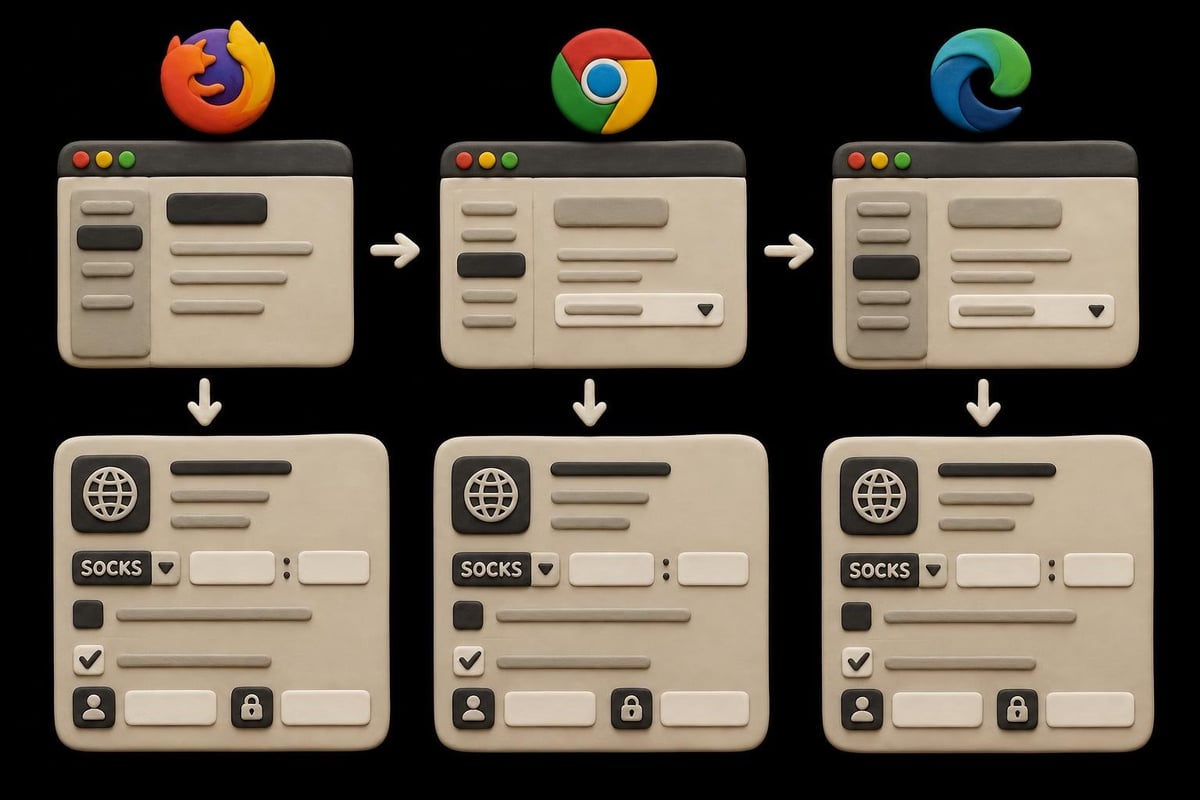
Modern browsers provide excellent built-in SOCKS support, making them ideal for testing your socks configuration before implementing it across other applications. Each browser handles proxy settings slightly differently, though the core concepts remain consistent.
Firefox offers the most comprehensive built-in SOCKS support. Navigate to Settings > Network Settings to access the manual proxy configuration interface. Here you can specify SOCKS host, port, and version (SOCKS4 or SOCKS5) along with DNS routing preferences.
Chrome and Edge browsers defer to system proxy settings on most platforms, requiring either system-level configuration or browser extensions for SOCKS functionality. This browser proxy configuration guide provides detailed instructions for all major browsers.
Application-Specific Configuration Techniques
Beyond operating systems and browsers, many specialized applications require custom socks configuration approaches. Understanding these application-specific requirements ensures successful proxy integration for your particular use cases.
Web Scraping Tools
Web scraping frameworks and tools frequently use SOCKS proxies to distribute requests and avoid rate limiting. Popular frameworks like Scrapy, Puppeteer, and Selenium all support SOCKS configuration with varying implementation methods.
Python-based scraping tools typically configure SOCKS proxies through the requests library or framework-specific settings. Setting up proper proxy rotation alongside your socks configuration maximizes scraping efficiency while minimizing detection risks. For web scraping projects, combining SOCKS5 proxies with rotating IP addresses provides optimal results.
Gaming and Entertainment Applications
Gaming platforms and streaming services often benefit from SOCKS proxy configuration, particularly when accessing region-locked content or reducing latency through optimized routing. Many gaming clients support SOCKS5 configuration directly in their network settings.
Configuration considerations for gaming include:
- Selecting geographically proximate proxy servers to minimize latency
- Using dedicated gaming-optimized proxy pools when available
- Configuring UDP support for voice chat and real-time communications
- Testing connection stability before competitive gaming sessions
Command-Line Tools and Scripts
Developers and system administrators frequently need to route command-line tools through SOCKS proxies. Git, curl, wget, and ssh all support SOCKS configuration through various methods including configuration files, command-line flags, or environment variables.
SSH tunneling represents a powerful technique for creating your own SOCKS proxy server. This approach works particularly well for secure remote access scenarios and encrypted traffic routing through trusted servers.
Advanced Configuration Options
Once you've mastered basic socks configuration, advanced features unlock additional functionality and optimization opportunities. These sophisticated options cater to specific use cases and performance requirements.
Proxy Chaining
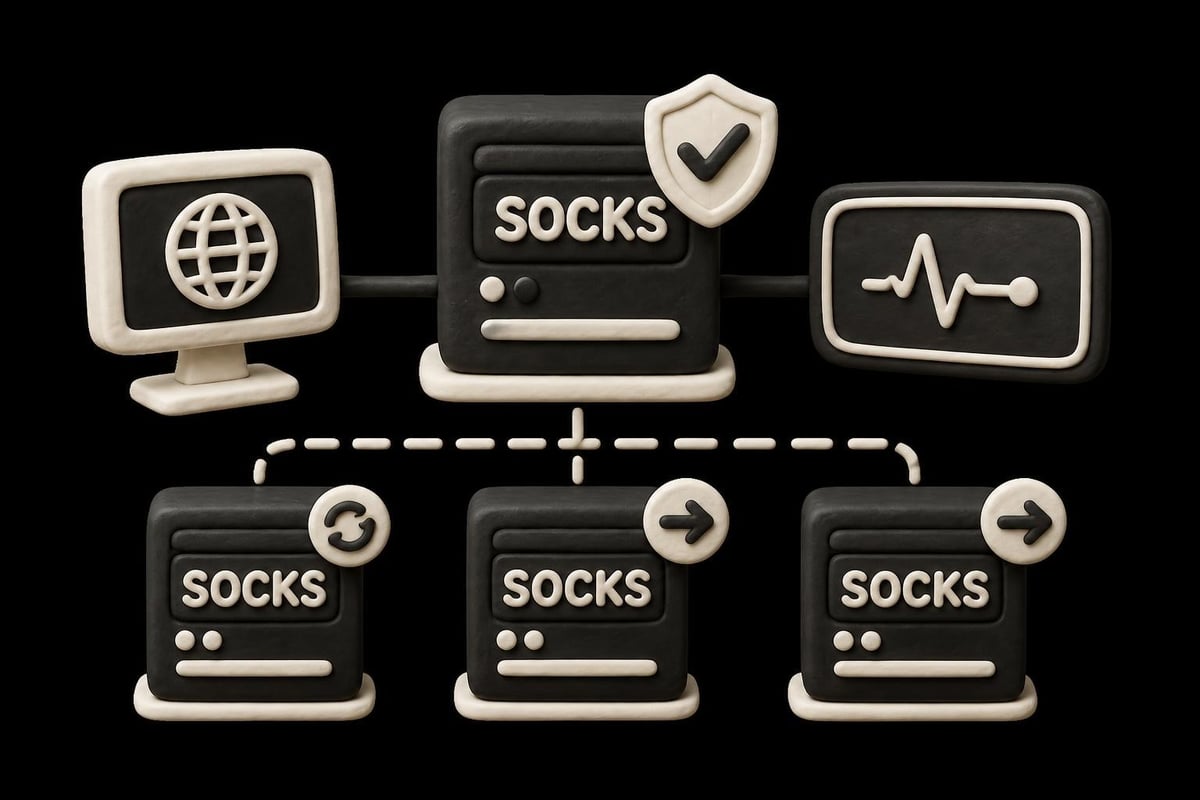
Proxy chaining routes traffic through multiple SOCKS proxies sequentially, adding layers of anonymity and enabling complex routing scenarios. While this increases latency, it provides enhanced privacy for sensitive operations.
Implementation requires tools like ProxyChains (Linux) or Proxifier (Windows) that support multi-hop proxy configurations. Configure each proxy in sequence, ensuring proper authentication for each hop in the chain.
Protocol-Specific Routing
Advanced socks configuration allows routing different protocols through different proxies or bypassing the proxy entirely for specific traffic types. This optimization reduces unnecessary proxy overhead while maintaining protection for sensitive communications.
| Traffic Type | Routing Strategy | Benefit |
|---|---|---|
| HTTP/HTTPS | Through SOCKS5 | Privacy and geo-access |
| DNS | Through SOCKS5 | Prevents DNS leaks |
| Local Network | Direct connection | Faster LAN access |
| P2P Traffic | Dedicated proxy | Bandwidth optimization |
Automatic Failover Configuration
Reliable socks configuration includes failover mechanisms that automatically switch to backup proxies when primary connections fail. This ensures continuous operation even during server maintenance or network issues.
Implementing failover requires:
- Configuring multiple SOCKS proxy servers in priority order
- Setting connection timeout thresholds for failover triggers
- Testing failover scenarios to verify smooth transitions
- Monitoring connection quality to optimize server selection
Services offering rotating proxies often handle failover automatically, simplifying configuration while maintaining high availability.
Security Considerations
Security forms a critical component of any socks configuration implementation. Proper security practices protect your data, maintain privacy, and prevent unauthorized proxy access.
Authentication Best Practices
Strong authentication prevents unauthorized users from accessing your SOCKS proxies and consuming your bandwidth allocation. When configuring authentication, follow these guidelines:
- Use complex, unique passwords for each proxy service
- Rotate credentials periodically to minimize exposure from potential breaches
- Implement IP whitelisting when operating from static IP addresses
- Monitor authentication logs for suspicious access patterns
Many security-focused proxy providers implement additional authentication layers, including two-factor authentication and API key systems for programmatic access.
Encryption and Traffic Protection
While SOCKS5 supports authentication, it doesn't inherently encrypt traffic passing through the proxy. For sensitive data transmission, combine your socks configuration with application-level encryption like HTTPS or VPN tunneling.
Encryption strategies:
- Always use HTTPS for web traffic even through SOCKS proxies
- Consider SSH tunneling for additional encryption layers
- Implement VPN connections over SOCKS for maximum privacy
- Verify SSL/TLS certificates to prevent man-in-the-middle attacks
Privacy and Logging Policies
Your socks configuration security depends heavily on your proxy provider's logging policies. Zero-log providers ensure that your browsing activity and connection details aren't retained, protecting privacy even if the provider faces legal requests.
When evaluating proxy services, verify:
- Explicit zero-log policies documented in terms of service
- Jurisdiction and legal frameworks governing the provider
- Third-party audits validating privacy claims
- Data retention policies for authentication and connection metadata
Understanding these security insights for SOCKS proxies helps you make informed decisions about provider selection and configuration approaches.
Troubleshooting Common Configuration Issues
Even experienced users encounter challenges during socks configuration. Recognizing common problems and their solutions accelerates troubleshooting and minimizes downtime.
Connection Failures
Failed connections represent the most frequent socks configuration problem. These issues typically stem from incorrect server details, authentication problems, or network restrictions.
Systematic troubleshooting approach:
- Verify server address and port number accuracy
- Confirm authentication credentials match your account
- Check firewall rules allowing outbound connections to proxy ports
- Test with alternative applications to isolate application-specific issues
- Review connection timeout documentation for service-specific guidance
DNS Leak Prevention
DNS leaks occur when DNS queries bypass your SOCKS proxy, exposing your actual location and browsing activity. Proper socks configuration includes DNS routing through the proxy server.
Testing for DNS leaks involves using online leak testing tools while connected through your configured proxy. If leaks appear, adjust your configuration to force all DNS queries through the SOCKS proxy rather than your local DNS resolver.
Performance Optimization
Slow proxy connections can result from suboptimal socks configuration choices rather than actual bandwidth limitations. Optimizing configuration improves performance without requiring service upgrades.
Performance enhancement strategies include:
- Selecting geographically proximate proxy servers
- Configuring appropriate timeout values for your use case
- Implementing connection pooling for multiple simultaneous requests
- Using protocol-compatible configurations matched to your applications
Authentication Errors
Authentication failures prevent successful proxy connections even with correct server details. These errors often indicate credential problems, account status issues, or IP whitelist misconfigurations.
When encountering authentication errors:
- Verify your account status and subscription validity
- Confirm username and password accuracy, including special characters
- Check IP whitelist settings if using IP-based authentication
- Contact provider support for account-specific authentication issues
Testing and Validation
Thorough testing confirms your socks configuration works correctly and maintains security standards. Implementing comprehensive validation procedures before production deployment prevents service disruptions.
Connection Verification Tools
Multiple tools enable socks configuration testing across different platforms and protocols. Command-line tools like curl provide quick connection tests, while specialized proxy testing services offer comprehensive validation.
Basic curl test command structure:
curl --socks5 proxy.server:1080 --proxy-user username:password https://api.ipify.org
This command routes a simple HTTP request through your SOCKS proxy and returns your apparent IP address, confirming both connectivity and proper routing.
IP Address Verification
Confirming that traffic routes through your proxy rather than your actual connection requires IP address verification. Multiple online services display your current IP address as seen by external servers.
When testing, verify:
- IP address matches your SOCKS proxy location
- Geographic location corresponds to proxy server region
- DNS responses align with proxy location
- WebRTC and other protocols don't leak your actual IP
Services offering proxy testing features streamline this validation process with automated checks across multiple leak vectors.
Performance Benchmarking
Beyond connectivity, testing socks configuration performance ensures your setup meets speed and latency requirements. Benchmark testing reveals bottlenecks and optimization opportunities.
| Metric | Target Value | Testing Method |
|---|---|---|
| Latency | < 100ms | Ping tests to common destinations |
| Bandwidth | > 10 Mbps | Speed tests through proxy |
| Connection Time | < 3 seconds | Time-to-first-byte measurements |
| Stability | > 99% uptime | Extended connection monitoring |
Mastering socks configuration empowers you to leverage proxy technology effectively for enhanced privacy, security, and unrestricted access across your applications and workflows. With proper setup, authentication, and security practices, SOCKS proxies become invaluable tools for modern internet usage. Whether you need high-speed datacenter proxies, residential IPs, or mobile proxy networks with complete IPv4 and IPv6 support, PinguProxy delivers the performance, security, and flexibility your projects demand with unlimited access, zero-log policies, and 24/7 expert support to ensure your proxy configuration always works flawlessly.