
Este artículo actualmente solo está disponible en inglés.
Leer en inglésSOCKS5 Proxy for Telegram: Complete Setup Guide 2026
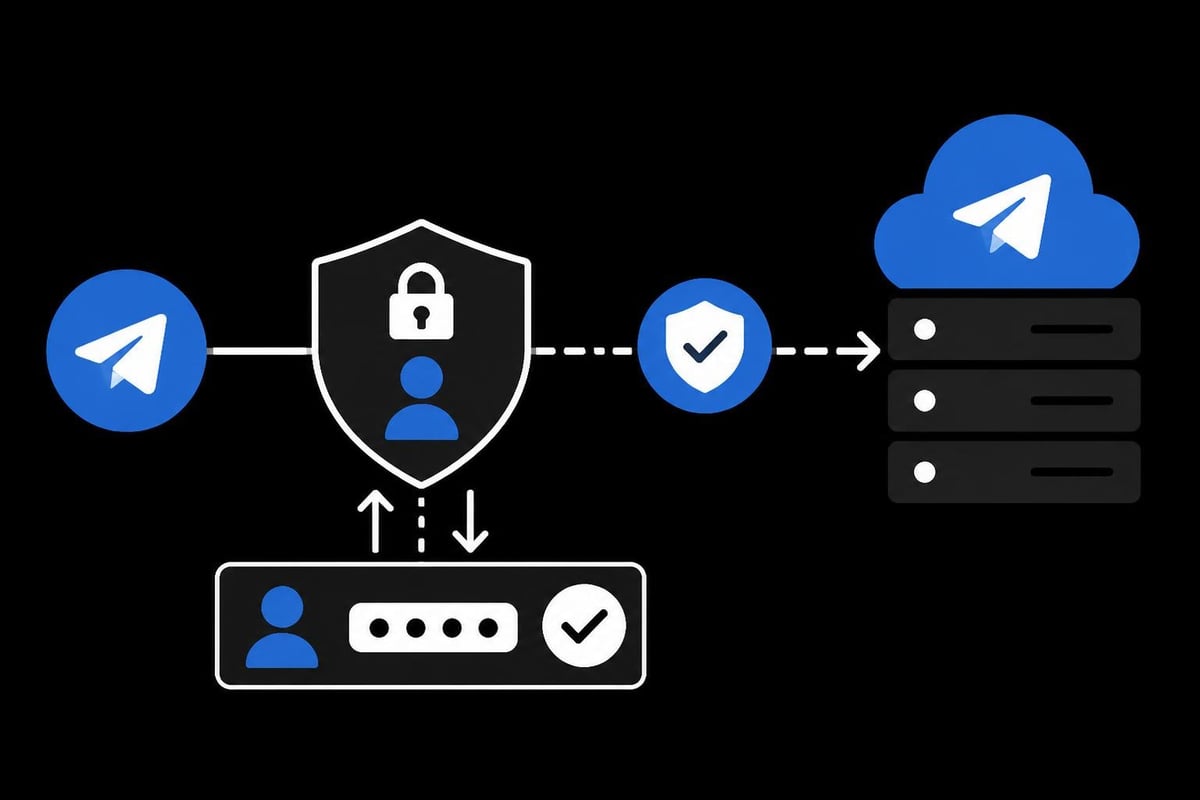
Telegram has become one of the most popular messaging platforms globally, but users in certain regions face restrictions that limit access to the service. A socks5 proxy for telegram provides a reliable solution for bypassing these geographic limitations while maintaining privacy and security. This protocol offers significant advantages over other proxy types, including enhanced speed, authentication capabilities, and support for various network protocols. Understanding how to implement and optimize SOCKS5 proxies for Telegram can transform your messaging experience, whether you're dealing with regional blocks, privacy concerns, or performance issues.
Understanding SOCKS5 Protocol for Messaging Apps
SOCKS5 represents the fifth iteration of the Socket Secure protocol, designed to route internet traffic through an intermediate server. Unlike HTTP proxies that only handle web traffic, SOCKS5 operates at a lower network level, making it versatile for applications like Telegram.
The protocol excels in several key areas that make it ideal for messaging platforms. Authentication mechanisms ensure that only authorized users can access the proxy server, adding a security layer beyond basic connection routing. The protocol also supports both TCP and UDP connections, which is crucial for Telegram's multimedia sharing capabilities.
Why Choose SOCKS5 Over Other Proxy Types
When evaluating proxy options for Telegram, understanding the distinctions between available protocols helps make informed decisions. A comprehensive comparison of proxy types for Telegram reveals important performance and security differences.
| Proxy Type | Speed | Security | Telegram Features |
|---|---|---|---|
| SOCKS5 | High | Strong (with auth) | Full support |
| HTTP | Medium | Basic | Limited |
| MTProto | Very High | Telegram-specific | Full support |
| SOCKS4 | Medium | Weak (no auth) | Basic support |
SOCKS5 proxies provide several advantages:
- Universal compatibility across desktop and mobile Telegram clients
- No traffic modification, ensuring message integrity
- Lower latency compared to VPN solutions
- Selective routing for only Telegram traffic
- Username/password authentication for enhanced security
The protocol's ability to handle both IPv4 and IPv6 addresses makes it future-proof, especially when working with modern proxy services that support dual-stack configurations.
Setting Up SOCKS5 Proxy on Telegram Desktop
Configuring a socks5 proxy for telegram on desktop platforms requires accessing the application's connection settings. The process remains consistent across Windows, macOS, and Linux distributions, though menu locations may vary slightly.
Configuration Steps for Desktop Clients
Begin by opening Telegram and navigating to the settings menu. For Windows users, click the hamburger menu icon in the top-left corner, then select "Settings." On macOS, access preferences through the Telegram menu bar.
- Navigate to Advanced Settings or Data and Storage
- Locate the Network and Proxy section
- Select Connection Type and choose "Use custom proxy"
- Click Add Proxy and select "SOCKS5" from the dropdown
- Enter the server hostname or IP address
- Input the port number (typically 1080 or 1081)
- Add username and password if required
- Save settings and test the connection
The detailed proxy setup documentation provides visual guidance for each step, which proves helpful for first-time users.
Testing your connection is crucial after configuration. Telegram displays a connection status indicator showing ping times to the proxy server. Green indicators with low ping values (under 100ms) suggest optimal performance, while yellow or red indicators may require troubleshooting.
Troubleshooting Common Desktop Issues
Connection failures typically stem from incorrect credentials, firewall restrictions, or server availability problems. Verify that firewall settings permit Telegram to communicate through the specified port.
Premium providers offering high-speed datacenter proxies typically maintain better uptime and responsiveness than free alternatives. Consider testing connection parameters using command-line tools before entering them into Telegram.
Mobile Configuration for Android and iOS
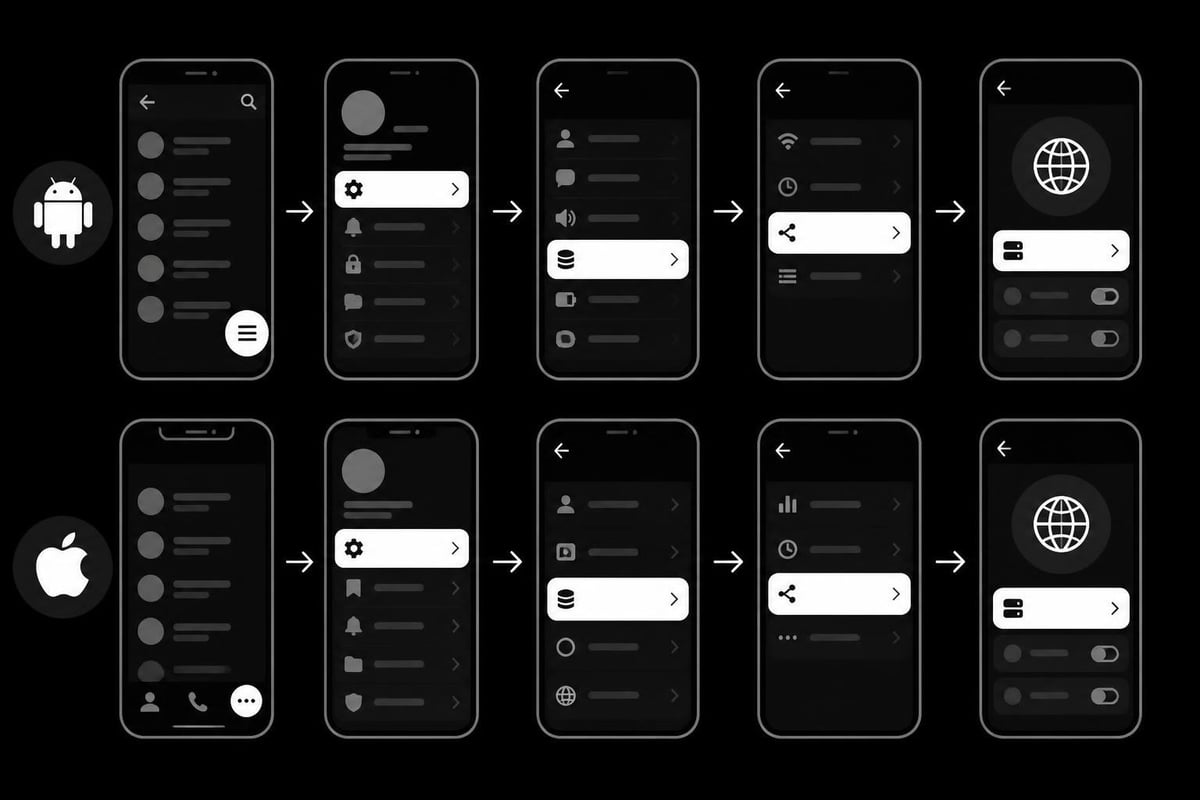
Mobile devices require slightly different approaches when implementing a socks5 proxy for telegram, though the underlying principles remain identical. Both Android and iOS versions of Telegram support SOCKS5 natively through their settings interfaces.
Android Setup Process
Android users can access proxy settings through Telegram's streamlined mobile interface. The step-by-step guide for configuring SOCKS5 on mobile devices offers platform-specific instructions.
Open Telegram on your Android device and follow these steps:
- Tap the hamburger menu (three horizontal lines)
- Select Settings from the menu
- Scroll to Data and Storage
- Tap Proxy Settings near the bottom
- Select Add Proxy and choose SOCKS5
- Enter server details, port, username, and password
- Toggle Use Proxy to enable the connection
A practical video tutorial demonstrates the mobile configuration process, showing exactly where to tap and what to enter.
iOS Configuration Guidelines
iOS users follow a similar path through Telegram's settings hierarchy. The interface design differs slightly from Android, but the required information remains the same.
The process involves:
- Opening Telegram and tapping Settings in the bottom navigation
- Selecting Data and Storage from the settings menu
- Scrolling to locate Proxy Settings
- Tapping the plus icon to add a new proxy
- Choosing SOCKS5 from the proxy type selector
- Completing the server configuration fields
- Activating the proxy with the toggle switch
Performance considerations for mobile differ from desktop usage. Battery consumption increases slightly when routing traffic through external servers, though modern SOCKS5 implementations minimize this impact through efficient connection pooling.
Security and Privacy Benefits
Implementing a socks5 proxy for telegram enhances both security and privacy, though understanding the protection boundaries helps set realistic expectations. Proxies provide anonymity from the perspective of the destination server but don't encrypt traffic between your device and the proxy server.
Authentication and Access Control
SOCKS5's support for username/password authentication distinguishes it from older protocols. This feature prevents unauthorized users from accessing your proxy resources, which is particularly important when using dedicated or semi-dedicated proxy services.
Strong authentication practices include:
- Unique credentials for each proxy connection
- Complex passwords combining alphanumeric and special characters
- Regular credential rotation every 30-90 days
- Separate accounts for different applications or team members
When selecting a reliable SOCKS5 proxy service, verify that the provider implements these security fundamentals as standard features.
Privacy Enhancement Through IP Masking
Your real IP address remains hidden from Telegram's servers when routing traffic through a proxy. This provides several privacy advantages, especially in regions with surveillance concerns or restrictive internet policies.
The proxy server's IP address appears in connection logs instead of your actual location. Residential proxies offer additional privacy since they originate from real ISP-assigned addresses, making them indistinguishable from regular user traffic.
| Privacy Feature | SOCKS5 Benefit | User Impact |
|---|---|---|
| IP Masking | High | Location privacy |
| Traffic Encryption | Moderate | Depends on implementation |
| DNS Leak Protection | Variable | Provider-dependent |
| Connection Anonymity | High | Server-level masking |
Research into sockpuppet detection on Telegram demonstrates how IP address patterns can reveal user identities, highlighting why proxy rotation and diversity matter for sustained anonymity.
Choosing the Right Proxy Provider
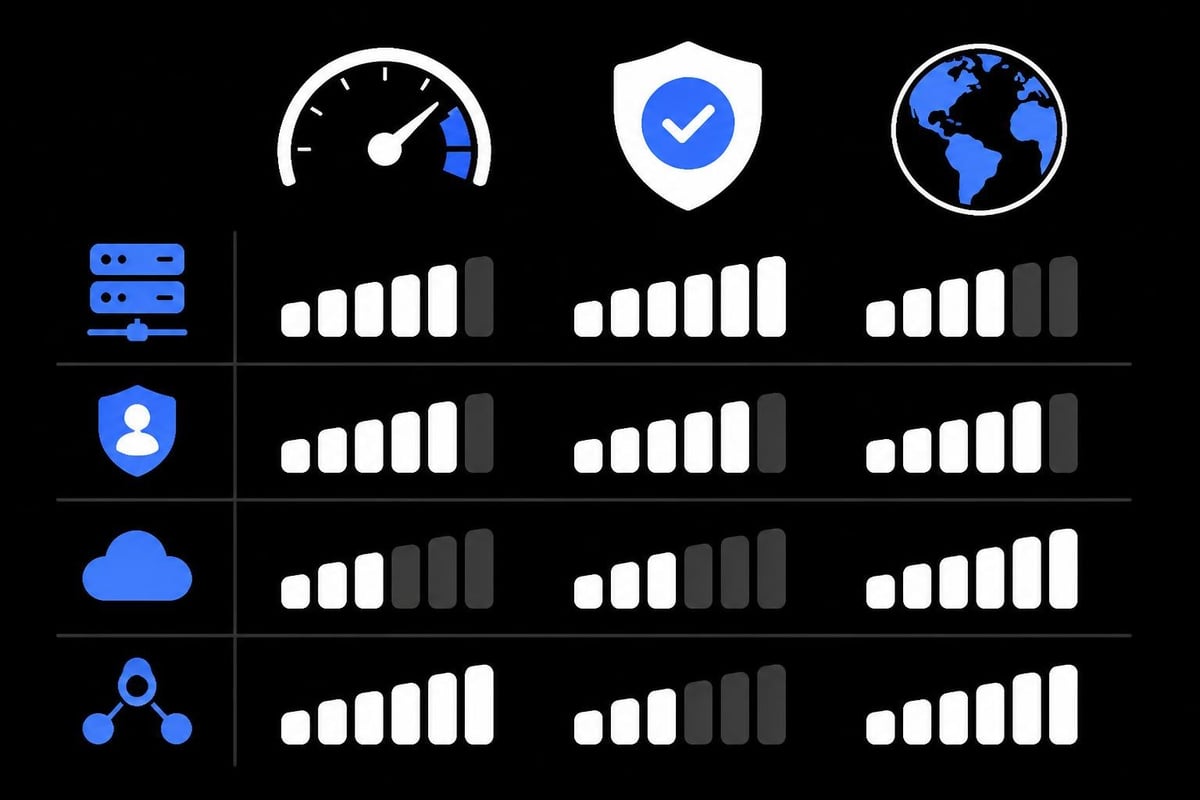
Selecting an appropriate proxy service significantly impacts your Telegram experience. Performance metrics, geographic coverage, protocol support, and reliability all factor into the decision-making process.
Essential Provider Features
Bandwidth allocation determines how much data you can transmit through the proxy. Unlimited bandwidth prevents throttling during high-usage periods, especially when sharing media files or conducting video calls through Telegram.
Key features to evaluate include:
- Geographic distribution of server locations
- IPv4 and IPv6 protocol support
- Guaranteed uptime percentages
- Customer support availability
- Zero-log privacy policies
- Concurrent connection limits
Providers offering 10Gbps bandwidth and 1ms proxy rotation deliver optimal performance for demanding use cases. These specifications ensure smooth operation even during peak usage times.
Performance Metrics That Matter
Connection speed directly affects message delivery times and media upload/download rates. Test proxy performance before committing to long-term contracts by evaluating:
- Ping times to proxy servers (target under 50ms)
- Download speeds for receiving media files
- Upload speeds for sharing content
- Consistency across different times of day
- Reliability measured by connection success rates
A comprehensive list of verified Telegram proxies helps users find tested options, though dedicated providers typically outperform shared public proxies.
Advanced Configuration Options
Power users can optimize their socks5 proxy for telegram configuration through advanced settings and automation techniques. These approaches enhance reliability, performance, and flexibility beyond basic setup.
Proxy Chain Implementation
Some scenarios benefit from routing traffic through multiple proxy servers in sequence. This technique, called proxy chaining, adds layers of anonymity though it increases latency proportionally.
Implementation requires compatible proxy servers and client-side configuration. While Telegram doesn't natively support proxy chains, system-level solutions can route all application traffic through chained proxies.
Automated Failover Systems
Maintaining continuous Telegram access requires backup connections when primary proxies fail. Automated failover systems monitor connection health and switch to alternative servers when problems arise.
Configuration approaches include:
- Setting up multiple proxy profiles in Telegram
- Using proxy management software with health checks
- Implementing DNS-level routing for automatic failover
- Scripting connection tests and profile switching
Professional proxy services provide built-in failover capabilities, eliminating the need for manual intervention when servers go offline.
Use Cases and Applications
Beyond basic access restoration, a socks5 proxy for telegram serves various professional and personal applications. Understanding these use cases helps optimize configurations for specific needs.
Business Communications
Companies operating across multiple jurisdictions use proxies to ensure employees maintain Telegram access regardless of location. This proves essential for distributed teams relying on the platform for real-time coordination.
Businesses benefit from:
- Consistent access for traveling employees
- Centralized control over communication channels
- Compliance with regional data requirements
- Security through controlled network paths
Content Creation and Management
Social media managers and content creators often manage multiple Telegram channels from single locations. Proxies enable account separation and prevent platform restrictions triggered by unusual access patterns.
Rotating mobile proxies for social platforms provide authentic residential IP addresses, reducing the risk of automated detection systems flagging accounts.
Research and Monitoring
Researchers studying online communities use proxies to access Telegram channels and groups from different geographic perspectives. This enables accurate observation of region-specific content and user interactions.
Academic studies exploring secure internet sharing methods demonstrate technical approaches relevant to proxy-based research methodologies.
Optimizing Performance and Reliability
Maximum value from your socks5 proxy for telegram configuration requires ongoing optimization and monitoring. Simple adjustments can dramatically improve connection quality and application responsiveness.
Server Selection Strategies
Geographic proximity between your location, the proxy server, and Telegram's infrastructure influences connection speeds. Choose proxy servers positioned to minimize total network path length.
Selection criteria should include:
- Distance from your physical location
- Proximity to Telegram data centers
- Network backbone quality
- Server load balancing
- Infrastructure redundancy
Testing multiple server locations identifies optimal configurations for your specific circumstances. Many providers offer trial periods enabling performance comparisons before purchasing.
Connection Pooling and Persistence
Maintaining persistent connections to proxy servers reduces reconnection overhead and improves message delivery responsiveness. Configure Telegram to maintain connections even when the application runs in the background.
Desktop clients typically handle connection persistence automatically, while mobile implementations may require adjustments to battery optimization settings to prevent forced disconnections.
| Optimization Technique | Impact | Implementation |
|---|---|---|
| Geographic proximity | High | Manual server selection |
| Connection persistence | Medium | App background settings |
| Bandwidth allocation | High | Provider-dependent |
| Protocol optimization | Low | Usually automatic |
Providers emphasizing proxy infrastructure details typically offer better documentation for performance optimization techniques.
Monitoring and Maintenance
Effective proxy usage requires ongoing monitoring to identify issues before they impact communications. Establishing monitoring routines ensures consistent Telegram access and optimal performance.
Connection Health Checks
Regular testing verifies that proxy servers remain accessible and performant. Telegram's built-in connection indicator provides basic health information, but comprehensive testing requires additional tools.
Monitor these metrics regularly:
- Connection establishment time
- Message send/receive latency
- Media upload/download speeds
- Connection stability over extended periods
- Server response times
Automated monitoring scripts can alert you to degraded performance, enabling proactive provider communication or configuration changes.
Credential Management
Maintaining secure credential storage prevents unauthorized access to proxy resources. Use password managers rather than storing credentials in plain text configuration files.
Best practices include:
- Storing credentials in encrypted password managers
- Avoiding credential reuse across services
- Implementing regular password rotation schedules
- Monitoring access logs for unauthorized usage
- Immediately changing credentials after suspected compromise
Professional-grade services offering SSH-based SOCKS5 proxies provide additional security through encrypted credential transmission.
Integration with Existing Infrastructure
Organizations with established network infrastructure can integrate Telegram proxy configurations into broader security and access control systems. This approach centralizes management while maintaining granular control over application access.
Centralized Proxy Management
Enterprise environments benefit from centralized proxy server deployment, enabling consistent policy enforcement across all users. This approach simplifies credential distribution, usage monitoring, and compliance reporting.
Implementation involves deploying proxy servers within corporate networks and configuring firewall rules to permit only authorized Telegram traffic through designated paths.
Authentication Integration
Advanced configurations can integrate SOCKS5 proxy authentication with existing identity management systems. This enables single sign-on experiences where users authenticate once and gain access to multiple services including proxied Telegram connections.
Technical implementations vary based on infrastructure choices, but common approaches include LDAP authentication, RADIUS integration, or custom authentication backends.
Successfully implementing a socks5 proxy for telegram opens access to the messaging platform while enhancing privacy and security. The configuration process remains straightforward across desktop and mobile platforms, requiring only server details and optional authentication credentials. Whether you're bypassing geographic restrictions, protecting privacy, or ensuring reliable business communications, SOCKS5 proxies deliver the performance and flexibility needed for professional Telegram usage. PinguProxy provides the high-speed datacenter, residential, and mobile proxies required for optimal Telegram performance, backed by unlimited bandwidth, zero-log privacy policies, and 24/7 support to keep your communications flowing seamlessly across any region or use case.