
Apache HTTP Reverse Proxy Setup and Configuration Guide
Setting up an apache http reverse proxy has become a fundamental skill for developers and system administrators managing modern web infrastructure. Unlike forward proxies that serve client requests to the internet, reverse proxies sit between clients and backend servers, handling incoming traffic and distributing it efficiently across your infrastructure. This configuration provides enhanced security, improved performance through caching, and simplified SSL certificate management for organizations running multiple web services.
Understanding Apache Reverse Proxy Architecture
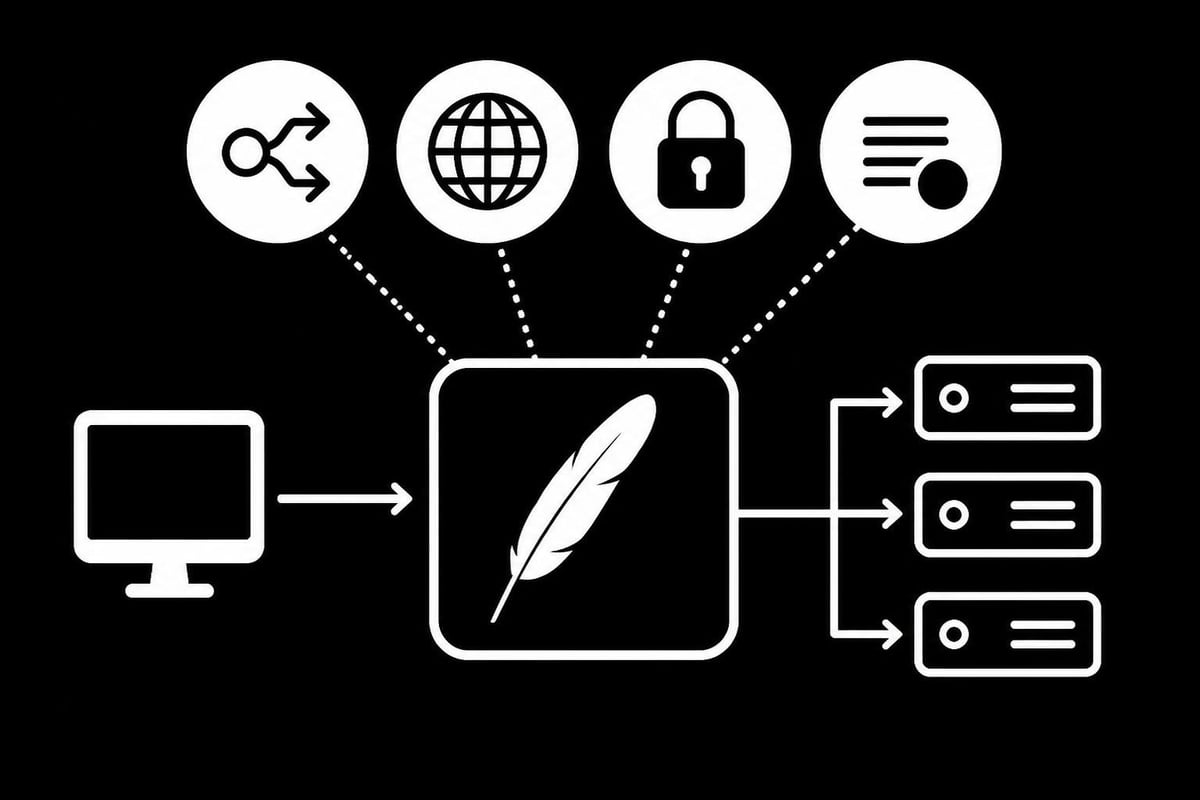
An apache http reverse proxy acts as an intermediary that receives client requests and forwards them to one or more backend servers. The client believes it's communicating directly with the reverse proxy, never knowing about the actual servers behind it.
This architecture offers several compelling advantages for businesses running complex web applications. Load balancing distributes traffic across multiple servers, preventing any single server from becoming overwhelmed. SSL termination allows you to handle encryption at the proxy level, reducing the computational burden on backend servers. Security isolation keeps your application servers hidden from direct internet exposure, adding an extra layer of protection against attacks.
Key Components and Modules
Apache requires specific modules to function as a reverse proxy. The primary module is mod_proxy, which provides the core proxy functionality. Additional modules extend these capabilities:
- mod_proxy_http - Handles HTTP and HTTPS protocols
- mod_proxy_balancer - Enables load balancing across multiple backend servers
- mod_ssl - Manages SSL/TLS encryption
- mod_headers - Allows header manipulation for requests and responses
- mod_rewrite - Provides URL rewriting capabilities
The official Apache documentation on reverse proxy provides detailed information about each module's role in the proxy ecosystem. Understanding these components helps you build a robust proxy configuration tailored to your specific needs.
Installing and Enabling Proxy Modules
Before configuring your apache http reverse proxy, you need to ensure the necessary modules are installed and enabled on your system. The process varies slightly depending on your operating system.
For Ubuntu/Debian systems, use these commands:
sudo a2enmod proxy
sudo a2enmod proxy_http
sudo a2enmod proxy_balancer
sudo a2enmod ssl
sudo a2enmod headers
sudo systemctl restart apache2
For CentOS/RHEL systems, modules are typically compiled into Apache by default. Verify their presence in your configuration files and ensure they're loaded.
Verification Steps
After enabling modules, confirm they're loaded correctly:
- Check the Apache error log for any module loading errors
- Run
apache2ctl -M(Ubuntu/Debian) orhttpd -M(CentOS/RHEL) to list loaded modules - Look for proxy-related modules in the output
- Test the configuration with
apache2ctl configtestbefore restarting
This verification process prevents configuration errors that could cause service interruptions. The mod_proxy documentation offers comprehensive details about module parameters and directives you can leverage.
Basic Reverse Proxy Configuration
Setting up a simple apache http reverse proxy requires adding specific directives to your Apache configuration file. Create a virtual host configuration that defines how Apache should handle incoming requests.
Here's a fundamental configuration example:
<VirtualHost *:80>
    ServerName proxy.example.com

    ProxyPreserveHost On
    ProxyPass / http://backend-server:8080/
    ProxyPassReverse / http://backend-server:8080/

    ErrorLog ${APACHE_LOG_DIR}/proxy-error.log
    CustomLog ${APACHE_LOG_DIR}/proxy-access.log combined
</VirtualHost>
Configuration Directive Breakdown
| Directive | Purpose | Impact |
|---|---|---|
| ProxyPreserveHost | Passes original Host header to backend | Ensures backend sees correct hostname |
| ProxyPass | Maps incoming paths to backend URLs | Defines routing behavior |
| ProxyPassReverse | Rewrites Location headers in responses | Prevents redirect issues |
The ProxyPreserveHost directive is particularly important when your backend application needs to know the original hostname requested by the client. Without this directive, the backend sees the proxy's hostname instead, potentially breaking functionality that depends on hostname-based logic.
ProxyPass establishes the mapping between the URL path the client requests and where Apache should forward that request. The trailing slashes matter - they determine whether the path is appended to the backend URL.
Advanced Load Balancing Configuration
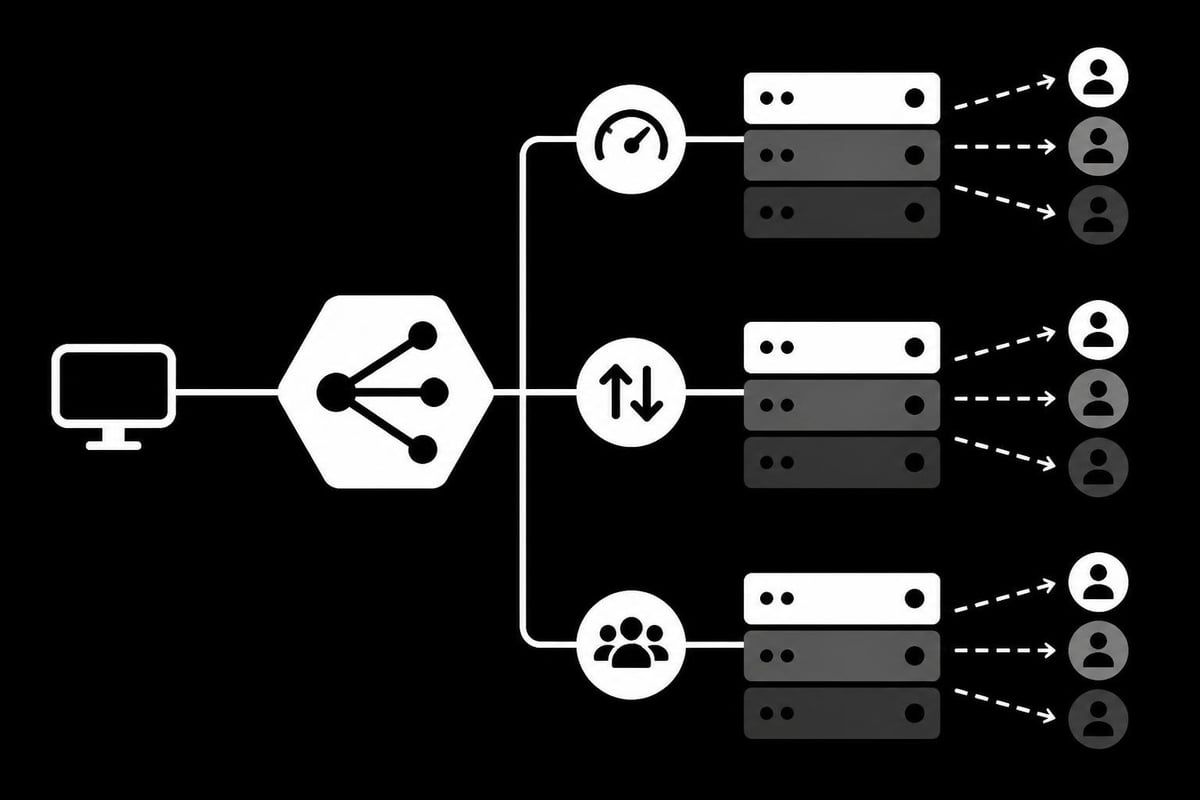
An apache http reverse proxy truly shines when distributing traffic across multiple backend servers. Load balancing improves application availability and performance by ensuring no single server bears the entire load.
Configure a balanced proxy setup using the Balancer Manager:
<Proxy balancer://mycluster>
    BalancerMember http://backend1.example.com:8080
    BalancerMember http://backend2.example.com:8080
    BalancerMember http://backend3.example.com:8080
    ProxySet lbmethod=byrequests
</Proxy>

<VirtualHost *:80>
    ServerName loadbalanced.example.com

    ProxyPass / balancer://mycluster/
    ProxyPassReverse / balancer://mycluster/
</VirtualHost>
Load Balancing Methods
Apache supports several algorithms for distributing requests:
- byrequests - Distributes based on request count (default)
- bytraffic - Considers the amount of traffic sent to each server
- bybusyness - Routes to the server with fewest active connections
- heartbeat - Uses application-level health checks
Each method suits different scenarios. The byrequests method works well for similar-sized requests, while bytraffic excels when request sizes vary significantly. For applications with long-running connections, bybusyness provides better distribution.
SSL/TLS Termination and Security
Implementing SSL termination at your apache http reverse proxy simplifies certificate management and reduces backend server overhead. The proxy handles encryption and decryption, communicating with backend servers over HTTP or HTTPS as needed.
Configure SSL termination with these directives:
<VirtualHost *:443>
    ServerName secure.example.com

    SSLEngine on
    SSLCertificateFile /path/to/certificate.crt
    SSLCertificateKeyFile /path/to/private.key
    SSLCertificateChainFile /path/to/chain.crt

    ProxyPreserveHost On
    ProxyPass / http://backend-server:8080/
    ProxyPassReverse / http://backend-server:8080/

    # Security headers
    Header always set Strict-Transport-Security "max-age=31536000"
    Header always set X-Frame-Options "SAMEORIGIN"
    Header always set X-Content-Type-Options "nosniff"
</VirtualHost>
Security Best Practices
When running an apache http reverse proxy in production, implement these security measures:
- Disable unnecessary HTTP methods using
<Limit>directives - Set appropriate timeouts to prevent slowloris attacks
- Configure rate limiting to protect against DDoS attempts
- Implement proper header filtering to prevent header injection attacks
- Enable comprehensive logging for security monitoring
The security research on HTTP request synchronization highlights potential discrepancy attacks that can affect proxy services, emphasizing the importance of proper configuration. Similar to how reverse proxy SSL implementations require careful attention to detail, your Apache configuration should prioritize security alongside performance.
Performance Optimization Techniques
Optimizing your apache http reverse proxy ensures it can handle high traffic volumes without becoming a bottleneck. Several configuration parameters directly impact performance and reliability.
Connection Pooling and Timeouts
Apache maintains connection pools to backend servers, reusing connections rather than establishing new ones for each request. Configure these parameters carefully:
| Parameter | Default | Recommended | Purpose |
|---|---|---|---|
| ProxyTimeout | 300 | 60-120 | Request timeout in seconds |
| timeout | 300 | 60 | General timeout setting |
| ProxyIOBufferSize | 8192 | 16384-32768 | Internal buffer size in bytes |
| MaxConnectionsPerChild | 0 | 10000 | Requests per worker before restart |
The StackHarbor guide on mod_proxy configuration provides detailed insights into tuning these parameters for optimal performance under load. Businesses using proxy infrastructure, similar to those leveraging SOCKS5 proxy services, benefit from understanding timeout configuration to prevent connection issues.
ProxyTimeout controls how long Apache waits for a response from the backend server. Setting this too high can cause client timeouts, while too low may terminate legitimate slow requests.
Caching Configuration
Enable caching to reduce backend server load and improve response times:
CacheEnable disk /
CacheRoot /var/cache/apache2/proxy
CacheDefaultExpire 3600
CacheMaxExpire 86400
CacheIgnoreHeaders Set-Cookie
Caching works best for static content and API responses that don't change frequently. Dynamic, user-specific content should bypass the cache to ensure users receive current information.
Header Manipulation and Client Information
An apache http reverse proxy must properly handle HTTP headers to maintain client information and ensure backend applications function correctly. Headers contain crucial data about the original request that backend servers need.
Preserving Client Information
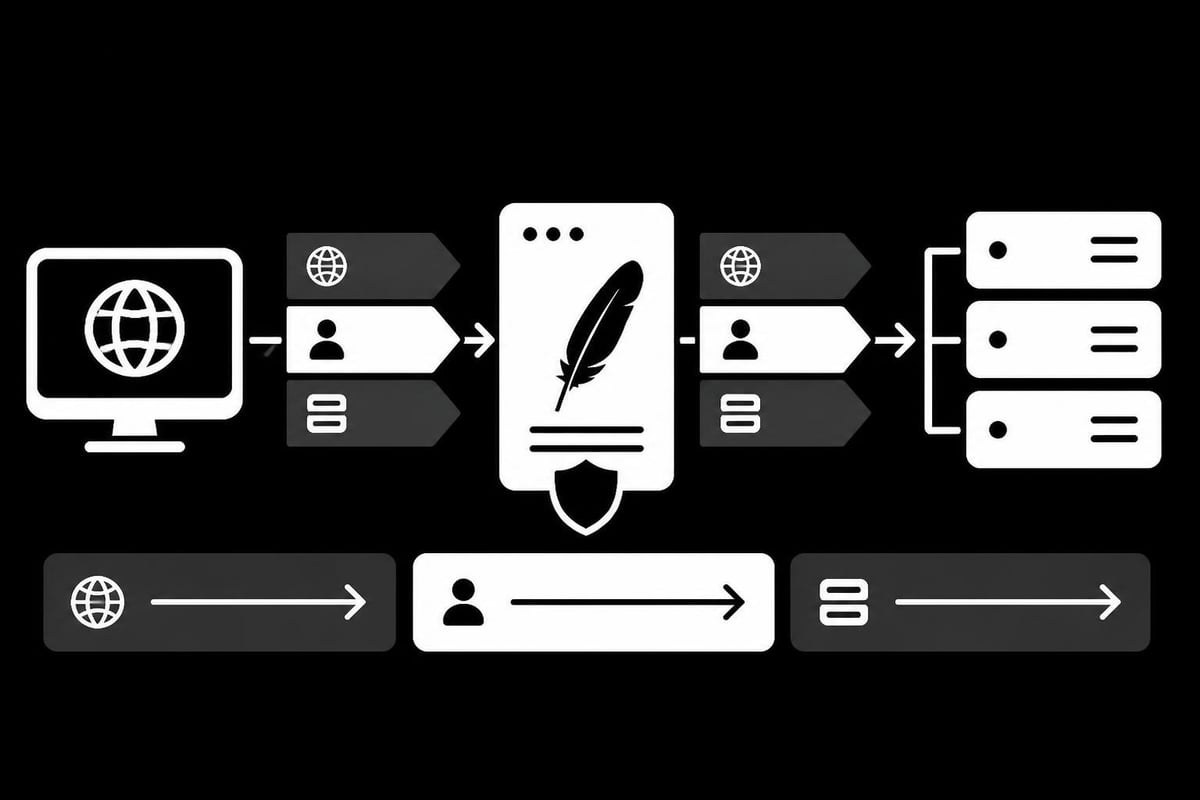
Backend servers can't see the original client IP address when requests pass through a proxy. Configure headers to preserve this information:
<VirtualHost *:80>
    ServerName proxy.example.com

    ProxyPreserveHost On
    ProxyPass / http://backend-server:8080/
    ProxyPassReverse / http://backend-server:8080/

    # Preserve client IP information
    RequestHeader set X-Forwarded-Proto "http"
    RequestHeader set X-Forwarded-For "%{REMOTE_ADDR}s"
    RequestHeader set X-Real-IP "%{REMOTE_ADDR}s"
</VirtualHost>
These headers serve specific purposes:
- X-Forwarded-For - Contains the original client IP address
- X-Real-IP - Alternative header for client IP (used by some applications)
- X-Forwarded-Proto - Indicates the original protocol (HTTP or HTTPS)
- X-Forwarded-Host - Preserves the original Host header value
Applications that perform geographic restriction, rate limiting, or security logging depend on accurate client IP addresses. Without proper header configuration, all requests appear to originate from the proxy server itself.
WebSocket and Special Protocol Support
Modern web applications often use WebSocket connections for real-time communication. Your apache http reverse proxy needs specific configuration to support these persistent connections alongside standard HTTP traffic.
Enable WebSocket proxying with these modules and directives:
LoadModule proxy_wstunnel_module modules/mod_proxy_wstunnel.so

<VirtualHost *:80>
    ServerName websocket.example.com

    # Standard HTTP
    ProxyPass / http://backend-server:8080/
    ProxyPassReverse / http://backend-server:8080/

    # WebSocket support
    ProxyPass /ws ws://backend-server:8080/ws
    ProxyPassReverse /ws ws://backend-server:8080/ws

    # Keep connection alive
    ProxyPreserveHost On
    ProxyTimeout 3600
</VirtualHost>
The mod_proxy_wstunnel module handles WebSocket protocol upgrades. Notice the ws:// scheme in the ProxyPass directive for WebSocket endpoints, compared to http:// for regular traffic.
Timeout Considerations for Long-Lived Connections
WebSocket connections remain open for extended periods, unlike typical HTTP requests that complete quickly. Adjust timeout values accordingly to prevent the proxy from prematurely closing connections.
Set ProxyTimeout to a higher value for WebSocket endpoints. Values between 3600 (1 hour) and 86400 (24 hours) are common, depending on your application's requirements. This configuration mirrors considerations found when setting up Docker reverse proxies that also handle persistent connections.
Monitoring and Troubleshooting
Maintaining a healthy apache http reverse proxy requires continuous monitoring and quick troubleshooting when issues arise. Apache provides several tools and log files that help identify and resolve problems.
Essential Log Files
Apache generates multiple logs that provide visibility into proxy operations:
- Error Log - Contains module errors, configuration issues, and backend connection failures
- Access Log - Records all requests processed by the proxy
- Custom Logs - Application-specific logs you configure
- SSL Log - SSL/TLS-specific events and errors
Configure detailed logging during initial setup and troubleshooting:
LogLevel proxy:trace2 proxy_http:trace2

ErrorLog ${APACHE_LOG_DIR}/proxy-error.log
CustomLog ${APACHE_LOG_DIR}/proxy-access.log "%h %l %u %t \"%r\" %>s %b \"%{Referer}i\" \"%{User-Agent}i\" %D"
The %D format in the CustomLog directive records request duration in microseconds, helping identify slow backend responses. This metric is invaluable for performance troubleshooting.
Common Issues and Solutions
| Issue | Symptom | Solution |
|---|---|---|
| 502 Bad Gateway | Backend unreachable | Check backend server status and firewall rules |
| 503 Service Unavailable | All backend servers down | Verify ProxyPass URLs and backend health |
| Slow responses | High request duration | Review ProxyTimeout and backend performance |
| Connection refused | Cannot connect to backend | Validate backend port and network connectivity |
When troubleshooting, the step-by-step guide from HowToGeek offers practical examples that can help identify configuration issues. Testing your setup systematically prevents misconfigurations that could impact service availability.
Integration with Proxy Services
Organizations running an apache http reverse proxy often combine it with dedicated proxy services for enhanced functionality. This hybrid approach leverages the strengths of both technologies.
Using Apache as a reverse proxy in front of proxy services creates a powerful architecture. The Apache layer handles SSL termination, load balancing, and routing, while the proxy service manages IP rotation and geographic distribution. This setup is particularly valuable for businesses conducting web scraping operations or managing multiple client connections.
Routing to Proxy Backends
Configure Apache to route specific paths or domains through different proxy backends:
<VirtualHost *:80>
    ServerName multi-backend.example.com

    # Route API requests to high-speed datacenter proxies
    ProxyPass /api http://datacenter-proxy:8080/api
    ProxyPassReverse /api http://datacenter-proxy:8080/api

    # Route scraping requests to residential proxies
    ProxyPass /scrape http://residential-proxy:8080/scrape
    ProxyPassReverse /scrape http://residential-proxy:8080/scrape

    # Default routing
    ProxyPass / http://default-backend:8080/
    ProxyPassReverse / http://default-backend:8080/
</VirtualHost>
This configuration pattern allows you to optimize routing based on use case. Similar to how cheap data center proxies serve high-speed applications while residential proxies handle scenarios requiring geographic diversity, your Apache configuration can intelligently route traffic.
The order of ProxyPass directives matters. Apache processes them from top to bottom, using the first match it finds. Place more specific paths before generic ones to ensure correct routing.
Health Checks and Failover
A production apache http reverse proxy needs robust health checking to automatically route traffic away from failed backend servers. Apache's balancer manager provides built-in health check capabilities.
Configure health checks and failover behavior:
<Proxy balancer://mycluster>
    BalancerMember http://backend1.example.com:8080 retry=5
    BalancerMember http://backend2.example.com:8080 retry=5
    BalancerMember http://backend3.example.com:8080 retry=5
    ProxySet lbmethod=byrequests
</Proxy>

<Location /balancer-manager>
    SetHandler balancer-manager
    Require host localhost
</Location>
Failover Parameters
- retry - Seconds to wait before retrying a failed backend (default 60)
- status - Controls whether a backend is enabled or disabled
- timeout - Connection timeout for this specific backend member
- disablereuse - Forces new connections instead of connection pooling
The retry parameter determines how quickly Apache attempts to use a failed server again. A value of 5 seconds works well for most applications, balancing quick recovery against avoiding a server still experiencing issues. For applications requiring high availability similar to mobile proxies for Instagram, proper failover configuration prevents service interruptions.
Practical Use Cases and Deployment Patterns
Organizations deploy apache http reverse proxy in various architectures to solve different challenges. Understanding common patterns helps you design an effective solution for your needs.
Microservices Gateway
Use Apache as a gateway routing requests to different microservices:
- /users routes to the user service
- /products routes to the product catalog service
- /orders routes to the order management service
- /payments routes to the payment processing service
This pattern centralizes external access, simplifies SSL management, and provides a single point for implementing cross-cutting concerns like authentication and logging.
Multi-Tenant Application Routing
Route requests based on hostname or subdomain to different backend applications:
<VirtualHost *:80>
    ServerName tenant1.example.com
    ProxyPass / http://tenant1-backend:8080/
    ProxyPassReverse / http://tenant1-backend:8080/
</VirtualHost>

<VirtualHost *:80>
    ServerName tenant2.example.com
    ProxyPass / http://tenant2-backend:8080/
    ProxyPassReverse / http://tenant2-backend:8080/
</VirtualHost>
Each virtual host configuration isolates tenant traffic while sharing the same Apache instance, reducing resource overhead compared to running separate proxy servers.
API Gateway with Rate Limiting
Protect backend APIs by implementing rate limiting at the proxy level. While Apache doesn't include advanced rate limiting built-in, you can integrate it with modules like mod_evasive or use external tools.
This deployment pattern is particularly relevant for businesses offering proxy services, where managing request rates prevents abuse and ensures fair resource distribution. The architecture parallels considerations in Apache HTTP Server reverse proxy implementations focused on service protection.
Configuring an apache http reverse proxy provides organizations with powerful control over traffic routing, security, and performance optimization. By implementing the techniques covered in this guide, you'll create a robust infrastructure layer that enhances application availability and protects backend services. Whether you need load balancing, SSL termination, or complex routing logic, Apache's flexible configuration options support diverse deployment scenarios. For businesses requiring high-performance proxy infrastructure with global reach, PinguProxy delivers enterprise-grade datacenter, residential, and mobile proxies with complete IPv4 and IPv6 support, 10Gbps bandwidth, and 24/7 support to complement your reverse proxy architecture.