
PIA SOCKS Proxy: Setup, Features & Performance Guide
Private Internet Access (PIA) has long been recognized as a leading VPN provider, but many users overlook one of its most powerful features: the integrated SOCKS5 proxy service. The pia socks proxy functionality offers a lightweight alternative to full VPN connections, providing faster speeds for specific applications while maintaining enhanced privacy. Unlike traditional HTTP proxies, SOCKS5 proxies can handle any type of traffic, making them ideal for torrenting, gaming, and bypassing geographical restrictions without the overhead of VPN encryption. Understanding how to leverage this feature properly can significantly improve your online experience while maintaining security.
What Makes PIA SOCKS Proxy Different
The pia socks proxy service stands apart from standard proxy offerings through its integration with Private Internet Access's robust infrastructure. While many proxy providers operate independently, PIA bundles SOCKS5 access with its VPN subscription, creating a comprehensive privacy solution.
Key advantages include:
- No additional cost beyond the VPN subscription
- Authentication-based security preventing unauthorized access
- Multiple server locations across global regions
- Seamless integration with popular applications
- Zero bandwidth throttling or connection limits
Technical Specifications
SOCKS5 represents the latest version of the Socket Secure protocol, supporting various authentication methods and offering improved performance over its predecessors. When you configure the pia socks proxy, you're utilizing a protocol that operates at Layer 5 of the OSI model, making it more versatile than HTTP proxies.
| Feature | SOCKS5 | HTTP Proxy | Full VPN |
|---|---|---|---|
| Traffic Types | All protocols | HTTP/HTTPS only | All protocols |
| Encryption | No | No | Yes |
| Speed | Fastest | Fast | Moderate |
| Authentication | Yes | Limited | Yes |
| UDP Support | Yes | No | Yes |
The lack of encryption might seem concerning, but this characteristic actually provides the speed advantage that makes SOCKS5 proxies valuable for specific use cases. When combined with application-level encryption (like HTTPS), you maintain security while enjoying faster connection speeds.
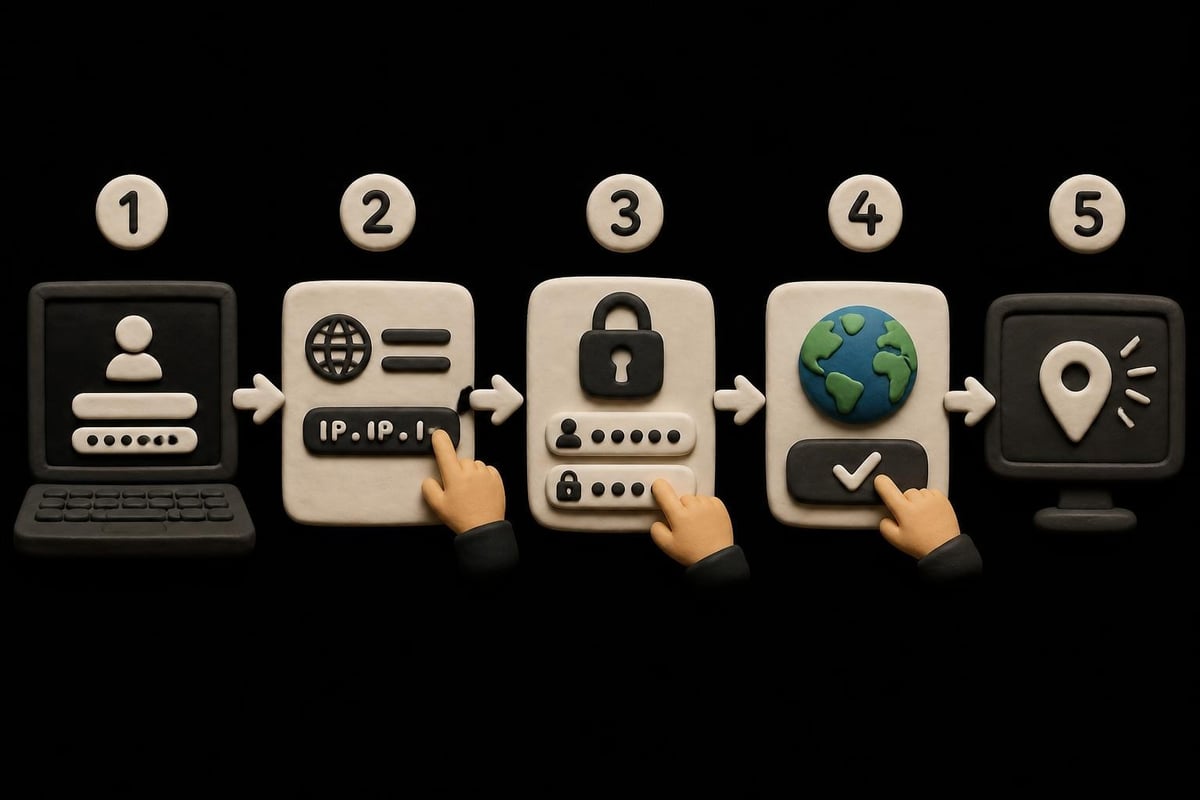
Setting Up Your PIA SOCKS Proxy
Configuring the pia socks proxy requires just a few steps, though the process varies slightly depending on your application. The general workflow remains consistent across most platforms.
Obtaining Your Credentials
First, log into your PIA account dashboard to retrieve your SOCKS5 proxy credentials. These differ from your VPN login details and include:
- Username (typically starts with 'x')
- Password (auto-generated string)
- Proxy server addresses
- Port number (usually 1080)
Never share these credentials, as they provide direct access to your proxy service. PIA generates unique credentials for each user, ensuring accountability and security.
Application-Specific Configuration
Different applications require different setup approaches. Torrent clients like qBittorrent, Deluge, and Transmission include built-in SOCKS5 support, making configuration straightforward.
For torrent clients:
- Navigate to connection or proxy settings
- Select SOCKS5 as the proxy type
- Enter proxy server address (e.g., proxy-nl.privateinternetaccess.com)
- Input port 1080
- Add your PIA SOCKS5 username and password
- Enable proxy for peer connections
- Disable DNS lookups through proxy
Web browsers require extensions or manual configuration. Firefox users can configure SOCKS5 directly in network settings, while Chrome users typically need third-party extensions. For mobile devices, video tutorials demonstrate the setup process for both iOS and Android platforms.
Performance Optimization Strategies
The pia socks proxy delivers optimal performance when configured correctly. Speed differences between proxy servers can be significant based on geographical distance and server load.
Server Selection
Choosing the right proxy server dramatically impacts your experience. PIA operates SOCKS5 proxies in multiple countries, each offering different advantages:
| Region | Best For | Average Speed | Latency |
|---|---|---|---|
| US East | North American content | Very High | Low |
| Netherlands | European services | High | Medium |
| Singapore | Asian platforms | High | Medium-High |
| Canada | Streaming services | Very High | Low-Medium |
Test multiple servers to identify the best option for your specific use case. Geographic proximity doesn't always guarantee the fastest speeds, as server load and infrastructure quality play crucial roles.
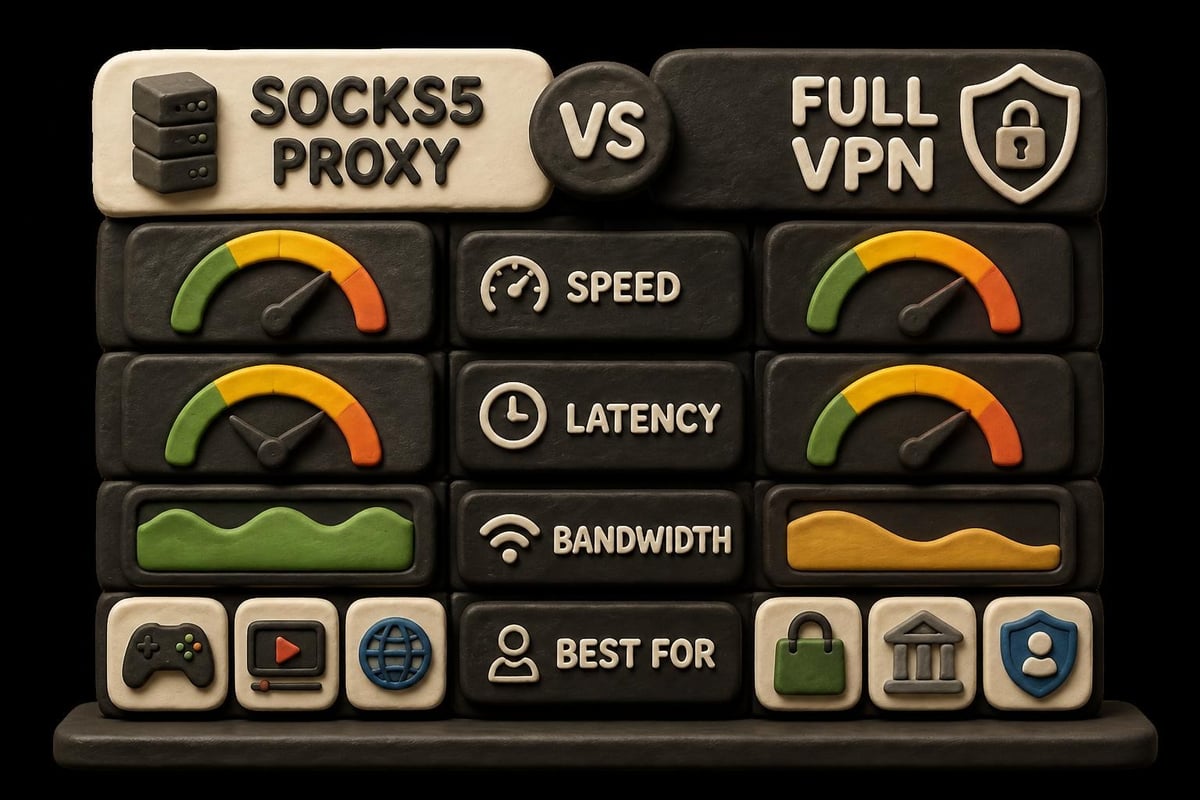
Bandwidth Management
Unlike some proxy services that implement throttling, the pia socks proxy maintains consistent speeds regardless of usage volume. This makes it particularly valuable for data-intensive activities.
Maximizing bandwidth efficiency:
- Disable unnecessary applications using the proxy
- Configure only specific programs to route through SOCKS5
- Monitor connection quality using built-in diagnostic tools
- Switch servers during peak usage times if performance degrades
- Combine with split tunneling for optimal resource allocation
For users requiring even more robust solutions, exploring options from providers like PinguProxy can offer additional features including 10Gbps bandwidth and 1ms rotation capabilities.
Security Considerations and Best Practices
While the pia socks proxy provides anonymity benefits, understanding its security limitations ensures proper implementation. SOCKS5 proxies don't encrypt traffic, meaning your ISP can still see you're transferring data, though they cannot determine the content when using encrypted protocols.
Authentication and Access Control
PIA's implementation requires authentication, preventing unauthorized proxy usage. This differs significantly from free SOCKS proxy services that often lack proper security measures.
Recent incidents, including the FBI's takedown of malicious proxy networks, highlight the importance of using reputable services. Compromised proxy networks can expose user data or inject malicious code into traffic streams.
Security best practices include:
- Always use SOCKS5 with applications that support end-to-end encryption
- Verify your IP address changes after configuration
- Enable kill switches in applications when available
- Regularly update proxy credentials
- Monitor for DNS leaks that might expose your real location
Privacy Policy and Logging
PIA maintains a strict no-logs policy that extends to its SOCKS5 proxy service. This commitment has been tested in court, providing real-world validation of their privacy claims. Unlike some services that log connection timestamps or bandwidth usage, PIA operates without retaining identifiable information.
When evaluating any SOCKS proxy service, examine their logging practices carefully. The absence of logs means even if compelled by legal authorities, the provider has no user data to surrender.
Common Use Cases and Applications
The pia socks proxy excels in specific scenarios where full VPN encryption is unnecessary or potentially counterproductive. Understanding these use cases helps determine when to employ SOCKS5 versus a complete VPN connection.
Torrenting and P2P File Sharing
BitTorrent traffic benefits enormously from SOCKS5 proxies. The protocol's support for UDP connections ensures compatibility with modern torrent clients, while the speed advantage over encrypted VPN tunnels accelerates downloads.
Configuration tips for torrenting:
- Set SOCKS5 proxy in your torrent client settings
- Bind the client to the proxy connection
- Disable connections not using the proxy
- Test with an IP-checking torrent
- Verify your public IP shows the proxy server location
Many torrent enthusiasts combine the pia socks proxy with VPN connections, routing torrent traffic through SOCKS5 while browsing through the encrypted VPN tunnel. This hybrid approach balances speed with security.
Gaming and Low-Latency Applications
Gamers seeking to reduce ping times or access region-locked servers find SOCKS5 proxies particularly valuable. The minimal overhead compared to VPN encryption can reduce latency by 10-30ms, which makes a significant difference in competitive gaming.
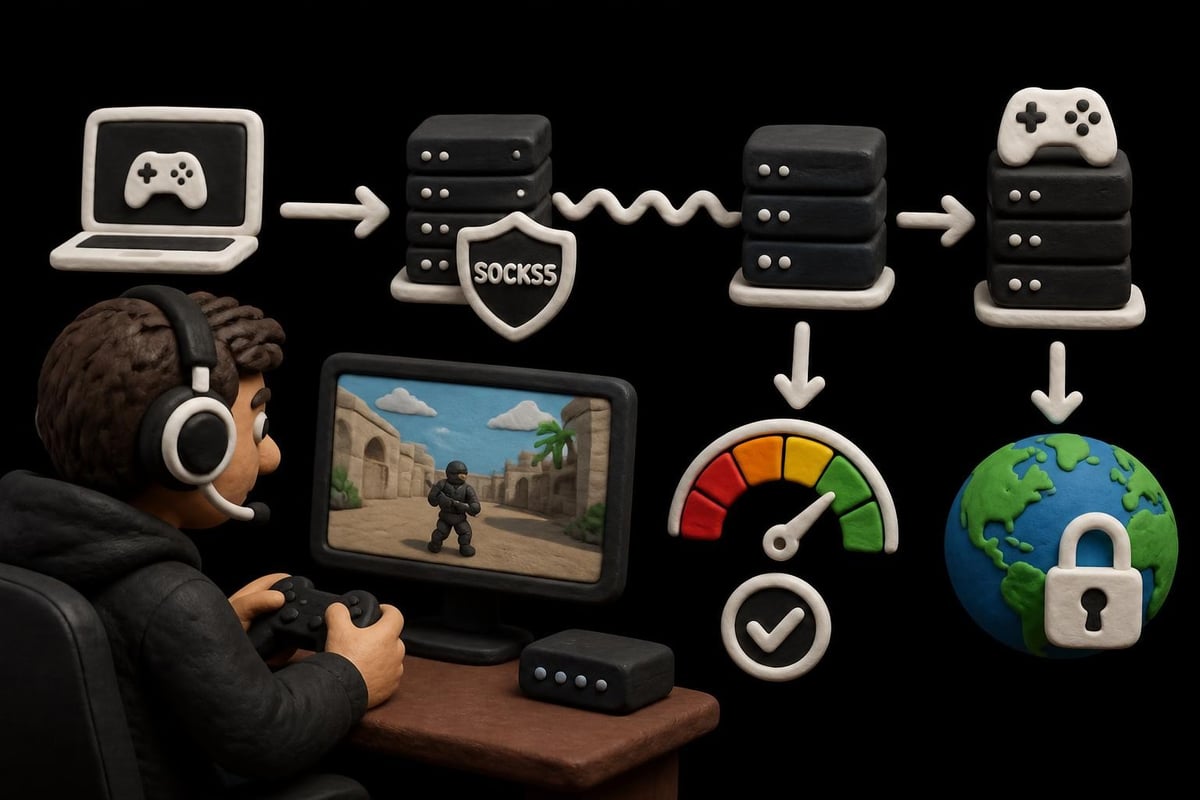
Console gaming presents challenges, as most consoles lack native SOCKS5 support. Solutions include configuring your router or using a PC as a proxy gateway. Mobile proxy solutions offer alternative approaches for mobile gaming scenarios.
Web Scraping and Automation
While the pia socks proxy serves individual users well, large-scale web scraping operations often require more specialized infrastructure. The single IP address per connection can trigger rate limits on target websites.
For professional scraping needs, services like those offered through quality SOCKS5 proxy providers provide rotating IP pools and residential addresses that better mimic organic traffic patterns. PIA's SOCKS5 works well for small-scale scraping or personal automation tasks.
Troubleshooting Common Issues
Even with proper configuration, users occasionally encounter challenges with the pia socks proxy. Most issues stem from incorrect settings or application-specific quirks.
Connection Failures
When the proxy refuses connections, verify several factors:
- Credentials accuracy: Double-check username and password
- Server address format: Ensure you're using the correct domain
- Port number: Confirm 1080 is specified
- Firewall rules: Check that your firewall allows SOCKS5 connections
- Application compatibility: Verify the program supports SOCKS5 authentication
Some applications fail silently when SOCKS5 credentials are incorrect, continuing to use your regular connection without warning. Always verify your IP address after configuration to confirm the proxy is active.
Speed and Performance Problems
Slow connections through the pia socks proxy might indicate:
| Issue | Solution |
|---|---|
| Server overload | Switch to alternative proxy location |
| ISP throttling | Test with different port configurations |
| Application misconfiguration | Verify only intended traffic routes through proxy |
| Network congestion | Try connection during off-peak hours |
| DNS resolution delays | Configure custom DNS servers |
Comparing your results against standard SOCKS5 performance benchmarks helps identify whether issues stem from PIA's infrastructure or local configuration problems.
DNS Leaks and Privacy Concerns
SOCKS5 proxies don't inherently handle DNS requests, potentially exposing your browsing destinations even when your IP address is masked. Configure your applications to route DNS queries through the proxy or use custom DNS servers that don't log requests.
Testing tools available online can verify whether your DNS requests leak outside the proxy tunnel. PIA's broader VPN service includes DNS leak protection, but the SOCKS5 proxy requires manual configuration for complete protection.
Comparing PIA to Alternative Solutions
The proxy landscape has evolved significantly, with numerous providers offering various SOCKS proxy options. Understanding how the pia socks proxy compares helps inform your decision.
Integrated vs. Standalone Services
PIA bundles SOCKS5 access with VPN subscriptions, creating value for users who need both services. Standalone proxy providers often offer more specialized features:
Standalone proxy advantages:
- Larger IP pools with thousands of addresses
- Residential and mobile IP options
- Automatic rotation capabilities
- Geographic targeting with city-level precision
- Better suited for business applications
PIA's integrated approach benefits:
- Cost-effective for individual users
- Simplified account management
- Consistent privacy policy across services
- Reliable infrastructure with proven uptime
- Strong authentication and security
For users primarily interested in purchasing dedicated SOCKS5 proxies, specialized providers might offer better value and flexibility. However, PIA's combination package serves well for general privacy needs.
Free Alternatives and Their Limitations
While numerous free SOCKS5 proxy lists circulate online, these present significant security risks. Free proxies often:
- Log and sell user data
- Inject advertisements into web traffic
- Operate with poor security practices
- Provide unreliable connections
- Lack authentication mechanisms
The marginal cost savings rarely justify these substantial risks. Reputable paid services like PIA or specialized proxy providers deliver consistent performance and trustworthy privacy protections.
Advanced Configuration Techniques
Power users can extract additional value from the pia socks proxy through advanced setup methods. These techniques require technical knowledge but unlock enhanced functionality.
Proxy Chaining
Routing traffic through multiple proxy servers increases anonymity but significantly impacts speed. Configure your pia socks proxy as the final hop in a chain, benefiting from PIA's reliable infrastructure:
- Connect to your primary proxy or VPN
- Configure the pia socks proxy within that connection
- Route application traffic through the chained setup
- Verify each hop maintains proper configuration
- Monitor for performance degradation
This approach works well for maximum privacy scenarios but proves impractical for speed-dependent activities.
Automation and Scripts
Developers can programmatically configure SOCKS5 connections using various libraries. Python's requests library, for example, supports SOCKS5 proxies through the PySocks module:
Most programming languages offer similar capabilities, enabling automated workflows that leverage the pia socks proxy for API requests, data collection, or testing geographically restricted services.
Split Routing Configurations
Advanced users often combine full VPN connections with selective SOCKS5 proxy routing. This hybrid approach routes sensitive browsing through encrypted VPN tunnels while directing high-bandwidth activities through the faster SOCKS5 proxy.
Operating system routing tables and application-specific configurations enable this split tunneling. Windows users can configure proxy settings per application, while Linux users might employ iptables rules for granular control.
Platform-Specific Considerations
Different operating systems and devices present unique challenges when configuring the pia socks proxy. Understanding these platform-specific nuances ensures successful implementation.
Windows and macOS
Desktop operating systems provide the most straightforward configuration experience. Windows users can set system-wide proxy settings, though application-specific configuration often works better. Mac users evaluating PIA's complete offering find the SOCKS5 proxy integrates well with macOS network preferences.
Mobile Devices
iOS and Android require different approaches. Native proxy support varies by application, with some apps ignoring system proxy settings entirely. Detailed mobile setup guides demonstrate configuration for popular applications.
Mobile limitations make full VPN connections more practical for many users, though specific apps like torrent clients benefit from SOCKS5 configuration when available.
Linux and Command-Line Environments
Linux users enjoy the most flexibility, with system-wide proxy configuration through environment variables or application-specific settings. Command-line tools like curl and wget support SOCKS5 proxies through simple flags:
These capabilities make Linux ideal for automation workflows requiring proxy connectivity.
Cost-Benefit Analysis
Evaluating whether the pia socks proxy delivers sufficient value requires examining your specific needs against the subscription cost. PIA's pricing includes both VPN and SOCKS5 access, creating a bundled value proposition.
When PIA's offering makes sense:
- You need occasional proxy access alongside regular VPN usage
- Individual user or small household scenarios
- General privacy enhancement without specialized requirements
- Budget constraints limiting multiple service subscriptions
- Preference for simplified account management
When specialized providers offer better value:
- Business applications requiring multiple simultaneous connections
- Web scraping at scale with rotation requirements
- Need for residential or mobile IP addresses
- Geographic targeting beyond PIA's server locations
- Requirements for 4G rotating proxy capabilities
Comparing the total cost of ownership across different providers requires factoring in your usage patterns and specific feature requirements. Comprehensive proxy service comparisons evaluate various options across multiple criteria.
The pia socks proxy provides a valuable tool for users seeking enhanced privacy and flexibility without full VPN encryption overhead, though specific use cases may benefit from specialized proxy services. Whether you're torrenting, gaming, or simply want faster connections for certain applications, understanding SOCKS5 proxy configuration and optimization ensures you maximize its potential. For those requiring enterprise-grade features like 10Gbps bandwidth, 1ms proxy rotation, and comprehensive IPv4/IPv6 support with residential and mobile IP options, explore what PinguProxy offers to take your proxy setup to the next level.